Posted at 2023-08-26 Comments Technology
FLAC代表Free Lossless Audio Codec,是一种与MP3类似的音频格式,但它是无损的,意味着在FLAC中压缩音频时不会损失任何质量。这与Zip的工作原理类似,但使用FLAC时,您将获得更好的压缩效果,因为它是专门为音频设计的。您可以在您喜欢的播放器(或您的汽车或家庭立体声设备,请参阅支持的设备)中播放压缩的FLAC文件,就像播放MP3文件一样。
FLAC是最快且支持最广泛的无损音频编解码器,而且是唯一一个同时满足非专有、不受专利束缚、具有开源参考实现、格式和API文档齐全,以及其他多种独立实现条件的编解码器。
如果您不确定要下载什么,请参阅“使用FLAC”部分,了解有关播放FLAC文件、将CD翻录为FLAC等的说明和指南。本部分适用于官方FLAC工具。请参见下面的“额外内容”部分,了解支持或使用FLAC的第三方工具。
所有源代码和二进制文件均可在开源许可证下自由使用和分发。编解码器库在Xiph.org的BSD许可下分发,而插件和命令行工具 (flac和metaflac) 则在GPL下分发。(更多信息,请参阅许可页面。)
源代码:适用于稳定版和测试版的tarballs;还包括Windows(MSVC++)和*nix、*BSD、OS/2、OS X(autotools)的文档和构建系统。您也可以查看开发git存储库。
Linux:大多数发行版都包含FLAC软件包,请使用包管理器获取FLAC。如果没有,请尝试rpmfind.net或Debian的软件包。
Windows:适用于Windows的FLAC(文件flac-X.Y.Z-win.zip包含32位和64位的命令行工具和库)。
Mac OS X:从Homebrew获取适用于OS X的FLAC工具。
旧版本:旧版本。
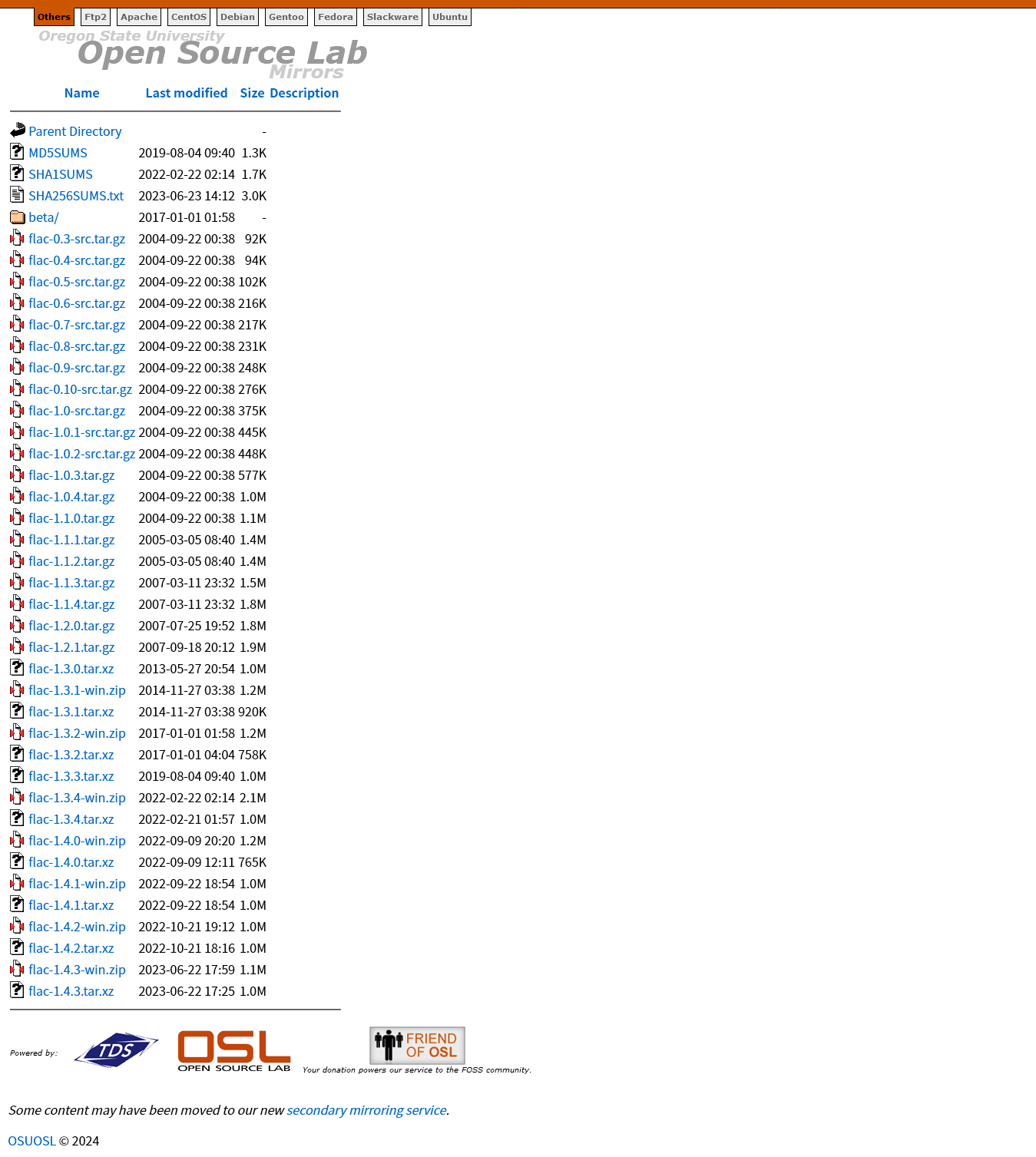
下载适用于Windows平台的FLAC
打开上文 Windows 平台的链接,或者打开 github 存储库 release 页面选择合适的版本下载。
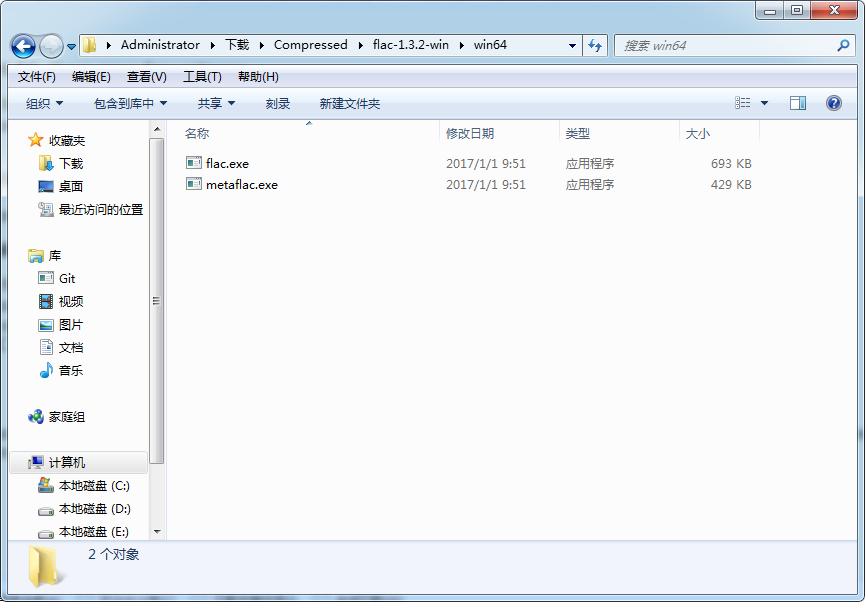
如果仅作为命令行工具使用,仅需关注这两个文件。
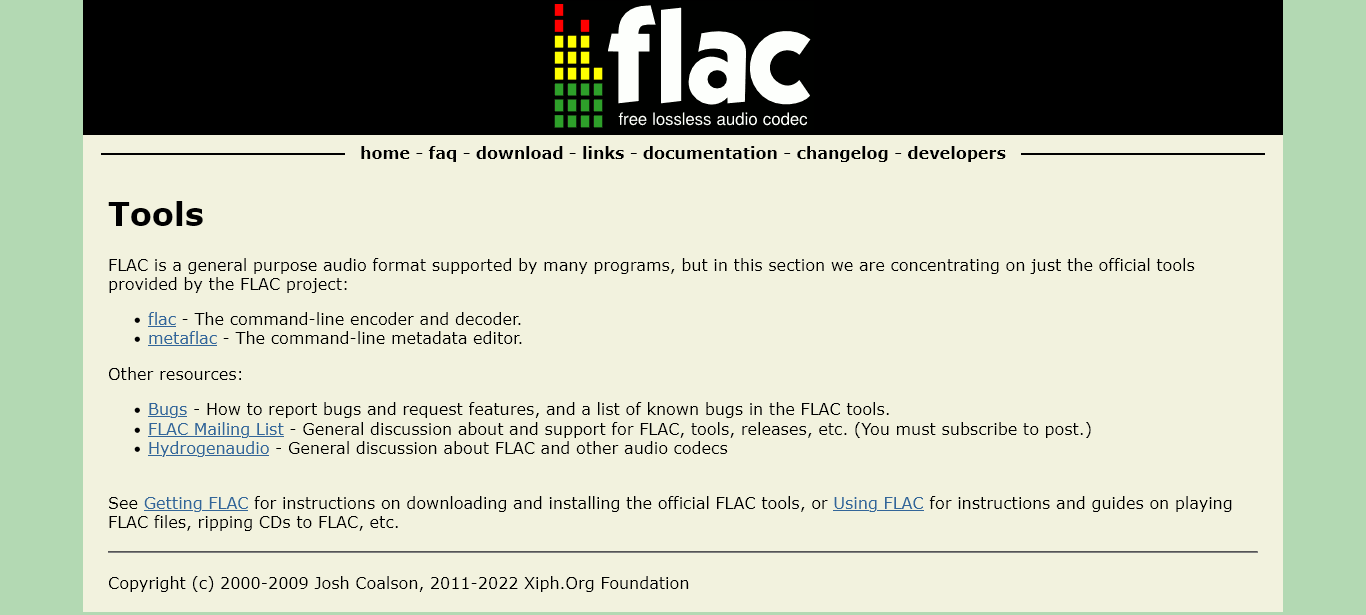
使用FLAC
使用FLAC时应该多看看官方文档,入门只需关注FLAC - Using FLAC和FLAC - FAQ部分。
想了解用于转换FLAC文件和编辑元数据的命令行程序,在 Using FLAC 页面找到
Mac OS
…
If you want to convert audio files to/from FLAC:
Free Audio Converter, a free GUI audio file converter
XLD a nice GUI ripper/converter/burner
MacFLAC. Also includes our command-line programs for converting FLAC files and editing metadata.
MediaRage can edit FLAC tags.
跳转到这个界面——
入门我们仅需关注这部分内容,改一改能用就行。
## EXAMPLES

Some common encoding tasks using flac:

flac abc.wav
    Encode abc.wav to abc.flac using the default compression setting. abc.wav is not deleted.
flac --delete-input-file abc.wav
    Like above, except abc.wav is deleted if there were no errors.
flac --delete-input-file -w abc.wav
    Like above, except abc.wav is deleted if there were no errors or warnings.
flac --best abc.wav
    Encode abc.wav to abc.flac using the highest compression setting.
flac --verify abc.wav
    Encode abc.wav to abc.flac and internally decode abc.flac to make sure it matches abc.wav.
flac -o my.flac abc.wav
    Encode abc.wav to my.flac.
flac -T "TITLE=Bohemian Rhapsody" -T "ARTIST=Queen" abc.wav
    Encode abc.wav and add some tags at the same time to abc.flac.
flac *.wav
    Encode all .wav files in the current directory.
flac abc.aiff
    Encode abc.aiff to abc.flac.
flac abc.rf64
    Encode abc.rf64 to abc.flac.
flac abc.w64
    Encode abc.w64 to abc.flac.
flac abc.flac --force
    This one’s a little tricky: notice that flac is in encode mode by default (you have to specify -d to decode) so this command actually recompresses abc.flac back to abc.flac. –force is needed to make sure you really want to overwrite abc.flac with a new version. Why would you want to do this? It allows you to recompress an existing FLAC file with (usually) higher compression options or a newer version of FLAC and preserve all the metadata like tags too.

Some common decoding tasks using flac:

flac -d abc.flac
    Decode abc.flac to abc.wav. abc.flac is not deleted. NOTE: Without -d it means re-encode abc.flac to abc.flac (see above).
flac -d --force-aiff-format abc.flac
flac -d -o abc.aiff abc.flac
    Two different ways of decoding abc.flac to abc.aiff (AIFF format). abc.flac is not deleted.
flac -d --force-rf64-format abc.flac
flac -d -o abc.rf64 abc.flac
    Two different ways of decoding abc.flac to abc.rf64 (RF64 format). abc.flac is not deleted.
flac -d --force-wave64-format abc.flac
flac -d -o abc.w64 abc.flac
    Two different ways of decoding abc.flac to abc.w64 (Wave64 format). abc.flac is not deleted.
flac -d -F abc.flac
    Decode abc.flac to abc.wav and don’t abort if errors are found (useful for recovering as much as possible from corrupted files).
将"flac-1.3.2-win\win64\flac.exe"的路径
C:\Users\Administrator\Downloads\Compressed\flac-1.3.2-win\win64
添加到系统环境变量即可作为命令行工具使用。
如果你安装了Foobar2000等支持FLAC的软件,也可以将对应的文件替换,体验新版本。
Posted at 2023-08-24 Comments Technology
前言
Github设置有一项叫“SSH 与 GPG 公钥”,平常我们看一些教程只需要使用SSH 公钥,好像用不到GPG 公钥,直到我看到这篇有趣的帖子——👨💻 震惊!竟然有人在 GitHub 上冒充我的身份!
Git 的 commit 是可以任意修改的,你可以将某个坏 commit 嫁祸给别人,甚至将某个坏仓库的 commit 批量嫁祸给毫不知情的人。
使用一个只有我们自己手中拥有的 GPG 私钥对我们的 commit 进行签名,可以让 GitHub 确认我们本次 commit 是真实且是本人操作的。这样,别有用心的他人就无法以我们的身份创建「被签名」的 commit。在 GitHub 上使用的 GPG 密钥和我们的 SSH 密钥并不一样,后者 SSH key 唯一存在的原因是为了向 GitHub 证明身份,用于向我们拥有权限的仓库中进行 commit,而前者 GPG key 则是为了「证明我拥有本次 commit 的著作权」,也只有用 GPG 私钥签名的 commit 在 GitHub 上才会显示如下图的 Verified 绿色钦定小标标。
今天我们就来了解一下GPG是什么,以及怎么用。
什么是GPG
1991年,菲利普·齐墨尔曼(Philip R. Zimmermann)发明了PGP加密算法,第一个版本的 PGP 程式与其中使用的加密算法 BassOmatic 都是由齐默尔曼发展出来。但 PGP 是商业软件,不能自由使用。所以,自由软件基金会决定开发一款自由软件以替代 PGP。这就是GPG的由来。
PGP 与 GPG 的关系
PGP
- Pretty Good Privacy,是一个被设计用来加密信息,保护隐私的软件。
- OpenPGP 是与最初 PGP 工具兼容的 IETF 标准
- 现在提到“PGP”, 基本上是说 OpenPGP 标准。
GPG
- 即GnuPG。
- GnuPG (“Gnu Privacy Guard”)是实现了 OpenPGP 标准的自由软件。
- GnuPG 的命令行工具称为 “gpg”
GPG KEY 使用场景
- 使用 GPG 密钥来签名你的 git commits
- 使用公钥验证第三方软件的签名
- 使用 gpg 公钥来加密你的邮件
- 使用公钥认证来实现授权登陆 (Public Key Authentication)
Linux下使用GPG签名/加密
安装 GPG
Linux下GPG有两种安装方式。可以下载源码,自己编译安装。
./configure
make
make install
也可以安装编译好的二进制包
# Debian / Ubuntu 环境
sudo apt-get install gnupg

# Fedora 环境
yum install gnupg

# Arch 环境
sudo pacman -S gnupg
完成后键入以下命令
gpg --help
如果屏幕显示GPG的帮助,就表示安装成功。
生成密钥
gpg –-gen-key
回车以后会跳出
gpg (GnuPG) 2.2.41-unknown; Copyright (C) 2022 g10 Code GmbH
This is free software: you are free to change and redistribute it.
There is NO WARRANTY, to the extent permitted by law.

gpg: directory '/c/Users/Administrator/.gnupg' created
gpg: keybox '/c/Users/Administrator/.gnupg/pubring.kbx' created
Note: Use "gpg --full-generate-key" for a full featured key generation dialog.

GnuPG needs to construct a user ID to identify your key.

Real name:
使用“gpg –full-generate-key”生成GPG密钥,有详细的配置参数。
gpg (GnuPG) 2.2.41-unknown; Copyright (C) 2022 g10 Code GmbH
This is free software: you are free to change and redistribute it.
There is NO WARRANTY, to the extent permitted by law.

Please select what kind of key you want:
   (1) RSA and RSA (default)
   (2) DSA and Elgamal
   (3) DSA (sign only)
   (4) RSA (sign only)
  (14) Existing key from card
Your selection?
默认选择第一个选项,表示加密和签名都使用RSA算法。
然后,系统就会问你密钥的长度。
RSA keys may be between 1024 and 4096 bits long.
What keysize do you want? (3072)
接着,设定密钥的有效期。
Please specify how long the key should be valid.
         0 = key does not expire
      <n>  = key expires in n days
      <n>w = key expires in n weeks
      <n>m = key expires in n months
      <n>y = key expires in n years
Key is valid for? (0)
个人使用建议选择第一个选项,即永不过期,回车即可。接下来,系统让你确认。
Key does not expire at all
Is this correct? (y/N)
输入y,系统要求提供个人信息。
GnuPG needs to construct a user ID to identify your key.

Real name:
Email address:
Comment:
“Comment"这一栏可以空着。
然后你的用户ID就生成了。
You selected this USER-ID:
    "xiaxi626 <aijiang1220966821@hotmail.com>"

Change (N)ame, (C)omment, (E)mail or (O)kay/(Q)uit?
系统会让你最后确认一次。
输入O表示"确定”。
接着,系统会让你设定一个私钥的密码。
您需要一个密码来保护您的私钥:
二次输入确认密码后,系统就开始生成密钥了。
We need to generate a lot of random bytes. It is a good idea to perform
some other action (type on the keyboard, move the mouse, utilize the
disks) during the prime generation; this gives the random number
generator a better chance to gain enough entropy.
几分钟以后,系统提示密钥已经生成了。
gpg: /c/Users/Administrator/.gnupg/trustdb.gpg: trustdb created
gpg: directory '/c/Users/Administrator/.gnupg/openpgp-revocs.d' created
gpg: revocation certificate stored as '/c/Users/Administrator/.gnupg/openpgp-revocs.d/2DF491A4DB677422C13A5398102ED6A053101F78.rev'
public and secret key created and signed.
请注意上面的字符串"2DF491A4DB677422C13A5398102ED6A053101F78",这是"用户ID"的Hash字符串,可以用来替代"用户ID"。
这时,最好再生成一张"撤销证书",以备以后密钥作废时,可以请求外部的公钥服务器撤销你的公钥。
gpg --gen-revoke [用户ID]
上面的"用户ID"部分,可以填入你的邮件地址或者Hash字符串(以下同)。
系统提示。
Create a revocation certificate for this key? (y/N)
密钥管理
查看公钥
list-keys参数列出系统中已有的密钥。
gpg --list-key
网上教程的显示结果:
  /home/ruanyf/.gnupg/pubring.gpg
  -------------------------------
  pub 4096R/EDDD6D76 2013-07-11
  uid Ruan YiFeng <yifeng.ruan@gmail.com>
  sub 4096R/3FA69BE4 2013-07-11
第一行显示公钥文件名(pubring.gpg),第二行显示公钥特征(4096位,Hash字符串和生成时间),第三行显示"用户ID",第四行显示私钥特征。
本机输入gpg --list-key 显示:
gpg: checking the trustdb
gpg: marginals needed: 3  completes needed: 1  trust model: pgp
gpg: depth: 0  valid:   1  signed:   0  trust: 0-, 0q, 0n, 0m, 0f, 1u
/c/Users/Administrator/.gnupg/pubring.kbx
-----------------------------------------
pub   rsa3072 2023-08-25 [SC]
      2DF491A4DB677422C13A5398102ED6A053101F78
uid           [ultimate] xiaxi626 <aijiang1220966821@hotmail.com>
sub   rsa3072 2023-08-25 [E]
pubring.kbx是密钥块资源。
如果你要从密钥列表中删除某个密钥,可以使用delete-key参数。
gpg --delete-key [用户ID]
删除公钥前会提示
gpg: there is a secret key for public key "[公钥]"!
gpg: use option "--delete-secret-keys" to delete it first.
查看私钥
list-secret-keys参数列出系统中已有的私钥。
gpg --list-secret-keys
显示结果如下:
/c/Users/Administrator/.gnupg/pubring.kbx
-----------------------------------------
sec#  rsa3072 2023-08-25 [SC]
      2DF491A4DB677422C13A5398102ED6A053101F78
uid           [ultimate] xiaxi626 <aijiang1220966821@hotmail.com>
ssb   rsa3072 2023-08-25 [E]
输出密钥
公钥文件(.gnupg/pubring.gpg)以二进制形式储存,armor参数可以将其转换为ASCII码显示。
gpg --armor --output public-key.txt --export [用户ID]

or

gpg -a --export [用户ID] > public-key.asc
“用户ID"指定哪个用户的公钥,output参数指定输出文件名(public-key.txt)。
类似地,export-secret-keys参数可以转换私钥。
gpg --armor --output private-key.txt --export-secret-keys

or

gpg -a --export-secret-keys [用户ID] > private-key.asc
上传公钥
公钥服务器是网络上专门储存用户公钥的服务器。send-keys参数可以将公钥上传到服务器。
gpg --send-keys [用户ID] --keyserver hkp://subkeys.pgp.net
使用上面的命令,你的公钥就被传到了服务器subkeys.pgp.net,然后通过交换机制,所有的公钥服务器最终都会包含你的公钥。
由于公钥服务器没有检查机制,任何人都可以用你的名义上传公钥,所以没有办法保证服务器上的公钥的可靠性。通常,你可以在网站上公布一个公钥指纹,让其他人核对下载到的公钥是否为真。fingerprint参数生成公钥指纹。
gpg --fingerprint [用户ID]
输入密钥
除了生成自己的密钥,还需要将他人的公钥或者你的其他密钥输入系统。这时可以使用import参数。
gpg --import [密钥文件]
为了获得他人的公钥,可以让对方直接发给你,或者到公钥服务器上寻找。
gpg --keyserver hkp://subkeys.pgp.net --search-keys [用户ID]
正如前面提到的,我们无法保证服务器上的公钥是否可靠,下载后还需要用其他机制验证.
加密和解密
加密
假定有一个文本文件demo.txt,怎样对它加密呢?
encrypt参数用于加密。
gpg --recipient [用户ID] --output demo.en.txt --encrypt demo.txt
recipient参数指定接收者的公钥,output参数指定加密后的文件名,encrypt参数指定源文件。运行上面的命令后,demo.en.txt就是已加密的文件,可以把它发给对方。
gpg -ea -r [用户ID] filename
即会生成filename.asc的加密文件。
解密
对方收到加密文件以后,就用自己的私钥解密。
gpg --decrypt demo.en.txt --output demo.de.txt
decrypt参数指定需要解密的文件,output参数指定解密后生成的文件。运行上面的命令,demo.de.txt就是解密后的文件。
GPG允许省略decrypt参数。
gpg demo.en.txt
运行上面的命令以后,解密后的文件内容直接显示在标准输出。
gpg -o filename -d filename.asc
运行上面的命令以后,输入私钥密码。
即可把filename.asc的加密文件解密成filename文件。
签名
对文件签名
有时,我们不需要加密文件,只需要对文件签名,表示这个文件确实是我本人发出的。sign参数用来签名。
gpg --sign demo.txt
运行上面的命令后,当前目录下生成demo.txt.gpg文件,这就是签名后的文件。这个文件默认采用二进制储存,如果想生成ASCII码的签名文件,可以使用clearsign参数。
gpg --clearsign demo.txt
运行上面的命令后 ,当前目录下生成demo.txt.asc文件,后缀名asc表示该文件是ASCII码形式的。
如果想生成单独的签名文件,与文件内容分开存放,可以使用detach-sign参数。
gpg --detach-sign demo.txt
运行上面的命令后,当前目录下生成一个单独的签名文件demo.txt.sig。该文件是二进制形式的,如果想采用ASCII码形式,要加上armor参数。
gpg --armor --detach-sign demo.txt
签名+加密
上一节的参数,都是只签名不加密。如果想同时签名和加密,可以使用下面的命令。
gpg --local-user [发信者ID] --recipient [接收者ID] --armor --sign --encrypt demo.txt
local-user参数指定用发信者的私钥签名,recipient参数指定用接收者的公钥加密,armor参数表示采用ASCII码形式显示,sign参数表示需要签名,encrypt参数表示指定源文件。
验证签名
我们收到别人签名后的文件,需要用对方的公钥验证签名是否为真。verify参数用来验证。
gpg --verify demo.txt.asc demo.txt
举例来说,openvpn网站就提供每一个下载包的gpg签名文件。你可以根据它的说明,验证这些下载包是否为真。
在 Gitee 上使用 GPG key 来签名 commit
- Kleopatra创建OpenPGP密钥对,输入用户名和邮箱,注意邮箱必须与 Gitee 提交邮箱一致;
- 导出公钥和私钥文件;
- 打开公钥文件,复制内容到Gitee gpg_keys,复制页面GPG密钥的指纹字符串;
- 输入【查看公钥、私钥命令 | 输入密钥命令】,输入密钥到.gnupg文件夹;
- 输入查看公钥或查看私钥命令,得到"用户ID"的Hash字符串,和Gitee gpg_keys页面GPG公钥指纹字符串是一样的;
- 配置 Git
git config --global user.signingkey [Gitee网页GPG公钥指纹/本地"用户ID"的Hash字符串]
-
输入
git config --global --list检查git config是否配置成功,输入git config --global --edit可修改配置; -
添加到 Gitee 账户,查看GPG 公钥验证状态,GPG 邮箱为当前用户已激活邮箱验证才能通过;
- 删除 仅移除 GPG 公钥,验证通过的 Commit 签名状态保持不变
- 注销 移除 GPG 公钥并且将已验证的 Commit 签名状态修改为未验证
-
使用 GPG 签名进行提交
git commit -S -m "YOUR COMMIT MESSAGE"
git log --show-signature # 查看签名状态
- 提交的显示结果
git push origin master
Enumerating objects: 5, done.
Counting objects: 100% (5/5), done.
Delta compression using up to 4 threads
Compressing objects: 100% (3/3), done.
Writing objects: 100% (3/3), 564 bytes | 564.00 KiB/s, done.
Total 3 (delta 1), reused 0 (delta 0), pack-reused 0
remote: Powered by GITEE.COM [GNK-6.4]
To gitee.com:xiaxi626/gpg-test.git
   8013057..53ca0f6  master -> master
-
签名状态,Commit出现
Verified|This commit was signed with the committer's verified signature,成功。- Commit 验证通过的条件为:commit 提交邮箱与 commit GPG 签名所使用的公钥邮箱一致且 GPG 公钥验证通过。
-
查看 GPG 公钥
- 输入
https://gitee.com/\<username>.gpg - 选择用户个人资料右上角的设置页面进入安全设置 - GPG 公钥
- Gitee 平台 GPG 公钥:https://gitee.com/gitee.gpg
- 输入
在 Github 上使用 GPG key 来签名 commit
Github 配置 GPG
配置 GPG 公钥到仓库
Github Setting -> SSH and GPG keys -> New GPG Key 导入即可
本地代码仓库启用GPG Sign
通过gpg --list-keys查看pub GPG key ID,后设置git签名时用的key
全局设置
# 配置已经生成的GPG Key ID
git config --global user.signingkey <pub GPG key ID>
# 配置启用GPG签名
git config --global commit.gpgsign true
指定仓库设置,需要进入代码目录:
# 配置已经生成的GPG Key ID
git config --local user.signingkey <pub GPG key ID>
# 配置启用GPG签名
git config --local commit.gpgsign true
重启 gpg-agent
第一次配置,必须重启,否则签名会失败,命令如下:
gpgconf –kill gpg-agent
上述步骤示例
Administrator@AUTOBVT-Q90417J MINGW64 ~/Desktop
$ git config --global user.signingkey 69A20512441F53BA4F13F93F74EA6A7E693AEF20

Administrator@AUTOBVT-Q90417J MINGW64 ~/Desktop
$ git config --global commit.gpgsign true

Administrator@AUTOBVT-Q90417J MINGW64 ~/Desktop
$ gpgconf –kill gpg-agent
gpg:OpenPGP:/usr/bin/gpg
gpgsm:S/MIME:/usr/bin/gpgsm
gpg-agent:Private Keys:/usr/bin/gpg-agent
scdaemon:Smartcards:/usr/lib/gnupg/scdaemon
dirmngr:Network:/usr/bin/dirmngr
pinentry:Passphrase Entry:/usr/bin/pinentry
Windows 上的 git-bash 上默认的 /usr/bin 目录在:C:\Program Files\Git\usr\bin\。
关闭GPG签名
所有仓库:
git config --global commit.gpgsign false
git config --global --unset commit.gpgsign
本地仓库:
git config --local commit.gpgsign false
git config --local --unset commit.gpgsign
git 使用
提交
git commit -am "feature: something"
git push origin develop
然后我们可以在 git 中看到 Verified 的标识。
如果不设置git config --global commit.gpgsign true,提交的时候加上一个 -S 参数就可以为提交签名:
git commit -S -m `your commit message`
提交tag时签名
git tag -s ...
查看日志
git log --show-signature -1
使用 Kleopatra 来签名/加密文件
Gpg4win(GNU Privacy Guard for Windows)是一个加密软件,用于对文件和电子邮件进行签名和加密。
它能够生成OpenPGP密钥对、签名/验证、加密/解密,还可以建立S/MIME认证请求。
OpenPGP 证书高级设置
1、密钥类型
- RSA
- DSA
- ECDSA/EdDSA(默认)
2、证书用途
- 签名
- 证书 仅加密(默认)
- 验证
- 有效期结束于
新建密钥对后,界面会显示一条证书信息,包含名称、电子邮件、用户编号(认证的/已吊销)、有效期、密钥ID。
你可以双击证书来添加用户ID、认证用户IDs、吊销证书、吊销用户ID等。
签名/加密文件
- 新建OpenPGP秘钥对
- 输入名称和电子邮件
- 需要进行高级设置可以点击高级设置进行设置,默认密钥类型为ECDSA,可以根据需要设置过期时间
- 勾选“需要密码句保护生成的密钥”,输入密码句
- 密码复杂度低时会提示你重新输入密码,如果密码要求不是太高,直接点击Take this one anyway,如果需要返回重新设置,点击Enter new passphrase
- 秘钥对创建成功,右键“备份私钥”,生成密钥对的副本,输入密码,导出成功
- 导出公钥,右键该加密证书,导出公钥,选择公钥的导出目录,导出
- 将需要的加密的文件拖入到kleopatra中,点击签名/加密
- 选择加密证书以及加密文件存储位置,输入密码,加密完成
解密/验证文件
- 首先需要得到对方的加密公钥和私钥文件
- 先导入公钥文件(.asc),为本地创建一个证书
- 创建完成后,认证证书公钥,只认证自己,输入刚刚创建的本地证书密码
- 继续导入,选择私钥文件(.gpg)导入,查看证书详情,证书颜色已经变深,可以进行解密操作了
- 将对方发送的加密文件(.gpg)拖入到kleopatra中进行解密,点击 Save All 保存,得到解密后的文件
想要对方加密文件给你,你需要提供公钥给对方,对方用你的公钥进行加密,发送给你加密文件后,你需用你的私钥进行解密。
可以进行解密操作后,双击签名/加密输出的文件和点击解密/校验效果是一样的。
关于提交签名验证
使用 GPG、SSH、 或 S/MIME,可以在本地对标记和提交进行签名。 这些标记或提交在 GitHub 上标示为已验证,便于其他人信任更改来自可信的来源。
您可以在本地签署提交和标签,让其他人对您所做更改的源充满信心。 如果提交或标记具有可加密验证的 GPG、SSH、 或 S/MIME 签名,GitHub 会将提交或标记标示为“已验证”或“部分验证”。
存储库提交列表中提交的屏幕截图。 “已验证”以橙色轮廓突出显示。
对于大多数个人用户,GPG 或 SSH 会是对提交进行签名的最佳选择。 在较大型组织的环境中通常需要 S/MIME 签名。 SSH 签名是最容易生成的。 甚至可以将现有身份验证密钥上传到 GitHub 以用作签名密钥。 生成 GPG 签名密钥比生成 SSH 密钥更复杂,但 GPG 具有 SSH 所没有的功能。 GPG 密钥可以在不再使用时过期或撤销。 GitHub 将已使用此类密钥进行签名的提交显示为“已验证”,除非密钥标记为已泄露。 SSH 密钥没有此功能。
GPG 提交签名验证
GitHub 使用 OpenPGP 库来确认本地签名的提交和标记,是否根据你在 GitHub.com 上添加到帐户的公钥进行加密验证。
SSH 提交签名验证
可以使用 SSH 通过自己生成的 SSH 密钥对提交进行签名。 有关详细信息,请查看 user.Signingkey 的 Git 参考文档。 如果已使用 SSH 密钥向 GitHub 进行了身份验证,还可以再次上传该相同密钥以用作签名密钥。 可以添加到帐户的签名密钥数没有限制。
GitHub 使用 ssh_data(一种开放源代码 Ruby 库)来确认本地签名的提交和标记是否根据在 GitHub.com 上添加到帐户的公钥进行加密验证。
参考
👨💻 震惊!竟然有人在 GitHub 上冒充我的身份!
关于提交签名验证 - GitHub 文档
GPG入门教程 - 阮一峰的网络日志
Linux下GPG的使用
推荐一款好用的文件加密传输软件——Kleopatra(含详细使用文档)
Kleopatra文件的加密解密遇到部分问题_kleopatra解密_少猿的博客
使用 GPG Key 来构建签名、加密及认证体系 - 知乎
简明 GPG 概念 - 知乎
2021年,用更现代的方法使用PGP(上) - 知乎
PGP——密码技术的完美组合 - 简书
如何在 Gitee 上使用 GPG | Gitee 产品文档
使用 GPG 签名 Git Commit-谢先斌的博客
修改/重置 git 的全局配置 | 血衫非弧の一存
Posted at 2023-08-08 Comments Discussion
学习Git 分支 (learn-git-branching)
Posted at 2023-08-05 Comments Technology
摘自:https://oschina.gitee.io/learn-git-branching/
教程文本,不包含演示和题目。
Learn Git Branching 答案汇总
主要
基础篇
循序渐进地介绍 Git 主要命令
1: Git Commit
Git 仓库中的提交记录保存的是你的目录下所有文件的快照,就像是把整个目录复制,然后再粘贴一样,但比复制粘贴优雅许多!
Git 希望提交记录尽可能地轻量,因此在你每次进行提交时,它并不会盲目地复制整个目录。条件允许的情况下,它会将当前版本与仓库中的上一个版本进行对比,并把所有的差异打包到一起作为一个提交记录。
Git 还保存了提交的历史记录。这也是为什么大多数提交记录的上面都有父节点的原因 —— 我们会在图示中用箭头来表示这种关系。对于项目组的成员来说,维护提交历史对大家都有好处。
关于提交记录太深入的东西咱们就不再继续探讨了,现在你可以把提交记录看作是项目的快照。提交记录非常轻量,可以快速地在这些提交记录之间切换!
咱们来实际操作一下,看看提交记录是怎样的。右边展示了一个(小型)Git 代码库。当前有两个提交记录 —— 初始提交 C0 和其后可能包含某些有用修改的提交 C1。
点击下面的按钮创建一个新的提交记录
git commit
好了!非常棒!我们刚才修改了代码库,并把这些修改保存成了一个提交记录 C2。C2 的父节点是 C1,父节点是当前提交中变更的基础。
2: Git Branch
Git 的分支也非常轻量。它们只是简单地指向某个提交纪录 —— 仅此而已。所以许多 Git 爱好者传颂:
早建分支!多用分支!
这是因为即使创建再多分的支也不会造成储存或内存上的开销,并且按逻辑分解工作到不同的分支要比维护那些特别臃肿的分支简单多了。
在将分支和提交记录结合起来后,我们会看到两者如何协作。现在只要记住使用分支其实就相当于在说:“我想基于这个提交以及它所有的父提交进行新的工作。”
咱们通过实际操作来看看分支是什么样子的。
接下来,我们将要创建一个到名为 newImage 的分支。
git branch newImage
看到了吗,创建分支就是这么容易!新创建的分支 newImage 指向的是提交记录 C1。
现在咱们试着往新分支里提交一些东西。点击下面的按钮
git commit
哎呀!为什么 master 分支前进了,但 newImage 分支还待在原地呢?!这是因为我们没有“在”这个新分支上,看到 master 分支上的那个星号(*)了吗?这表示当前所在的分支是 master。
现在咱们告诉 Git 我们想要切换到新的分支上
git checkout <name>
下面的命令会让我们在提交修改之前先切换到新的分支上
git checkout newImage; git commit
这就对了!我们的修改已经保存到新的分支里了。
OK,你们都已经准备好使用分支了。当前窗口关闭后, 创建一个名为 bugFix 的新分支,然后切换过去。
对了,有个更简洁的方式:如果你想创建一个新的分支同时切换到新创建的分支的话,可以通过 git checkout -b <your-branch-name> 来实现。
3: Git Merge
太好了! 我们已经知道如何提交以及如何使用分支了。接下来咱们看看如何将两个分支合并到一起。就是说我们新建一个分支,在其上开发某个新功能,开发完成后再合并回主线。
咱们先来看一下第一种方法 —— git merge。在 Git 中合并两个分支时会产生一个特殊的提交记录,它有两个父节点。翻译成自然语言相当于:“我要把这两个父节点本身及它们所有的祖先都包含进来。”
通过图示更容易理解一些,咱们到下一页看一下。
我们准备了两个分支,每个分支上各有一个独有的提交。这意味着没有一个分支包含了我们修改的所有内容。咱们通过合并这两个分支来解决这个问题。
我们要把 bugFix 合并到 master 里
git merge bugFix
哇哦!看见了吗?首先,master 现在指向了一个拥有两个父节点的提交记录。假如从 master 开始沿着箭头向上看,在到达起点的路上会经过所有的提交记录。这意味着 master 包含了对代码库的所有修改。↓↓↓
咱们再把 master 分支合并到 bugFix:
git checkout bugFix; git merge master
因为 master 继承自 bugFix,Git 什么都不用做,只是简单地把 bugFix 移动到 master 所指向的那个提交记录。
现在所有提交记录的颜色都一样了,这表明每一个分支都包含了代码库的所有修改!大功告成!
要想通过这一关,需要以下几步:
创建新分支 bugFix
用 git checkout bugFix 命令切换到该分支
提交一次
用 git checkout master 切换回 master
再提交一次

用 git merge 把 bugFix 合并到 master

你随时都可以用“objective”命令来打开这个对话框!*
4: Git Rebase
第二种合并分支的方法是 git rebase。Rebase 实际上就是取出一系列的提交记录,“复制”它们,然后在另外一个地方逐个的放下去。
Rebase 的优势就是可以创造更线性的提交历史,这听上去有些难以理解。如果只允许使用 Rebase 的话,代码库的提交历史将会变得异常清晰。
咱们还是实际操作一下吧……
还是准备了两个分支;注意当前所在的分支是 bugFix(星号标识的是当前分支)
我们想要把 bugFix 分支里的工作直接移到 master 分支上。移动以后会使得两个分支的功能看起来像是按顺序开发,但实际上它们是并行开发的。
咱们这次用 git rebase 实现此目标
git rebase master
怎么样?!现在 bugFix 分支上的工作在 master 的最顶端,同时我们也得到了一个更线性的提交序列。
注意,提交记录 C3 依然存在(树上那个半透明的节点),而 C3’ 是我们 Rebase 到 master 分支上的 C3 的副本。
现在唯一的问题就是 master 还没有更新,下面咱们就来更新它吧……
现在我们切换到了 master 上。把它 rebase 到 bugFix 分支上……
git rebase bugFix
好了!由于 bugFix 继承自 master,所以 Git 只是简单的把 master 分支的引用向前移动了一下而已。
要完成此关,执行以下操作:
新建并切换到 bugFix 分支
提交一次
切换回 master 分支再提交一次
再次切换到 bugFix 分支,rebase 到 master 上
祝你好运!
高级篇
要开始介绍 Git 的超棒特性了,快来吧!
1: 分离 HEAD
在提交树上移动
在接触 Git 更高级功能之前,我们有必要先学习在你项目的提交树上前后移动的几种方法。
一旦熟悉了如何在 Git 提交树上移动,你驾驭其它命令的能力也将水涨船高!
HEAD
我们首先看一下 “HEAD”。 HEAD 是一个对当前检出记录的符号引用 —— 也就是指向你正在其基础上进行工作的提交记录。
HEAD 总是指向当前分支上最近一次提交记录。大多数修改提交树的 Git 命令都是从改变 HEAD 的指向开始的。
HEAD 通常情况下是指向分支名的(如 bugFix)。在你提交时,改变了 bugFix 的状态,这一变化通过 HEAD 变得可见。
下面咱们通过实际操作看一下。我们将会观察提交前后 HEAD 的位置。
git checkout C1; git checkout master; git commit; git checkout C2
看到了吗? HEAD 指向了 master,随着提交向前移动。
(译者注:实际这些命令并不是真的在查看 HEAD 指向,看下一屏就了解了。如果想看 HEAD 指向,可以通过 cat .git/HEAD 查看, 如果 HEAD 指向的是一个引用,还可以用 git symbolic-ref HEAD 查看它的指向。但是该程序不支持这两个命令)
分离的 HEAD
分离的 HEAD 就是让其指向了某个具体的提交记录而不是分支名。在命令执行之前的状态如下所示:
HEAD -> master -> C1
HEAD 指向 master, master 指向 C1
git checkout C1
现在变成了
HEAD -> C1
想完成此关,从 bugFix 分支中分离出 HEAD 并让其指向一个提交记录。
通过哈希值指定提交记录。每个提交记录的哈希值显示在代表提交记录的圆圈中。
2: 相对引用(^)
通过指定提交记录哈希值的方式在 Git 中移动不太方便。在实际应用时,并没有像本程序中这么漂亮的可视化提交树供你参考,所以你就不得不用 git log 来查查看提交记录的哈希值。
并且哈希值在真实的 Git 世界中也会更长(译者注:基于 SHA-1,共 40 位)。例如前一关的介绍中的提交记录的哈希值可能是 fed2da64c0efc5293610bdd892f82a58e8cbc5d8。舌头都快打结了吧…
比较令人欣慰的是,Git 对哈希的处理很智能。你只需要提供能够唯一标识提交记录的前几个字符即可。因此我可以仅输入fed2 而不是上面的一长串字符。
正如我前面所说,通过哈希值指定提交记录很不方便,所以 Git 引入了相对引用。这个就很厉害了!
使用相对引用的话,你就可以从一个易于记忆的地方(比如 bugFix 分支或 HEAD)开始计算。
相对引用非常给力,这里我介绍两个简单的用法:
使用 ^ 向上移动 1 个提交记录
使用 ~<num> 向上移动多个提交记录,如 ~3
首先看看操作符 (^)。把这个符号加在引用名称的后面,表示让 Git 寻找指定提交记录的父提交。
所以 master^ 相当于“master 的父节点”。
master^^ 是 master 的第二个父节点
现在咱们切换到 master 的父节点
git checkout master^
搞定。这种方式是不是比输入哈希值方便多了?!
你也可以将 HEAD 作为相对引用的参照。下面咱们就用 HEAD 在提交树中向上移动几次。
git checkout C3; git checkout HEAD^; git checkout HEAD^; git checkout HEAD^
很简单吧?!我们可以一直使用 HEAD^ 向上移动。
要完成此关,切换到 bugFix 的父节点。这会进入分离 HEAD 状态。
如果你愿意的话,使用哈希值也可以过关,但请尽量使用相对引用!
3: 相对引用2(~)
“~”操作符
如果你想在提交树中向上移动很多步的话,敲那么多 ^ 貌似也挺烦人的,Git 当然也考虑到了这一点,于是又引入了操作符 ~。
该操作符后面可以跟一个数字(可选,不跟数字时与 ^ 相同,向上移动一次),指定向上移动多少次。咱们还是通过实际操作看一下吧
咱们用 ~<num> 一次后退四步。
git checkout HEAD~4
多么的简洁 —— 相对引用就是方便啊!
强制修改分支位置
你现在是相对引用的专家了,现在用它来做点实际事情。
我使用相对引用最多的就是移动分支。可以直接使用 -f 选项让分支指向另一个提交。例如:
git branch -f master HEAD~3
上面的命令会将 master 分支强制指向 HEAD 的第 3 级父提交。
现在咱们来演示一下刚才的命令:
git branch -f master HEAD~3
这就对了! 相对引用为我们提供了一种简洁的引用提交记录 C1 的方式, 而 -f 则容许我们将分支强制移动到那个位置。
既然你已经看过相对引用与强制移动分支的演示了,那么赶快使用这些技巧来挑战这一关吧!
要完成此关,移动 HEAD,master 和 bugFix 到目标所示的位置。
4: 撤销变更
在 Git 里撤销变更的方法很多。和提交一样,撤销变更由底层部分(暂存区的独立文件或者片段)和上层部分(变更到底是通过哪种方式被撤销的)组成。我们这个应用主要关注的是后者。
主要有两种方法用来撤销变更 —— 一是 git reset,还有就是 git revert。接下来咱们逐个进行讲解。
Git Reset
git reset 通过把分支记录回退几个提交记录来实现撤销改动。你可以将这想象成“改写历史”。git reset 向上移动分支,原来指向的提交记录就跟从来没有提交过一样。
让我们来看看演示:
git reset HEAD~1
漂亮! Git 把 master 分支移回到 C1;现在我们的本地代码库根本就不知道有 C2 这个提交了。
Git Revert
虽然在你的本地分支中使用 git reset 很方便,但是这种“改写历史”的方法对大家一起使用的远程分支是无效的哦!
为了撤销更改并分享给别人,我们需要使用 git revert。来看演示:
git revert HEAD~1
奇怪!在我们要撤销的提交记录后面居然多了一个新提交!这是因为新提交记录 C2’ 引入了更改 —— 这些更改刚好是用来撤销 C2 这个提交的。也就是说 C2’ 的状态与 C1 是相同的。
revert 之后就可以把你的更改推送到远程仓库与别人分享啦。
要完成此关,分别撤销 local 分支和 pushed 分支上的最近一次提交。共需要撤销两个提交(每个分支一个)。
记住 pushed 是远程分支,local 是本地分支 —— 这么说你应该知道用分别哪种方法了吧?
移动提交记录
自由修改提交树
1: Git Cherry-pick
整理提交记录
到现在我们已经学习了 Git 的基础知识 —— 提交、分支以及在提交树上移动。 这些概念涵盖了 Git 90% 的功能,同样也足够满足开发者的日常需求
然而, 剩余的 10% 在处理复杂的工作流时(或者当你陷入困惑时)可能就显得尤为重要了。接下来要讨论的这个话题是“整理提交记录” —— 开发人员有时会说“我想要把这个提交放到这里, 那个提交放到刚才那个提交的后面”, 而接下来就讲的就是它的实现方式,非常清晰、灵活,还很生动。
看起来挺复杂, 其实是个很简单的概念。
Git Cherry-pick
本系列的第一个命令是 git cherry-pick, 命令形式为:
git cherry-pick <提交号>...
如果你想将一些提交复制到当前所在的位置(HEAD)下面的话, Cherry-pick 是最直接的方式了。我个人非常喜欢 cherry-pick,因为它特别简单。
咱们还是通过例子来看一下!
这里有一个仓库, 我们想将 side 分支上的工作复制到 master 分支,你立刻想到了之前学过的 rebase 了吧?但是咱们还是看看 cherry-pick 有什么本领吧。
git cherry-pick C2 C4
这就是了!我们只需要提交记录 C2 和 C4,所以 Git 就将被它们抓过来放到当前分支下了。 就是这么简单!
要通过此关, 只需要简单的将三个分支中的提交记录复制到 master 上就可以了。目标窗口展示了我们想要哪些提交记录,如果你不小心关掉了的话,通过 show goal 命令可以打开,左上角也有“显示目标按钮”
2: 交互式 rebase
交互式的 rebase
当你知道你所需要的提交记录(并且还知道这些提交记录的哈希值)时, 用 cherry-pick 再好不过了 —— 没有比这更简单的方式了。
但是如果你不清楚你想要的提交记录的哈希值呢? 幸好 Git 帮你想到了这一点, 我们可以利用交互式的 rebase —— 如果你想从一系列的提交记录中找到想要的记录, 这就是最好的方法了
咱们具体来看一下……
交互式 rebase 指的是使用带参数 –interactive 的 rebase 命令, 简写为 -i
如果你在命令后增加了这个选项, Git 会打开一个 UI 界面并列出将要被复制到目标分支的备选提交记录,它还会显示每个提交记录的哈希值和提交说明,提交说明有助于你理解这个提交进行了哪些更改。
在实际使用时,所谓的 UI 窗口一般会在文本编辑器 —— 如 Vim —— 中打开一个文件。 考虑到课程的初衷,我弄了一个对话框来模拟这些操作。
当 rebase UI界面打开时, 你能做3件事:
调整提交记录的顺序(通过鼠标拖放来完成)
删除你不想要的提交(通过切换 pick 的状态来完成,关闭就意味着你不想要这个提交记录)
合并提交。 遗憾的是由于某种逻辑的原因,我们的课程不支持此功能,因此我不会详细介绍这个操作。简而言之,它允许你把多个提交记录合并成一个。
接下来咱们看个实例
当你点击下面的按钮时,会出现一个交互对话框。对提交记录做个排序(当然你也可以删除某些提交),点击确定看结果
git rebase -i HEAD~4
Git 严格按照你在对话框中指定的方式进行了复制。
要通过本关, 做一次交互式的 rebase,整理成目标窗口中的提交顺序。 记住,你随时都可以用 undo、reset 修正错误,这是不会记入步数的 :D
杂项
Git 技术、技巧与贴士大集合
1: 只取一个提交记录
本地栈式提交
来看一个在开发中经常会遇到的情况:我正在解决某个特别棘手的 Bug,为了便于调试而在代码中添加了一些调试命令并向控制台打印了一些信息。
这些调试和打印语句都在它们各自的提交记录里。最后我终于找到了造成这个 Bug 的根本原因,解决掉以后觉得沾沾自喜!
最后就差把 bugFix 分支里的工作合并回 master 分支了。你可以选择通过 fast-forward 快速合并到 master 分支上,但这样的话 master 分支就会包含我这些调试语句了。你肯定不想这样,应该还有更好的方式……
实际我们只要让 Git 复制解决问题的那一个提交记录就可以了。跟之前我们在“整理提交记录”中学到的一样,我们可以使用
git rebase -i
git cherry-pick
来达到目的。
由于我们刚刚闯过类似的关卡,所以要不要再尝试一次就看你自己了。但是如果你想试一把的话,确保 master 分支能得到 bugFix 分支上的相关提交。
2: 提交的技巧 #1
接下来这种情况也是很常见的:你之前在 newImage 分支上进行了一次提交,然后又基于它创建了 caption 分支,然后又提交了一次。
此时你想对的某个以前的提交记录进行一些小小的调整。比如设计师想修改一下 newImage 中图片的分辨率,尽管那个提交记录并不是最新的了。
我们可以通过下面的方法来克服困难:
先用 git rebase -i 将提交重新排序,然后把我们想要修改的提交记录挪到最前
然后用 commit --amend 来进行一些小修改
接着再用 git rebase -i 来将他们调回原来的顺序
最后我们把 master 移到修改的最前端(用你自己喜欢的方法),就大功告成啦!
当然完成这个任务的方法不止上面提到的一种(我知道你在看 cherry-pick 啦),之后我们会多点关注这些技巧啦,但现在暂时只专注上面这种方法。 最后有必要说明一下目标状态中的那几个’ —— 我们把这个提交移动了两次,每移动一次会产生一个 ‘;而 C2 上多出来的那个是我们在使用了 amend 参数提交时产生的,所以最终结果就是这样了。
也就是说,我在对比结果的时候只会对比提交树的结构,对于 ’ 的数量上的不同,并不纳入对比范围内。只要你的 master 分支结构与目标结构相同,我就算你通过。
3: 提交的技巧 #2
如果你还没有完成“提交的技巧 #1”(前一关)的话,请选通过以后再来!
正如你在上一关所见到的,我们可以使用 rebase -i 对提交记录进行重新排序。只要把我们想要的提交记录挪到最前端,我们就可以很轻松的用 –amend 修改它,然后把它们重新排成我们想要的顺序。
但这样做就唯一的问题就是要进行两次排序,而这有可能造成由 rebase 而导致的冲突。下面还是看看 git cherry-pick 是怎么做的吧。
要在心里牢记 cherry-pick 可以将提交树上任何地方的提交记录取过来追加到 HEAD 上(只要不是 HEAD 上游的提交就没问题)。
来看看这个例子:
git cherry-pick C2
看到了吧?我们继续
这一关的目标和上一关一样,通过 –amend 改变提交记录 C2,但你不能用 rebase -i。自己想想要怎么解决吧! :D
对了,提交记录上面的’的数量并不重要,只是引用的不同而已。也就是说如果你的最终结果在某个提交记录上多了个’,我也会算你通过的。
4: Git Tags
相信通过前面课程的学习你已经发现了:分支很容易被人为移动,并且当有新的提交时,它也会移动。分支很容易被改变,大部分分支还只是临时的,并且还一直在变。
你可能会问了:有没有什么可以永远指向某个提交记录的标识呢,比如软件发布新的大版本,或者是修正一些重要的 Bug 或是增加了某些新特性,有没有比分支更好的可以永远指向这些提交的方法呢?
当然有了!Git 的 tag 就是干这个用的啊,它们可以(在某种程度上 —— 因为标签可以被删除后重新在另外一个位置创建同名的标签)永久地将某个特定的提交命名为里程碑,然后就可以像分支一样引用了。
更难得的是,它们并不会随着新的提交而移动。你也不能检出到某个标签上面进行修改提交,它就像是提交树上的一个锚点,标识了某个特定的位置。
咱们来看看标签到底是什么样。
咱们先建立一个标签,指向提交记录 C1,表示这是我们 1.0 版本。
git tag v1 C1
很容易吧!我们将这个标签命名为 v1,并且明确地让它指向提交记录 C1,如果你不指定提交记录,Git 会用 HEAD 所指向的位置。
在这个关卡中,按照目标建立两个标签,然后检出到 v1 上面,要注意你会进到分离 HEAD 的状态 —— 这是因为不能直接在v1 上面做 commit。
在下个关卡中我们会介绍更多关于标签的有趣的应用。
5: Git Describe
由于标签在代码库中起着“锚点”的作用,Git 还为此专门设计了一个命令用来描述离你最近的锚点(也就是标签),它就是 git describe!
Git Describe 能帮你在提交历史中移动了多次以后找到方向;当你用 git bisect(一个查找产生 Bug 的提交记录的指令)找到某个提交记录时,或者是当你坐在你那刚刚度假回来的同事的电脑前时, 可能会用到这个命令。
git describe 的语法是:
git describe <ref>
<ref> 可以是任何能被 Git 识别成提交记录的引用,如果你没有指定的话,Git 会以你目前所检出的位置(HEAD)。
它输出的结果是这样的:
<tag>_<numCommits>_g<hash>
tag 表示的是离 ref 最近的标签, numCommits 是表示这个 ref 与 tag 相差有多少个提交记录, hash 表示的是你所给定的 ref 所表示的提交记录哈希值的前几位。
当 ref 提交记录上有某个标签时,则只输出标签名称
让我们来看一个例子,对于下面的提交树:
git tag v2 C3
git describe master 会输出:
v1_2_gC2
git describe side 会输出:
v2_1_gC4
git describe 就是这样了!试着在这个关卡指定几个位置来感受一下这个命令吧!
当你准备进行下一关时,只要提交一次就可以通过这个关卡。算是我们送你的一个小礼物吧 :P
高级话题
只为真正的勇士!
1: 多次 Rebase
多分支 rebase
哥们儿,我们准备了很多分支!咱们把这些分支 rebase 到 master 上吧。
但是你的领导给你提了点要求 —— 他们希望得到有序的提交历史,也就是我们最终的结果应该是 C6’ 在 C7’ 上面, C5’ 在 C6’ 上面,依此类推。
即使你搞砸了也没关系,用 reset 命令就可以重新开始了。记得看看我们提供的答案,看你能否使用更少的命令来完成任务!
2: 两个父节点
选择父提交记录
操作符 ^ 与 ~ 符一样,后面也可以跟一个数字。
但是该操作符后面的数字与 ~ 后面的不同,并不是用来指定向上返回几代,而是指定合并提交记录的某个父提交。还记得前面提到过的一个合并提交有两个父提交吧,所以遇到这样的节点时该选择哪条路径就不是很清晰了。
Git 默认选择合并提交的“第一个”父提交,在操作符 ^ 后跟一个数字可以改变这一默认行为。
废话不多说,举个例子。
这里有一个合并提交记录。如果不加数字修改符直接检出 master^,会回到第一个父提交记录。
(在我们的图示中,第一个父提交记录是指合并提交记录正上方的那个提交记录。)
git checkout master^
现在来试试选择另一个父提交……
git checkout master^2
看见了吧?我们回到了另外一个父提交上。
这正是我们都已经习惯的方法。
使用 ^ 和 ~ 可以自由地在提交树中移动,非常给力:
git checkout HEAD~; git checkout HEAD^2; git checkout HEAD~2
快若闪电!
更厉害的是,这些操作符还支持链式操作!试一下这个:
git checkout HEAD~^2~2
和前面的结果一样,但只用了一条命令。
课后小练习
要完成此关,在指定的目标位置创建一个新的分支。
很明显可以简单地直接使用提交记录的哈希值(比如 C6),但我要求你使用刚刚讲到的相对引用修饰符!
3: 纠缠不清的分支
纠缠不清的分支
哇塞大神!这关我们要来点不同的!
现在我们的 master 分支是比 one、two 和 three 要多几个提交。出于某种原因,我们需要把 master 分支上最近的几次提交做不同的调整后,分别添加到各个的分支上。
one 需要重新排序并删除 C5,two 仅需要重排排序,而 three 只需要提交一次。
慢慢来,你会找到答案的 —— 记得通关之后用 show solution 看看我们的答案哦。
远程
Push & Pull —— Git 远程仓库!
是时候分享你的代码了,让编码变得社交化吧
1: Git Clone
远程仓库
远程仓库并不复杂, 在如今的云计算盛行的世界很容易把远程仓库想象成一个富有魔力的东西, 但实际上它们只是你的仓库在另个一台计算机上的拷贝。你可以通过因特网与这台计算机通信 —— 也就是增加或是获取提交记录
话虽如此, 远程仓库却有一系列强大的特性
首先也是最重要的的点, 远程仓库是一个强大的备份。本地仓库也有恢复文件到指定版本的能力, 但所有的信息都是保存在本地的。有了远程仓库以后,即使丢失了本地所有数据, 你仍可以通过远程仓库拿回你丢失的数据。

还有就是, 远程让代码社交化了! 既然你的项目被托管到别的地方了, 你的朋友可以更容易地为你的项目做贡献(或者拉取最新的变更)
现在用网站来对远程仓库进行可视化操作变得越发流行了(像 Github 或 Phabricator), 但远程仓库永远是这些工具的顶梁柱, 因此理解其概念非常的重要!
我们创建远程仓库的命令
直到现在, 教程都聚焦于本地仓库的操作(branch、merge、rebase 等等)。但我们现在需要学习远程仓库的操作 —— 我们需要一个配置这种环境的命令, 它就是 git clone。 从技术上来讲,git clone 命令在真实的环境下的作用是在本地创建一个远程仓库的拷贝(比如从 github.com)。 但在我们的教程中使用这个命令会有一些不同 —— 它会在远程创建一个你本地仓库的副本。显然这和真实命令的意思刚好相反,但是它帮咱们把本地仓库和远程仓库关联到了一起,在教程中就凑合着用吧。
咱们慢慢来,先看看远程仓库(在图示中)的样子。
git clone
就是它了! 现在我们有了一个自己项目的远程仓库。除了远程仓库使用虚线之外, 它们几乎没有什么差别 —— 在后面的关卡中, 你将会学习怎样在本地仓库和远程仓库间分享工作成果。
2: 远程分支
远程分支
既然你已经看过 git clone 命令了,咱们深入地看一下发生了什么。
你可能注意到的第一个事就是在我们的本地仓库多了一个名为 o/master 的分支, 这种类型的分支就叫远程分支。由于远程分支的特性导致其拥有一些特殊属性。
远程分支反映了远程仓库(在你上次和它通信时)的状态。这会有助于你理解本地的工作与公共工作的差别 —— 这是你与别人分享工作成果前至关重要的一步.
远程分支有一个特别的属性,在你检出时自动进入分离 HEAD 状态。Git 这么做是出于不能直接在这些分支上进行操作的原因, 你必须在别的地方完成你的工作, (更新了远程分支之后)再用远程分享你的工作成果。
为什么有 o/?
你可能想问这些远程分支的前面的 o/ 是什么意思呢?好吧, 远程分支有一个命名规范 —— 它们的格式是:
<remote name>/<branch name>
因此,如果你看到一个名为 o/master 的分支,那么这个分支就叫 master,远程仓库的名称就是 o。
大多数的开发人员会将它们主要的远程仓库命名为 origin,并不是 o。这是因为当你用 git clone 某个仓库时,Git 已经帮你把远程仓库的名称设置为 origin 了
不过 origin 对于我们的 UI 来说太长了,因此不得不使用简写 o :) 但是要记住, 当你使用真正的 Git 时, 你的远程仓库默认为 origin!
说了这么多,让我们看看实例。
如果检出远程分支会怎么样呢?
git checkout o/master; git commit
正如你所见,Git 变成了分离 HEAD 状态,当添加新的提交时 o/master 也不会更新。这是因为 o/master 只有在远程仓库中相应的分支更新了以后才会更新。
要通过本关,在 master 分支上做一次提交;然后检出 o/master,再做一提交。这有助于你理解远程分支的不同,他们的更新只是反映了远程的状态。
3: Git Fetch
Git Fetch
Git 远程仓库相当的操作实际可以归纳为两点:向远程仓库传输数据以及从远程仓库获取数据。既然我们能与远程仓库同步,那么就可以分享任何能被 Git 管理的更新(因此可以分享代码、文件、想法、情书等等)。
本节课我们将学习如何从远程仓库获取数据 —— 命令如其名,它就是 git fetch。
你会看到当我们从远程仓库获取数据时, 远程分支也会更新以反映最新的远程仓库。在上一了我们已经提及过这一点了。
在解释 git fetch 前,我们先看看实例。这里我们有一个远程仓库, 它有两个我们本地仓库中没有的提交。
git fetch
就是这样了! C2,C3 被下载到了本地仓库,同时远程分支 o/master 也被更新,反映到了这一变化
git fetch 做了些什么
git fetch 完成了仅有的但是很重要的两步:
从远程仓库下载本地仓库中缺失的提交记录
更新远程分支指针(如 o/master)
git fetch 实际上将本地仓库中的远程分支更新成了远程仓库相应分支最新的状态。
如果你还记得上一节课程中我们说过的,远程分支反映了远程仓库在你最后一次与它通信时的状态,git fetch 就是你与远程仓库通信的方式了!希望我说的够明白了,你已经了解 git fetch 与远程分支之间的关系了吧。
git fetch 通常通过互联网(使用 http:// 或 git:// 协议) 与远程仓库通信。
git fetch 不会做的事
git fetch 并不会改变你本地仓库的状态。它不会更新你的 master 分支,也不会修改你磁盘上的文件。
理解这一点很重要,因为许多开发人员误以为执行了 git fetch 以后,他们本地仓库就与远程仓库同步了。它可能已经将进行这一操作所需的所有数据都下载了下来,但是并没有修改你本地的文件。我们在后面的课程中将会讲解能完成该操作的命令 :D
所以, 你可以将 git fetch 的理解为单纯的下载操作。
4: Git Pull
Git Pull
既然我们已经知道了如何用 git fetch 获取远程的数据, 现在我们学习如何将这些变化更新到我们的工作当中。
其实有很多方法的 —— 当远程分支中有新的提交时,你可以像合并本地分支那样来合并远程分支。也就是说就是你可以执行以下命令:
git cherry-pick o/master
git rebase o/master
git merge o/master
等等
实际上,由于先抓取更新再合并到本地分支这个流程很常用,因此 Git 提供了一个专门的命令来完成这两个操作。它就是我们要讲的 git pull。
我们先来看看 fetch、merge 依次执行的效果
git fetch; git merge o/master
我们用 fetch 下载了 C3, 然后通过 git merge o/master 合并了这一提交记录。现在我们的 master 分支包含了远程仓库中的更新(在本例中远程仓库名为 origin)
如果使用 git pull 呢?
git pull
同样的结果!这清楚地说明了 git pull 就是 git fetch 和 git merge <just-fetched-branch> 的缩写!
5: 模拟团队合作
模拟团队合作
这里有一件棘手的事 —— 为了接下来的课程, 我们需要先教你如何制造远程仓库的变更。
这意味着,我们需要“假装”你的同事、朋友、合作伙伴更新了远程仓库,有可能是某个特定的分支,或是几个提交记录。
为了做到这点,我们引入一个自造命令 git fakeTeamwork!它的名称已经说明了一切,先看演示..
fakeTeamwork 默认操作就是在远程仓库的 master 分支上做一次提交。
git fakeTeamwork
完成了 —— 远程仓库增加了一个新提交,我们还没有下载它,因为我们还没有执行 git fetch。
你还可以指定提交的分支或是数量,只需要在命令后加上它们就可以了。
git fakeTeamwork foo 3
通过一个命令,我们就模拟队友推送了 3 个提交记录到远程仓库的 foo 分支。
接下来的关卡会相当的困难,所以在本关会让你做许多事情,先来热热身。
克隆一个远程仓库(用 git clone),再在刚创建的远程仓库中模拟一些修改,然后在你自己的本地分支上做一些提交,再拉取远程仓库的变更。这看起来像是包含了好几节的课程。
6: Git Push
Git Push
OK,我们已经学过了如何从远程仓库获取更新并合并到本地的分支当中。这非常棒……但是我如何与大家分享我的成果呢?
嗯,上传自己分享内容与下载他人的分享刚好相反,那与 git pull 相反的命令是什么呢?git push!
git push 负责将你的变更上传到指定的远程仓库,并在远程仓库上合并你的新提交记录。一旦 git push 完成, 你的朋友们就可以从这个远程仓库下载你分享的成果了!
你可以将 git push 想象成发布你成果的命令。它有许多应用技巧,稍后我们会了解到,但是咱们还是先从基础的开始吧……
注意 —— git push 不带任何参数时的行为与 Git 的一个名为 push.default 的配置有关。它的默认值取决于你正使用的 Git 的版本,但是在教程中我们使用的是 upstream。 这没什么太大的影响,但是在你的项目中进行推送之前,最好检查一下这个配置。
这里我们准备了一些远程仓库中没有的提交记录, 咱们开始先上传吧!
git push
过去了, 远程仓库接收了 C2,远程仓库中的 master 分支也被更新到指向 C2 了,我们的远程分支 (o/master) 也同样被更新了。所有的分支都同步了!
7: 偏离的提交历史
偏离的工作
现在我们已经知道了如何从其它地方 pull 提交记录,以及如何 push 我们自己的变更。看起来似乎没什么难度,但是为何还会让人们如此困惑呢?
困难来自于远程库提交历史的偏离。在讨论这个问题的细节前,我们先来看一个例子……
假设你周一克隆了一个仓库,然后开始研发某个新功能。到周五时,你新功能开发测试完毕,可以发布了。但是 —— 天啊!你的同事这周写了一堆代码,还改了许多你的功能中使用的 API,这些变动会导致你新开发的功能变得不可用。但是他们已经将那些提交推送到远程仓库了,因此你的工作就变成了基于项目旧版的代码,与远程仓库最新的代码不匹配了。
这种情况下, git push 就不知道该如何操作了。如果你执行 git push,Git 应该让远程仓库回到星期一那天的状态吗?还是直接在新代码的基础上添加你的代码,异或由于你的提交已经过时而直接忽略你的提交?
因为这情况(历史偏离)有许多的不确定性,Git 是不会允许你 push 变更的。实际上它会强制你先合并远程最新的代码,然后才能分享你的工作。
说了这么多,咱们还是看看实际案例吧!
git push
看见了吧?什么都没有变,因为命令失败了!git push 失败是因为你最新提交的 C3 基于远程分支中的 C1。而远程仓库中该分支已经更新到 C2 了,所以 Git 拒绝了你的推送请求。
那该如何解决这个问题呢?很简单,你需要做的就是使你的工作基于最新的远程分支。
有许多方法做到这一点呢,不过最直接的方法就是通过 rebase 调整你的工作。咱们继续,看看怎么 rebase!
如果我们在 push 之前做 rebase 呢?
git fetch; git rebase o/master;git push
我们用 git fetch 更新了本地仓库中的远程分支,然后用 rebase 将我们的工作移动到最新的提交记录下,最后再用 git push 推送到远程仓库。
还有其它的方法可以在远程仓库变更了以后更新我的工作吗? 当然有,我们还可以使用 merge
尽管 git merge 不会移动你的工作(它会创建新的合并提交),但是它会告诉 Git 你已经合并了远程仓库的所有变更。这是因为远程分支现在是你本地分支的祖先,也就是说你的提交已经包含了远程分支的所有变化。
看下演示…
咱们们用 merge 替换 rebase 来试一下……
git fetch; git merge o/master;git push
我们用 git fetch 更新了本地仓库中的远程分支,然后合并了新变更到我们的本地分支(为了包含远程仓库的变更),最后我们用 git push 把工作推送到远程仓库
很好!但是要敲那么多命令,有没有更简单一点的?
当然 —— 前面已经介绍过 git pull 就是 fetch 和 merge 的简写,类似的 git pull –rebase 就是 fetch 和 rebase 的简写!
让我们看看简写命令是如何工作的。
这次用 –rebase……
git pull --rebase; git push
跟之前结果一样,但是命令更短了。
换用常规的 pull
git pull; git push
还是跟以前一样!
由 fetch、rebase/merge 和 push 组成的工作流很普遍。后续课程我们会讲解更复杂的工作流,不过现在我们先解决这个关卡吧。
要完成本关,你需要完成以下几步:
克隆你的仓库
模拟一次远程提交(fakeTeamwork)
完成一次本地提交
用 rebase 发布你的工作
关于 origin 和它的周边 —— Git 远程仓库高级操作
做一名仁慈的独裁者一定会很有趣……
1: 推送主分支
合并特性分支
既然你应该很熟悉 fetch、pull、push 了,现在我们要通过一个新的工作流来测试你的这些技能。
在大型项目中开发人员通常会在(从 master 上分出来的)特性分支上工作,工作完成后只做一次集成。这跟前面课程的描述很相像(把 side 分支推送到远程仓库),不过本节我们会深入一些.
但是有些开发人员只在 master 上做 push、pull —— 这样的话 master 总是最新的,始终与远程分支 (o/master) 保持一致。
对于接下来这个工作流,我们集成了两个步骤:
将特性分支集成到 master 上
推送并更新远程分支
让我们看看如何快速的更新 master 分支并推送到远程。
git pull --rebase; git push
我们执行了两个命令:
将我们的工作 rebase 到远程分支的最新提交记录
向远程仓库推送我们的工作
这个关卡的 Boss 很厉害 —— 以下是通关提示:
这里共有三个特性分支 —— side1 side2 和 side3
我需要将这三分支按顺序推送到远程仓库
因为远程仓库已经被更新过了,所以我们还要把那些工作合并过来
:O 紧张了?祝你好运!完成了本关, 你就向目标又迈近了一大步啦!
2: 合并远程仓库
为什么不用 merge 呢?
为了 push 新变更到远程仓库,你要做的就是包含远程仓库中最新变更。意思就是只要你的本地分支包含了远程分支(如 o/master)中的最新变更就可以了,至于具体是用 rebase 还是 merge,并没有限制。
那么既然没有规定限制,为何前面几节都在着重于 rebase 呢?为什么在操作远程分支时不喜欢用 merge 呢?
在开发社区里,有许多关于 merge 与 rebase 的讨论。以下是关于 rebase 的优缺点:
优点:
Rebase 使你的提交树变得很干净, 所有的提交都在一条线上
缺点:
Rebase 修改了提交树的历史
比如, 提交 C1 可以被 rebase 到 C3 之后。这看起来 C1 中的工作是在 C3 之后进行的,但实际上是在 C3 之前。
一些开发人员喜欢保留提交历史,因此更偏爱 merge。而其他人(比如我自己)可能更喜欢干净的提交树,于是偏爱 rebase。仁者见仁,智者见智。 :D
本关,我们还是解决上一关卡中的问题,但是要用 merge 替换 rebase。这显然有点画蛇添足,但这只是为了更好的说明上面的观点。
3: 远程追踪
远程跟踪分支
在前几节课程中有件事儿挺神奇的,Git 好像知道 master 与 o/master 是相关的。当然这些分支的名字是相似的,可能会让你觉得是依此将远程分支 master 和本地的 master 分支进行了关联。这种关联在以下两种情况下可以清楚地得到展示:
pull 操作时, 提交记录会被先下载到 o/master 上,之后再合并到本地的 master 分支。隐含的合并目标由这个关联确定的。
push 操作时, 我们把工作从 master 推到远程仓库中的 master 分支(同时会更新远程分支 o/master) 。这个推送的目的地也是由这种关联确定的!
远程跟踪
直接了当地讲,master 和 o/master 的关联关系就是由分支的“remote tracking”属性决定的。master 被设定为跟踪 o/master —— 这意味着为 master 分支指定了推送的目的地以及拉取后合并的目标。
你可能想知道 master 分支上这个属性是怎么被设定的,你并没有用任何命令指定过这个属性呀!好吧, 当你克隆仓库的时候, Git 就自动帮你把这个属性设置好了。
当你克隆时, Git 会为远程仓库中的每个分支在本地仓库中创建一个远程分支(比如 o/master)。然后再创建一个跟踪远程仓库中活动分支的本地分支,默认情况下这个本地分支会被命名为 master。
克隆完成后,你会得到一个本地分支(如果没有这个本地分支的话,你的目录就是“空白”的),但是可以查看远程仓库中所有的分支(如果你好奇心很强的话)。这样做对于本地仓库和远程仓库来说,都是最佳选择。
这也解释了为什么会在克隆的时候会看到下面的输出:
local branch “master” set to track remote branch “o/master”
我能自己指定这个属性吗?
当然可以啦!你可以让任意分支跟踪 o/master, 然后该分支会像 master 分支一样得到隐含的 push 目的地以及 merge 的目标。 这意味着你可以在分支 totallyNotMaster 上执行 git push,将工作推送到远程仓库的 master 分支上。
有两种方法设置这个属性,第一种就是通过远程分支检出一个新的分支,执行:
git checkout -b totallyNotMaster o/master
就可以创建一个名为 totallyNotMaster 的分支,它跟踪远程分支 o/master。
闲话少说,咱们先看看演示!我们检出一个名叫 foo 的新分支,让其跟踪远程仓库中的 master
git checkout -b foo o/master; git pull
正如你所看到的, 我们使用了隐含的目标 o/master 来更新 foo 分支。需要注意的是 master 并未被更新!
git push 同样适用
git checkout -b foo o/master; git commit; git push
我们将一个并不叫 master 的分支上的工作推送到了远程仓库中的 master 分支上
第二种方法
另一种设置远程追踪分支的方法就是使用:git branch -u 命令,执行:
git branch -u o/master foo
这样 foo 就会跟踪 o/master 了。如果当前就在 foo 分支上, 还可以省略 foo:
git branch -u o/master
看看这种方式的实际的效果…
git branch -u o/master foo; git commit; git push
跟之前一样, 但这个命令更明确!
OK! 本节我们在不检出 master 分支的情况下将工作推送到的远程仓库中的 master 分支上。因为这是高级课程, 就不做过多的提示了! :P
4: Git push 的参数
Git Push 的参数
很好! 既然你知道了远程跟踪分支,我们可以开始揭开 git push、fetch 和 pull 的神秘面纱了。我们会逐个介绍这几个命令,它们在理念上是非常相似的。
首先来看 git push。在远程跟踪课程中,你已经学到了 Git 是通过当前检出分支的属性来确定远程仓库以及要 push 的目的地的。这是未指定参数时的行为,我们可以为 push 指定参数,语法是:
git push <remote> <place>
<place> 参数是什么意思呢?我们稍后会深入其中的细节, 先看看例子, 这个命令是:
git push origin master
把这个命令翻译过来就是:
切到本地仓库中的“master”分支,获取所有的提交,再到远程仓库“origin”中找到“master”分支,将远程仓库中没有的提交记录都添加上去,搞定之后告诉我。
我们通过“place”参数来告诉 Git 提交记录来自于 master, 要推送到远程仓库中的 master。它实际就是要同步的两个仓库的位置。
需要注意的是,因为我们通过指定参数告诉了 Git 所有它需要的信息, 所以它就忽略了我们所检出的分支的属性!
我们看看指定参数的例子。注意下我们当前检出的位置。
git checkout C0; git push origin master
好了! 通过指定参数, 远程仓库中的 master 分支得到了更新。
如果不指定参数会发生什么呢?
git checkout C0; git push
命令失败了(正如你看到的,什么也没有发生)! 因为我们所检出的 HEAD 没有跟踪任何分支
本关我们要更新远程仓库中的 foo 和 master, 但是 git checkout 被禁用了!
注意:远程分支使用 o/ 开头是因为 origin/ 对于 UI 来说太长了。不用太在意这个,直接用 origin 作为远程仓库的名称就可以了。
5: Git push 参数 2
<place> 参数详解
还记得之前课程说的吧,当为 git push 指定 place 参数为 master 时,我们同时指定了提交记录的来源和去向。
你可能想问 —— 如果来源和去向分支的名称不同呢?比如你想把本地的 foo 分支推送到远程仓库中的 bar 分支。
哎,很遗憾 Git 做不到…… 开个玩笑,别当真!当然是可以的啦 :) Git 拥有超强的灵活性(有点过于灵活了)
接下来咱们看看是怎么做的……
要同时为源和目的地指定 <place> 的话,只需要用冒号 : 将二者连起来就可以了:
git push origin <source>:<destination>
这个参数实际的值是个 refspec,“refspec” 是一个自造的词,意思是 Git 能识别的位置(比如分支 foo 或者 HEAD~1)
一旦你指定了独立的来源和目的地,就可以组织出言简意赅的远程操作命令了,让我们看看演示!
记住,source 可以是任何 Git 能识别的位置:
git push origin foo^:master
这是个另人困惑的命令,但是它确实是可以运行的 —— Git 将 foo^ 解析为一个位置,上传所有未被包含到远程仓库里 master 分支中的提交记录。
如果你要推送到的目的分支不存在会怎么样呢?没问题!Git 会在远程仓库中根据你提供的名称帮你创建这个分支!
git push origin master:newBranch
很赞吧!它是不是很聪明?! :D
在这个关卡中,试着完成目标窗口展示的提交树,记住参数格式哟:
<source>:<destination>
6: Git fetch 的参数
Git fetch 的参数
我们刚学习了 git push 的参数,很酷的 <place> 参数,还有用冒号分隔的 refspecs(<source>:<destination>)。 这些参数可以用于 git fetch 吗?
你猜中了!git fetch 的参数和 git push 极其相似。他们的概念是相同的,只是方向相反罢了(因为现在你是下载,而非上传)
让我们逐个讨论下这些概念……
<place> 参数
如果你像如下命令这样为 git fetch 设置 <place> 的话:
git fetch origin foo
Git 会到远程仓库的 foo 分支上,然后获取所有本地不存在的提交,放到本地的 o/foo 上。
来看个例子(还是前面的例子,只是命令不同了)
通过指定 place…
git fetch origin foo
你可能会好奇 —— 为何 Git 会将新提交放到 o/foo 而不是放到我本地的 foo 分支呢?之前不是说这样的 <place> 参数就是同时应用于本地和远程的位置吗?
好吧, 本例中 Git 做了一些特殊处理,因为你可能在 foo 分支上的工作还未完成,你也不想弄乱它。还记得在 git fetch 课程里我们讲到的吗 —— 它不会更新你的本地的非远程分支, 只是下载提交记录(这样, 你就可以对远程分支进行检查或者合并了)。
“如果我们指定 <source>:<destination> 会发生什么呢?”
如果你觉得直接更新本地分支很爽,那你就用冒号分隔的 refspec 吧。不过,你不能在当前检出的分支上干这个事,但是其它分支是可以的。
这里有一点是需要注意的 —— source 现在指的是远程仓库中的位置,而 <destination> 才是要放置提交的本地仓库的位置。它与 git push 刚好相反,这是可以讲的通的,因为我们在往相反的方向传送数据。
理论上虽然行的通,但开发人员很少这么做。我在这里介绍它主要是为了从概念上说明 fetch 和 push 的相似性,只是方向相反罢了。
我们只下载了远程仓库中 foo 分支中的最新提交记录,并更新了 o/foo
来看个疯狂的例子:
git fetch origin foo~1:bar
哇! 看见了吧, Git 将 foo~1 解析成一个 origin 仓库的位置,然后将那些提交记录下载到了本地的 bar 分支(一个本地分支)上。注意由于我们指定了目标分支,foo 和 o/foo 都没有被更新。
如果执行命令前目标分支不存在会怎样呢?我们看一下上个对话框中没有 bar 分支的情况。
git fetch origin foo~1:bar
看见了吧,跟 git push 一样,Git 会在 fetch 前自己创建立本地分支, 就像是 Git 在 push 时,如果远程仓库中不存在目标分支,会自己在建立一样。
没有参数呢?
如果 git fetch 没有参数,它会下载所有的提交记录到各个远程分支……
git fetch
相当简单,但是仅需更新一次,值得你去做!
好, 说得太多了!要完成本关,抓取目标窗口中指定的提交记录,使用这些魔幻的命令吧!
使用 fetch 时, 你必须指定 source 和 destination。 注意一下目标窗口, 因为提交对象的 ID 可能会变哦!
7: 没有 source 的 source
古怪的
Git 有两种关于 <source> 的用法是比较诡异的,即你可以在 git push 或 git fetch 时不指定任何 source,方法就是仅保留冒号和 destination 部分,source 部分留空。
git push origin :side
git fetch origin :bugFix
我们分别来看一下这两条命令的作用……
如果 push 空 <source> 到远程仓库会如何呢?它会删除远程仓库中的分支!
git push origin :foo
就是这样子, 我们通过给 push 传空值 source,成功删除了远程仓库中的 foo 分支, 这真有意思…
如果 fetch 空 <source> 到本地,会在本地创建一个新分支。
git push origin :bar
很神奇吧!但无论怎么说, 这就是 Git!
这个关卡很容易 —— 只要删除一个远程的分支, 再用 git fetch 在本地创建一个新分支就可以了!
8: Git pull 的参数
Git pull 参数
既然你已经掌握关于 git fetch 和 git push 参数的方方面面了,关于 git pull 几乎没有什么可以讲的了 :)
因为 git pull 到头来就是 fetch 后跟 merge 的缩写。你可以理解为用同样的参数执行 git fetch,然后再 merge 你所抓取到的提交记录。
还可以和其它更复杂的参数一起使用, 来看一些例子:
以下命令在 Git 中是等效的:
git pull origin foo 相当于:
git fetch origin foo; git merge o/foo
还有…
git pull origin bar~1:bugFix 相当于:
git fetch origin bar~1:bugFix; git merge bugFix
看到了? git pull 实际上就是 fetch + merge 的缩写, git pull 唯一关注的是提交最终合并到哪里(也就是为 git fetch 所提供的 destination 参数)
一起来看个例子吧:
如果我们指定要抓取的 place,所有的事情都会跟之前一样发生,只是增加了 merge 操作
git push origin master
看到了吧! 通过指定 master 我们更新了 o/master。然后将 o/master merge 到我们的检出位置,无论我们当前检出的位置是哪。
pull 也可以用 source:destination 吗? 当然喽, 看看吧:
git push origin master:foo
哇, 这个命令做的事情真多。它先在本地创建了一个叫 foo 的分支,从远程仓库中的 master 分支中下载提交记录,并合并到 foo,然后再 merge 到我们的当前检出的分支 bar 上。操作够多的吧?!
好啦, 该结束了!请按照目标窗口中的状态进行操作。你需要下载一些提交,然后创建一些新分支,再合并这些分支到其它分支, 但这用不了几个命令 :P
Posted at 2023-08-03 Comments Technology
修改的主题为gridea-theme-bitcron-pro-plus
post.ejs 修改
找到——
<% if(typeof site.customConfig['valine']!=='undefined' && site.customConfig['valine']) { %>
在上一行添加<% } else { %>。
<div class="doc_comments">
<% if (typeof commentSetting !== 'undefined' && commentSetting.showComment) { %>
      <% if (commentSetting.commentPlatform === 'gitalk') { %>
        <div id="gitalk-container"></div>
        <%- include('./_blocks/gitalk') %>
      <% } %>

      <% if (commentSetting.commentPlatform === 'disqus') { %>
        <%- include('./_blocks/disqus') %>
      <% } %>
<% } else { %>
            <% if(typeof site.customConfig['valine']!=='undefined' && site.customConfig['valine']) { %>
                <%- include('./_blocks/valine') %>
            <% } %>

<% } %>
Valine.ejs 修改
1、替换Valine核心代码库
<!--Valine 的核心代码库-->
<script src="//cdn.jsdelivr.net/npm/valine@1.4.4/dist/Valine.min.js"></script>
核心代码库默认网址打不开,换一个,你也可以保留原代码,注释掉即可。
<!--Valine 的核心代码库-->
<script src="//cdnjs.cloudflare.com/ajax/libs/valine/1.5.1/Valine.min.js"></script>
2、添加回复评论设置
<script>
    // 点击回复直接评论,官方版本点击回复时都是跳回到页面上方的评论框进行回复,评论框是固定不动的
    // 参考https://immmmm.com/valine-diy,用到jQuery
    $(document).ready(function(){
        //$('.vemoji-btn').text('😀');
        $("#vcomments").on('click', 'span.vat',function(){
            $(this).parent('div.vmeta').next("div.vcontent").after($("div.vwrap"));
            $('textarea#veditor').focus();
        })
    })
</script>
3、自动获取QQ昵称和QQ头像
new Valine下添加
enableQQ: 'true',
4、评论列表分页
pageSize: '10',
5、记录评论者IP
recordIP: 'true',
6、必填字段
默认提示“昵称不能少于3个字符”、“请填写正确的邮件地址”
requiredFields: ['nick','mail'],
7、自定义表情
添加CDN和Maps,来源BiliEmoji。
记得在avatar:''后加逗号“,”。
        emojiCDN: '//i0.hdslb.com/bfs/emote/',
        emojiMaps: {
        "tv-doge": "6ea59c827c414b4a2955fe79e0f6fd3dcd515e24.png",
        "tv-坏笑": "1f0b87f731a671079842116e0991c91c2c88645a.png",
        "tv-难过": "87f46748d3f142ebc6586ff58860d0e2fc8263ba.png",
        "tv-生气": "26702dcafdab5e8225b43ffd23c94ac1ff932654.png",
        "tv-委屈": "d04dba7b5465779e9755d2ab6f0a897b9b33bb77.png",
        "tv-斜眼笑": "911f987aa8bc1bee12d52aafe62bc41ef4474e6c.png",
        "tv-呆": "fe1179ebaa191569b0d31cecafe7a2cd1c951c9d.png",
        "tv-发怒": "34ba3cd204d5b05fec70ce08fa9fa0dd612409ff.png",
        "tv-惊吓": "0d15c7e2ee58e935adc6a7193ee042388adc22af.png",
        "tv-呕吐": "9f996894a39e282ccf5e66856af49483f81870f3.png",
        "tv-思考": "90cf159733e558137ed20aa04d09964436f618a1.png",
        "tv-微笑": "70dc5c7b56f93eb61bddba11e28fb1d18fddcd4c.png",
        "tv-疑问": "0793d949b18d7be716078349c202c15ff166f314.png",
        "tv-大哭": "23269aeb35f99daee28dda129676f6e9ea87934f.png",
        "tv-鼓掌": "1d21793f96ef4e6f48b23e53e3b9e42da833a0f6.png",
        "tv-抠鼻": "c666f55e88d471e51bbd9fab9bb308110824a6eb.png",
        "tv-亲亲": "a8111ad55953ef5e3be3327ef94eb4a39d535d06.png",
        "tv-调皮": "b9c41de8e82dd7a8515ae5e3cb63e898bf245186.png",
        "tv-笑哭": "1abc628f6d4f4caf9d0e7800878f4697abbc8273.png",
        "tv-晕": "5443c22b4d07fb1907ccc610c8e6db254f2461b7.png",
        "tv-点赞": "f85c354995bd99e28fc76c869bfe42ba6438eff4.png",
        "tv-害羞": "a37683fb5642fa3ddfc7f4e5525fd13e42a2bdb1.png",
        "tv-睡着": "8b196675b53af58264f383c50ad0945048290b33.png",
        "tv-色": "61822c7e9aae5da76475e7892534545336b23a6f.png",
        "tv-吐血": "09dd16a7aa59b77baa1155d47484409624470c77.png",
        "tv-无奈": "ea8ed89ee9878f2fece2dda0ea8a5dbfe21b5751.png",
        "tv-再见": "180129b8ea851044ce71caf55cc8ce44bd4a4fc8.png",
        "tv-流汗": "cead1c351ab8d79e9f369605beb90148db0fbed3.png",
        "tv-偷笑": "bb690d4107620f1c15cff29509db529a73aee261.png",
        "tv-抓狂": "fe31c08edad661d63762b04e17b8d5ae3c71a757.png",
        "tv-黑人问号": "45821a01f51bc867da9edbaa2e070410819a95b2.png",
        "tv-困": "241ee304e44c0af029adceb294399391e4737ef2.png",
        "tv-打脸": "56ab10b624063e966bfcb76ea5dc4794d87dfd47.png",
        "tv-闭嘴": "c9e990da7f6e93975e25fd8b70e2e290aa4086ef.png",
        "tv-鄙视": "6e72339f346a692a495b123174b49e4e8e781303.png",
        "tv-腼腆": "89712c0d4af73e67f89e35cbc518420380a7f6f4.png",
        "tv-馋": "fc7e829b845c43c623c8b490ee3602b7f0e76a31.png",
        "tv-可爱": "9e55fd9b500ac4b96613539f1ce2f9499e314ed9.png",
        "tv-发财": "34db290afd2963723c6eb3c4560667db7253a21a.png",
        "tv-生病": "8b0ec90e6b86771092a498c54f09fc94621c1900.png",
        "tv-流鼻血": "c32d39db2737f89b904ca32700d140a9241b0767.png",
        "tv-尴尬": "7cfa62dafc59798a3d3fb262d421eeeff166cfa4.png",
        "tv-大佬": "093c1e2c490161aca397afc45573c877cdead616.png",
        "tv-流泪": "7e71cde7858f0cd50d74b0264aa26db612a8a167.png",
        "tv-冷漠": "b9cbc755c2b3ee43be07ca13de84e5b699a3f101.png",
        "tv-皱眉": "72ccad6679fea0d14cce648b4d818e09b8ffea2d.png",
        "tv-鬼脸": "0ffbbddf8a94d124ca2f54b360bbc04feb6bbfea.png",
        "tv-调侃": "4bc022533ef31544ca0d72c12c808cf4a1cce3e3.png",
        "tv-目瞪口呆": "0b8cb81a68de5d5365212c99375e7ace3e7891b7.png",
        // ... 更多表情
    }
可选贴吧表情包,复制以下替换。
        emojiCDN: '//tb2.bdstatic.com/tb/editor/images/face/',
        emojiMaps: {
        "呵呵": "i_f01.png",
        "哈哈": "i_f02.png",
        "吐舌": "i_f03.png",
        "啊": "i_f04.png",
        "酷": "i_f05.png",
        "怒": "i_f06.png",
        "开心": "i_f07.png",
        "汗": "i_f08.png",
        "泪": "i_f09.png",
        "黑线": "i_f10.png",
        "鄙视": "i_f11.png",
        "不高兴": "i_f12.png",
        "真棒": "i_f13.png",
        "钱": "i_f14.png",
        "疑问": "i_f15.png",
        "阴险": "i_f16.png",
        "吐": "i_f17.png",
        "咦": "i_f18.png",
        "委屈": "i_f19.png",
        "花心": "i_f20.png",
        "呼~": "i_f21.png",
        "笑眼": "i_f22.png",
        "冷": "i_f23.png",
        "太开心": "i_f24.png",
        "滑稽": "i_f25.png",
        "勉强": "i_f26.png",
        "狂汗": "i_f27.png",
        "乖": "i_f28.png",
        "睡觉": "i_f29.png",
        "惊哭": "i_f30.png",
        "升起": "i_f31.png",
        "惊讶": "i_f32.png",
        "喷": "i_f33.png",
        "爱心": "i_f34.png",
        "心碎": "i_f35.png",
        "玫瑰": "i_f36.png",
        "礼物": "i_f37.png",
        "彩虹": "i_f38.png",
        "星星月亮": "i_f39.png",
        "太阳": "i_f40.png",
        "钱币": "i_f41.png",
        "灯泡": "i_f42.png",
        "茶杯": "i_f43.png",
        "蛋糕": "i_f44.png",
        "音乐": "i_f45.png",
        "haha": "i_f46.png",
        "胜利": "i_f47.png",
        "大拇指": "i_f48.png",
        "弱": "i_f49.png",
        "OK": "i_f50.png",
        "伤心": "i_f51.gif",
        "加油": "i_f52.gif",
        "必胜": "i_f53.gif",
        "期待": "i_f54.gif",
        "牛逼": "i_f55.gif",
        "胜利": "i_f56.gif",
        "跟丫死磕": "i_f57.gif",
        "踢球": "i_f58.gif",
        "面壁": "i_f59.gif",
        "顶": "i_f60.gif",
        "巴西怒": "i_f61.gif",
        "伴舞": "i_f62.gif",
        "奔跑": "i_f63.gif",
        "点赞手": "i_f64.gif",
        "加油": "i_f65.gif",
        "哭泣": "i_f66.gif",
        "亮红牌": "i_f67.gif",
        "球迷": "i_f68.gif",
        "耶": "i_f69.gif",
        "转屁股": "i_f70.gif",
        // ... 更多表情
    }
bilibili的emojiCDNemote/可以塞到emojiMaps的文件名前,这样可以容纳//i0.hdslb.com/bfs/emote/链接下更多表情包,像【贴吧 | 哔哩哔哩动画 | Acfun | …】评论系统的多套表情切换功能需要魔改Valine代码,就不介绍了。
8、Valine添加一言
修改config.json,"type": "input",改为"type": false,。
或者将"value": "Just Go Go",中的 Just Go Go 删去,再删掉Gridea软件主题设置中填写的 Just Go Go,这样看上去加载占位提示符会有点延迟。
    {
      "name": "placeholder",
      "label": "占位提示符",
      "group": "Valine评论系统",
      "type": "input",
      "value": "Just Go Go",
      "note": "评论区占位提示符"
    },
valine.ejs中添加,
<script type="text/javascript">
    //添加一言
   fetch('https://v1.hitokoto.cn/?c=a')
    .then(response => response.json())
    .then(data => {
      document.getElementById("veditor").setAttribute("placeholder",data.hitokoto+"__"+data.from);
    })
    .catch(console.error)
</script>
9、Valine添加每日诗句(可选)
添加方法同上,加进去就行了。
<script src="https://sdk.jinrishici.com/v2/browser/jinrishici.js" charset="utf-8"></script>
<script type="text/javascript">
 jinrishici.load(function(result) {
     var jrsc_plac =  result.data.content + "\n「" + result.data.origin.title + "」" + result.data.origin.dynasty + " · " + result.data.origin.author;
     document.getElementById("veditor").setAttribute("placeholder",jrsc_plac);
 })
</script>
我的valine.ejs代码
<!--评论显示区,请插入合适的位置-->
<div id="comment"></div>
<!--Leancloud 操作库:-->
<script src="//cdn1.lncld.net/static/js/3.6.1/av-min.js"></script>
<!--Valine 的核心代码库-->
<script src="//cdnjs.cloudflare.com/ajax/libs/valine/1.5.1/Valine.min.js"></script>
<!--<script src="//cdn.jsdelivr.net/npm/valine@1.4.4/dist/Valine.min.js"></script>-->
<script>
    new Valine({
        el:'#comment',
        appId: '<%=site.customConfig['appId']%>',
        appKey: '<%=site.customConfig['appKey']%>',
        placeholder: '<%=site.customConfig['placeholder']%>',
        avatar:'',
        pageSize: '10',
        recordIP: 'true',
        requiredFields: ['nick','mail'],
        enableQQ: 'true',
        emojiCDN: '//i0.hdslb.com/bfs/',
        emojiMaps: {
        "tv-doge": "emote/6ea59c827c414b4a2955fe79e0f6fd3dcd515e24.png",
        "tv-坏笑": "emote/1f0b87f731a671079842116e0991c91c2c88645a.png",
        "tv-难过": "emote/87f46748d3f142ebc6586ff58860d0e2fc8263ba.png",
        "tv-生气": "emote/26702dcafdab5e8225b43ffd23c94ac1ff932654.png",
        "tv-委屈": "emote/d04dba7b5465779e9755d2ab6f0a897b9b33bb77.png",
        "tv-斜眼笑": "emote/911f987aa8bc1bee12d52aafe62bc41ef4474e6c.png",
        "tv-呆": "emote/fe1179ebaa191569b0d31cecafe7a2cd1c951c9d.png",
        "tv-发怒": "emote/34ba3cd204d5b05fec70ce08fa9fa0dd612409ff.png",
        "tv-惊吓": "emote/0d15c7e2ee58e935adc6a7193ee042388adc22af.png",
        "tv-呕吐": "emote/9f996894a39e282ccf5e66856af49483f81870f3.png",
        "tv-思考": "emote/90cf159733e558137ed20aa04d09964436f618a1.png",
        "tv-微笑": "emote/70dc5c7b56f93eb61bddba11e28fb1d18fddcd4c.png",
        "tv-疑问": "emote/0793d949b18d7be716078349c202c15ff166f314.png",
        "tv-大哭": "emote/23269aeb35f99daee28dda129676f6e9ea87934f.png",
        "tv-鼓掌": "emote/1d21793f96ef4e6f48b23e53e3b9e42da833a0f6.png",
        "tv-抠鼻": "emote/c666f55e88d471e51bbd9fab9bb308110824a6eb.png",
        "tv-亲亲": "emote/a8111ad55953ef5e3be3327ef94eb4a39d535d06.png",
        "tv-调皮": "emote/b9c41de8e82dd7a8515ae5e3cb63e898bf245186.png",
        "tv-笑哭": "emote/1abc628f6d4f4caf9d0e7800878f4697abbc8273.png",
        "tv-晕": "emote/5443c22b4d07fb1907ccc610c8e6db254f2461b7.png",
        "tv-点赞": "emote/f85c354995bd99e28fc76c869bfe42ba6438eff4.png",
        "tv-害羞": "emote/a37683fb5642fa3ddfc7f4e5525fd13e42a2bdb1.png",
        "tv-睡着": "emote/8b196675b53af58264f383c50ad0945048290b33.png",
        "tv-色": "emote/61822c7e9aae5da76475e7892534545336b23a6f.png",
        "tv-吐血": "emote/09dd16a7aa59b77baa1155d47484409624470c77.png",
        "tv-无奈": "emote/ea8ed89ee9878f2fece2dda0ea8a5dbfe21b5751.png",
        "tv-再见": "emote/180129b8ea851044ce71caf55cc8ce44bd4a4fc8.png",
        "tv-流汗": "emote/cead1c351ab8d79e9f369605beb90148db0fbed3.png",
        "tv-偷笑": "emote/bb690d4107620f1c15cff29509db529a73aee261.png",
        "tv-抓狂": "emote/fe31c08edad661d63762b04e17b8d5ae3c71a757.png",
        "tv-黑人问号": "emote/45821a01f51bc867da9edbaa2e070410819a95b2.png",
        "tv-困": "emote/241ee304e44c0af029adceb294399391e4737ef2.png",
        "tv-打脸": "emote/56ab10b624063e966bfcb76ea5dc4794d87dfd47.png",
        "tv-闭嘴": "emote/c9e990da7f6e93975e25fd8b70e2e290aa4086ef.png",
        "tv-鄙视": "emote/6e72339f346a692a495b123174b49e4e8e781303.png",
        "tv-腼腆": "emote/89712c0d4af73e67f89e35cbc518420380a7f6f4.png",
        "tv-馋": "emote/fc7e829b845c43c623c8b490ee3602b7f0e76a31.png",
        "tv-可爱": "emote/9e55fd9b500ac4b96613539f1ce2f9499e314ed9.png",
        "tv-发财": "emote/34db290afd2963723c6eb3c4560667db7253a21a.png",
        "tv-生病": "emote/8b0ec90e6b86771092a498c54f09fc94621c1900.png",
        "tv-流鼻血": "emote/c32d39db2737f89b904ca32700d140a9241b0767.png",
        "tv-尴尬": "emote/7cfa62dafc59798a3d3fb262d421eeeff166cfa4.png",
        "tv-大佬": "emote/093c1e2c490161aca397afc45573c877cdead616.png",
        "tv-流泪": "emote/7e71cde7858f0cd50d74b0264aa26db612a8a167.png",
        "tv-冷漠": "emote/b9cbc755c2b3ee43be07ca13de84e5b699a3f101.png",
        "tv-皱眉": "emote/72ccad6679fea0d14cce648b4d818e09b8ffea2d.png",
        "tv-鬼脸": "emote/0ffbbddf8a94d124ca2f54b360bbc04feb6bbfea.png",
        "tv-调侃": "emote/4bc022533ef31544ca0d72c12c808cf4a1cce3e3.png",
        "tv-目瞪口呆": "emote/0b8cb81a68de5d5365212c99375e7ace3e7891b7.png",
        "珑歌Taki_问号": "garb/15856c32cb30a08f361259a59c71b0edee4427dc.png@65w.webp",
        "珑歌Taki_打Call": "garb/67544581bd5f1390e6d95ac34c47867a9e9ebbbb.png@65w.webp",
        "珑歌Taki_好耶": "garb/0176869034a23b2523b552687ec851f4567bb452.png@65w.webp",
        "珑歌Taki_点赞": "garb/243dcd30319137f2715adbea4a4b106835e5c772.png@65w.webp",
        "珑歌Taki_啊对对": "garb/b2576d904e7fa6cada13a35236611f0128fe7a3a.png@65w.webp",
        "珑歌Taki_达咩": "garb/e39b5d13f7276c08caef3ea7b9585ab94de423da.png@65w.webp",
        "珑歌Taki_辣眼睛": "garb/7db3c777e5f618f4458fd379db9b6cfcc5f96a59.png@65w.webp",
        "珑歌Taki_晚安": "garb/cf46da11526aae66fa9b29532a32f262feaf806b.png@65w.webp",
        "珑歌Taki_羞羞": "garb/05ae694d1ef5335673825357ec3bcaee81ca2fd2.png@65w.webp",
        "珑歌Taki_叉你": "garb/7b6c47c462770fd91ca78982cf43a2025564fead.png@65w.webp",
        "珑歌Taki_给你一拳": "garb/1e46191feebe3412e07919dd33f2daef01884c0d.png@65w.webp",
        "珑歌Taki_委屈": "live/e4ce02a977edbd40a6df488f8ce317f1efb77e01.png@65w.webp",
        "珑歌Taki_呃呃": "live/e5c634f3c00b440af5e0269d6cd23a54dcd78a83.png@65w.webp",
        "珑歌Taki_爱你": "live/27e8e2c6679a2e268a2dc0032adec7e0f68abd89.png@65w.webp",
        "珑歌Taki_惊": "live/30fedf447cef730d5acb87c945bf964d4e43b8be.png@65w.webp",
        "珑歌Taki_干杯": "live/68db36d0645df15f4bb8e678d7d9f3a13840eaec.png@65w.webp",
        "樱吹雪_Yuki_啵啵": "garb/a963d838a5f6197defbb6e0591377d4bfd37707a.png@65w.webp",
        "樱吹雪_Yuki_打call": "garb/18f1f1c34738ebb3e2fc6a99bb2afe24192906ab.png@65w.webp",
        "樱吹雪_Yuki_晚安": "garb/c2651d764536e9de174dfc3ab6c0b74ba38d637e.png@65w.webp",
        "樱吹雪_Yuki_贴贴": "garb/dd5d3510ff3169348cfbd0308432cbf4d86f95da.png@65w.webp",
        "樱吹雪_Yuki_好耶": "garb/8a65b68d1c318f5878f610f0e6be5ab55cfad755.png@65w.webp",
        "樱吹雪_Yuki_嗷呜": "garb/fbb35575d9eeb199895056f6f2e678ea1568034f.png@65w.webp",
        "樱吹雪_Yuki_问号": "garb/31b0cd34cdf7d76c9167c319c4a3aa8c084bfd56.png@65w.webp",
        "樱吹雪_Yuki_哈哈": "garb/b64bccc47c050c201dd1a046c03ebff6bc73f94c.png@65w.webp",
        "樱吹雪_Yuki_妈": "garb/be0e78b625d6b76300b917445c65998c052cb3ce.png@65w.webp",
        "樱吹雪_Yuki_比心": "garb/c6acc382cf720529338d9426e1e7a45bd00ac6db.png@65w.webp",
        "樱吹雪_Yuki_wink": "garb/c2500df5817faf7ca63af1cefe62c2526d7693aa.png@65w.webp",
        "樱吹雪_Yuki_狐狸": "garb/26ae388cad7fb59d8797e7e0d77f198cdab46928.png@65w.webp",
        "花丸晴琉_mua": "emote/25be806bfbbb5300afdbeeb64977c90cd1254bf1.png",
        "花丸晴琉_wink": "emote/343d2d4bbf5919f25e37f971cf114d07232c5e73.png",
        "花丸晴琉_啊咧": "emote/b34c5a1827762b981d689bbc51f134469ef06f23.png",
        "花丸晴琉_大笑": "emote/1e28846f5cbd897dd2653142b8be9db42dfbdcb3.png",
        "花丸晴琉_呆住": "emote/2b31495e0c538e095d44ff1a17834abe317a05d2.png",
        "花丸晴琉_对不起": "emote/02d1e8ddfac938b20956f3d83350f442d398286a.png",
        "花丸晴琉_好耶": "emote/29724d41c08ec63962e0974aa653ea8be0cf3947.png",
        "花丸晴琉_挥手": "emote/2c0753c98d4e098a3c5f27ab658b1046b4032572.png",
        "花丸晴琉_惊慌": "emote/e8307d3bd2ad84434e2f6de1eea727aaa138d987.png",
        "花丸晴琉_泪目": "emote/02a805b640a1bd824d21c5e21cf2dbb19f03b6a1.png",
        "花丸晴琉_丧": "emote/e45bd7cf880f36a439ef47c355c73065911992ac.png",
        "花丸晴琉_生气": "emote/dfbfccd43db22e547f62563b73ae7a474b1163a2.png",
        "花丸晴琉_晚安": "emote/40b60d5c04c8e7037089c408e68a73d51fd3dee7.png",
        "花丸晴琉_无语": "emote/ac4cf2356a708eb11199f266160cb76be129ead9.png",
        "花丸晴琉_喜欢": "emote/71a508d3183fb59f1ddf3a42af59fa7495f2c18c.png",
        "花丸晴琉_邪恶": "emote/0a8175363b7c8270836323a627b1fe437938399c.png",
        "花丸晴琉_疑惑": "emote/4aef9a2a5c9800faf2501014e1fba1fbf180b8f0.png",
        "花丸晴琉_嘤嘤": "emote/b5584ef24436d42364e7234a9cd8734e00f872f6.png",
        "花丸晴琉_赞": "emote/adf49b5e19731a8176b774f55b5472b9234ee555.png",
        "花丸晴琉_早安": "emote/c5e20c947c10bb931413b8e4bc80b2bd3b09971e.png",
        "-菫時-打Call": "live/e8073adeb52036d0d563c848c4b55b8449bc4b85.png@65w.webp",
        "-菫時-分号分号": "live/f2a7a0916015a741a192ae85ee593a39c6dd04a7.png@65w.webp",
        "-菫時-哎呀": "live/0a691aec40c738918014b27acfefa3b295b8a458.png@65w.webp",
        "-菫時-地蕾": "live/cdb1f3adeee987c1fe5303ca90443932edb23d30.png@65w.webp",
        "-菫時-困困": "live/c9450e570d7abcf5a920b65e18b9624b75c9d4fb.png@65w.webp",
        "-菫時-生气": "live/021761abdfe8dc417e5267b74877bebd43dcfd58.png@65w.webp",
        "-菫時-亲亲": "live/e0ae55eb80c6b7c01eeb042a26a3bd2938ed679a.png@65w.webp",
        "-菫時-急了": "live/bea985bcf662dc4d85c9f78633c57398b7c3d223.png@65w.webp",
        "-菫時-问号": "live/5b29c4c15e6b97da2df564899f84906fc800590b.png@65w.webp",
        "-菫時-拜比": "live/a9fa62db7b7233dac30d3abd851b992710bc1649.png@65w.webp",
        "纱依shayi_打call": "garb/4d97de8b2d6bb9cb19621af93550b3560e85277f.png@65w.webp",
        "纱依shayi_喜欢": "garb/d345b8ff2f2dcd5a4833aa613fc7849bfb25f5e2.png@65w.webp",
        "纱依shayi_晚安": "garb/f34ec93c5aa7fdb7cc919544df401474bed1a3c1.png@65w.webp",
        "纱依shayi_kira": "garb/f784e4dc7d40f3d3a7ddb6977c241ff6d6a5db26.png@65w.webp",
        "纱依shayi_贴贴": "garb/003679cdb44d37576b700f8ed0f4e85bc6ffc8a7.png@65w.webp",
        "纱依shayi_结婚": "garb/b1a9e35f04b81476d1d93fdc3979fe194e873915.png@65w.webp",
        "纱依shayi_甜蜜的": "garb/415a5fec5062816d6c316a718cf7f739dc12dcef.png@65w.webp",
        "纱依shayi_摸鱼": "garb/b7f7d09fec93dd889b9e12286989dbfa41770689.png@65w.webp",
        "纱依shayi_好厉害": "garb/7dceff9c32cb6a7a617c910cc840eaeaa89f1e60.png@65w.webp",
        "纱依shayi_开心": "garb/360612ea05619a9517f9735e10f6a8e592eb6b35.png@65w.webp",
        "纱依shayi_疑问": "garb/f591282a33cb0eb16e6ac679792ea90ce42e6d67.png@65w.webp",
        "纱依shayi_哼": "garb/538c428f2d5bcaeefa60c81bb96e9a82475a59d2.png@65w.webp",
        "纱依shayi_心碎": "garb/59697798dd454428c773ae989745af62042025ee.png@65w.webp",
        "纱依shayi_趴": "garb/5261ebff0fce07a4bde695f56b1e90e03b2a22b9.png@65w.webp",
        "纱依shayi_蹭蹭": "garb/8feb22fa3a58e7a26c31792be79fab8c015fa7f6.png@65w.webp",
        "纱依shayi_喵": "garb/9a05fc8a87b3f5f05a3c01eec984aaec0f6727e1.png@65w.webp",
        "冥冥meichan_太爱钱了": "garb/item/e3d018abc7dfcaba7a95b512d313591ec015e984.png",
        "冥冥meichan_不可以": "garb/item/5cfc0218594fbe8b2946e67e03fc4ea5c4a19d36.png",
        "冥冥meichan_优雅红茶": "garb/item/8698f417982fd8d5abadf5207407532bb1b5b44f.png",
        "冥冥meichan_哭哭": "garb/item/32817fbdd4226afe71e1aa3d8f0a91c62729567d.png",
        "冥冥meichan_不想输": "garb/item/04fdc12859be022fba9992c76f89b0956d19262d.png",
        "冥冥meichan_开车": "garb/item/3414c37849153f2ebd0fe6c8d7298bbc711c4ed9.png",
        "冥冥meichan_大钻戒": "garb/item/fa42d4a68660e6c3d6447cdf0fe7d95cc4c7cdae.png",
        "冥冥meichan_带走": "garb/item/9862fdd11fb28e2456a5cd3f864f87a46f20604f.png",
        "冥冥meichan_我好了": "garb/item/8855c3fcfc538ee1d96e9ec25f758a0b5602cf66.png",
        "冥冥meichan_嗨呀": "garb/item/caebcb782f3a8742548786cd52cb4d80d8353e03.png",
        "冥冥meichan_好喜欢哦": "garb/item/3cc66caaf1a62e1778b18a458e58b38df99cfa0f.png",
        "冥冥meichan_给你一拳": "garb/item/9b9e4aa83cedd7016bf2f2a83bbe838b648f01ff.png",
        "冥冥meichan_理发店": "garb/item/6026b23be561844d08c5bc4b2d66316c3eeebb15.png",
        "冥冥meichan_典": "garb/item/172ea06085c8d242f3105d0d04826217bbe4fbeb.png",
        "冥冥meichan_信积拉奶": "garb/item/57902ef1f2392e1b8ca4a92ee9c844c18b633009.png",
        "冥冥meichan_饭饭": "garb/item/79a5c3bda7449e06f032c095144d8218b9acb335.png",
        "冥冥meichan_盯": "garb/item/9c9419db0b80a40ab36eed395251e7efe6421b69.png",
        "冥冥meichan_流汗": "garb/item/014bd9e4519567f7f711c0ef8138ffcd022750cd.png",
        "冥冥meichan_晚安": "garb/item/4ed6aba3c606484511e550e9d8070a74c004ba8e.png",
        "冥冥meichan_mua": "garb/item/21b927b32c186a8c4dd12ff48fcb19461d8dcd0e.png",
        "冥冥meichan_关注冥冥": "garb/item/55cfde3719b757aa211e5f1d136cd8c8a1e0dc2f.png",
        "冥冥meichan_你是懂的": "garb/item/724e8fe83e63a0814995dc8fd7a5d874c0568028.png",
        "冥冥meichan_你懂个P": "garb/item/ffa551eaec65b9b3e33eb388fb91f9c02e4ff67a.png",
        "冥冥meichan_钱不够啊": "garb/item/d153516692abb248a2429319ff7eb8cff4b2d463.png",
        "冥冥meichan_寄": "garb/item/4de329afec2e0ebe3c4d0db0da710721bed35ff3.png",
        // ... 更多表情
    }
    });
</script>
<script>
    // 点击回复直接评论,官方版本点击回复时都是跳回到页面上方的评论框进行回复,评论框是固定不动的
    // 参考https://immmmm.com/valine-diy,用到jQuery
    $(document).ready(function(){
        //$('.vemoji-btn').text('😀');
        $("#vcomments").on('click', 'span.vat',function(){
            $(this).parent('div.vmeta').next("div.vcontent").after($("div.vwrap"));
            $('textarea#veditor').focus();
        })
    })
</script>
<script type="text/javascript">
    //添加一言
   fetch('https://v1.hitokoto.cn/?c=a')
    .then(response => response.json())
    .then(data => {
      document.getElementById("veditor").setAttribute("placeholder",data.hitokoto+"__"+data.from);
    })
    .catch(console.error)
</script>
main.less 修改
1、在 veditor 输入界面增加背景图
将 CSS 加到你的博客样式文件中,图片改成你喜欢的。
#veditor {
    background-image: url(https://cdn.jsdelivr.net/gh/drew233/cdn/20200409110727.webp);
    background-size: contain;
    background-repeat: no-repeat;
    background-position: right;
    background-color: rgba(255, 255, 255, 0);
    resize: vertical
}
如果使用主题文件夹中的文件,url改为本地路径即可,如../media/images/veditor-bg.gif。
2、隐藏评论系统 Valine Powered By信息
main.less 中添加
.vpower.txt-right {
  display: none;
}
3、评论头像旋转
main.less 中添加
img.vimg:hover {
  transform: rotateZ(360deg);/*图像旋转360度*/
  transition: all 1.5s ease-in-out;/*给所有规定以慢速开始和结束的过渡效果1.5s*/
}
friends.ejs 修改
Gridea软件菜单添加“友情链接 Internal /friends”,启用主题内置的友情链接,自定义配置编辑友链。
友链LOGO
LOGO采用api.iowen.cn,根据URL地址获取网站 Favicon。
需要获取图标的URL地址,如:www.iowen.cn,确保URL能够正常打开。
不需要 http(s):// ,且结尾必须填 .png。
请求示例:
https://api.iowen.cn/favicon/www.iowen.cn.png
1、移除友链以外内容(可选)
用<!-- -->注释掉以下区域。
<div class="main"><div class="main-inner"><div class="content">
…
</div></section>
            </div></div></div>
2、打开评论系统
同上,添加<% } else { %>。
3、屏蔽friends-desc
注释掉friends-desc。
<!-- <div class="friends-desc"> -->
<!-- </div> -->
friends.less 修改
友链部分居中
找到friend-container区域,添加post-content代码如下,
.friend-container {
  display: flex;
  flex-direction: column;
  align-items: center;
  min-height: 100%;
  flex: auto;

  .friend-detail {
    flex: auto;
    padding: 24px 32px;
    width: 1000px;
    border-radius: 4px;
    }

    .post-content {
      display: flex;flex-wrap: wrap; justify-content: center;
    }
}
post-content部分可改为(不建议):
    .post-content {
      display: grid;grid-template-columns: repeat(2, 1fr);justify-items: center;
    }
darkmode.less 修改
添加暗黑模式背景图片,代码如下:
//设置背景图片
.darkmode {
  background: url(../media/images/682df424b899a901fff1b8541c950a7b0308f5ae.jpg) fixed;
  background-repeat: no-repeat;
  background-size: 100%;
  opacity: 70%;
}
本来想改成这样的,需要改header.ejs。
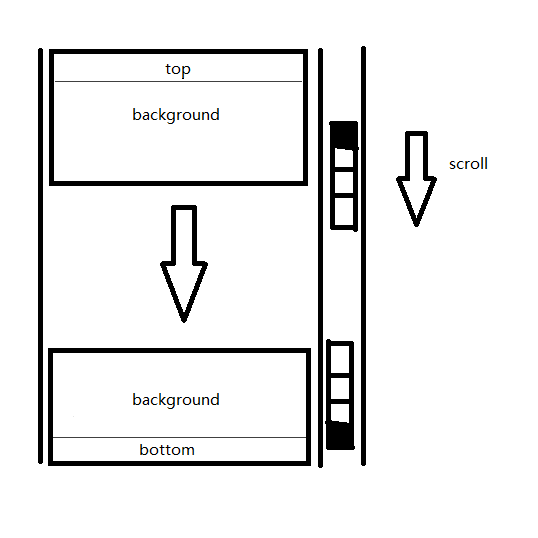
footer.ejs 修改
<span style="display: inline;margin-right:15px;">👁<strong><span id="busuanzi_value_site_pv"></span></strong></span>
前面添加——
<div><div class="github-badge"><a href="https://open.gridea.dev" target="_blank" rel="nofollow"><span class="badge-subject">Powered by</span><span class="badge-value bg-blue">Gridea</span></a></div>
<div style="display: inline-block"> </div>
<div class="github-badge"><a href="https://github.com/Wu-jiyan/gridea-theme-bitcron-pro-plus" target="_blank" rel="nofollow"><span class="badge-subject">Theme</span><span class="badge-value bg-green">Bitcron Pro Plus</span></a></div></div>
Gridea-个性化-自定义CSS添加如下CSS代码——
.github-badge {
    display: inline-block;
    border-radius: 4px;
    text-shadow: none;
    font-size: 12px;
    color: #fff;
    line-height: 1.25;
    margin-bottom: 5px
}

.github-badge a {
    color: #fff
}

.github-badge .badge-subject {
    display: inline-block;
    background-color: #555;
    padding: 4px 4px 4px 6px;
    border-top-left-radius: 4px;
    border-bottom-left-radius: 4px
}

.github-badge .badge-value {
    display: inline-block;
    padding: 4px 6px 4px 4px;
    border-top-right-radius: 4px;
    border-bottom-right-radius: 4px
}

.github-badge .bg-blue {
    background-color: #007ec6 !important
}

.github-badge .bg-green {
    background-color: #97ca00 !important
}

#footer span {
    font-size: .9em
}
根据xiaxi626/gridea-theme-bitcron-pro-plus微调
想加载本地评论框背景图片,原../media/images/veditor-bg.gif前要加/。
持续更新中
参考
Hexo NexT 评论系统 Valine 的使用_valine.min.js_WuGenQiang的博客
Valine自定义表情与QQ邮箱头像支持 | Wittoy’s Blog @ 篱落闲栈
为你的Gridea博客加上Valine评论系统 | kveln’s blog
博客Valine评论样式美化 - 简书
【个人网站搭建】GitHub pages+hexo 框架下隐藏next主题的评论系统 Valine Powered By信息_隐藏power by valine_wangqingchuan92的博客
HTML 如何将 float:left 的 div 居中对齐|极客教程
Hexo博客 | 如何让你的valine更好看_JUST LOVE SMILE的博客
【博客美化】评论带头像,且支持旋转_weixin_34040079的博客
css 动画中 ease,seae-in,ease-in-out,ease-out,效果区别_css ease_小赞赞No1的博客
效果过度transition:all_transition: all_靓仔微笑的博客
Posted at 2023-07-26 Comments Technology

Debian设置教程
Debian 安装并切换配置使用 Xfce 4 桌面环境_debian切换桌面环境_ieeso的博客
Debian – 套件下載地址選擇 – flac_1.3.2-3+deb10u2_amd64.deb
Debian11 更换软件源_debian11换源_天下亦有不散之筵席的博客
FFmpeg设置教程
LINUX FFMPEG编译详细过程记录(最全)_ffmpeg 编译_柳鲲鹏的博客
在Ubuntu, Debian, 或Mint系统中编译FFmpeg_hebbely的博客
完美解决Linux环境编译ffmpeg库_linux ffmpeg 开发环境_Zhou_Xintong的博客
如何在Debian 9上安装FFmpeg | linux资讯
Debian设置及FFmpeg安装流程
修复sudo apt-get update:
修改/etc/apt source.list
cdrom前添加#
安装需要的组件
【Linux】无法获得dpkg前端锁的解决方法_无法获取dpkg前端锁怎么解决_Frank学习路上的博客
如何清除 APT 缓存来回收宝贵的磁盘空间 | Linux 中国 - 知乎
Git同时配置Gitee和GitHub_MsLeesSun的博客
完美解决Linux环境编译ffmpeg库
在Ubuntu, Debian, 或Mint系统中编译FFmpeg
编译包下载完成
./configure --prefix="$HOME/ffmpeg_build" --disable-static --docdir="$HOME/ffmpeg_build/share/doc/libogg-1.3.5"

./configure --prefix="$HOME/ffmpeg_build"
Linux:设备上没有空间的问题解决 - 挑战者V - 博客园
https://www.cnblogs.com/youcong/p/14196813.html
PATH="$HOME/bin:$PATH" PKG_CONFIG_PATH="$HOME/ffmpeg_build/lib/pkgconfig" ./configure \
  --prefix="$HOME/ffmpeg_build" \
  --pkg-config-flags="--static" \
  --extra-cflags="-I$HOME/ffmpeg_build/include" \
  --extra-ldflags="-L$HOME/ffmpeg_build/lib" \
  --bindir="$HOME/bin" \
  --enable-gpl \
  --enable-libass \
  --enable-libfdk-aac \
  --enable-libfreetype \
  --enable-libmp3lame \
  --enable-libopus \
  --enable-libtheora \
  --enable-libvorbis \
  --enable-libvpx \
  --enable-libx264 \
  --enable-libx265 \
  --enable-nonfree
在FFmpeg里添加自研编码器方法
Posted at 2023-07-06 Comments Resource
Original title: 8 High-quality Resources for Japanese Subtitles (and How to Learn Japanese with Them)
Author: By AlanAlan and MikeMike
Last updated: June 24, 2023
Topic: Japanese Learning Resources
Reprinted from fluentu.com
Subtitles—a Japanese media lover’s best friend.
They can give your Japanese the boost it needs to eventually survive without them.
Whether you’re watching Japanese dramas, binging anime, enjoying a Japanese movie or anything in between, taking advantage of subtitles is the key to turning your favorite entertainment into quality learning material.
So let’s go through four techniques and eight resources you can use to learn more effectively using Japanese subtitles.
Why Learn Japanese Through Entertainment and Subtitles?
But before getting into the nitty-gritty, let’s talk about the benefits of learning Japanese with entertainment and subtitles—and why it’s worth your time.
-
It’s fun! Some of the best dramas, TV shows, movies, etc. in the world are made in Japan. Dramas in particular tend to be short, around eleven episodes and emotionally intense. Not to mention extremely addictive!
-
Another great thing about Japanese dramas is that the actors speak very clearly, and usually, only one person speaks at a time.
,Dramas feature useful, conversational language. This is the best way to learn things like aizuchi.
-
Japanese media is a gateway to Japan’s culture. There are constantly new works that frequently tackle current cultural concerns or problems.
Learners of All Levels Can Learn with Japanese Subtitles
Many students at a beginner level feel intimidated by the thought of watching an episode and trying to understand the language.
But even if you understand very little, your ears will begin to pick out individual sounds, and you’ll start to hear a word now and then that you do know.
When you’re reading subtitles, you’re still listening at some level. Your mind will start to make connections between words that you see repeatedly and the sound of that particular word.
At an intermediate level, you’ll find that at times you don’t read the subtitles. But when you do, they’ll help your comprehension when you most need them to.
At this kind of proficiency, it can be hard to wean yourself off subtitles, and they really need to be turned off when possible. However, they’re still an essential tool for those times when a Japanese dialogue has become impenetrable.
Even an advanced speaker of Japanese will still use subtitles to catch the nuances of dialogue or just for the odd occasion when they hear something they don’t quite understand.
A Potential Pitfall of Learning with Japanese Subtitles
There’s one thing you should watch out for when learning with subtitles.
It can be extremely tiring to listen and try to understand a foreign language over a protracted amount of time. Gradually, you might stop actually hearing what the characters say and just read the subtitles.
When this happens, it’s easy to convince yourself that you’re still learning something, but you’re actually gaining nothing.
You might find yourself reading with your eyes rather than listening with your ears. If this happens,** it’s best to stop watching and take a break.**
To a certain extent, subtitles can become a crutch. If you find you can listen and follow what the different characters are saying, then turn off the subtitles. Don’t use them if you really don’t need them.
So, now that we’ve gotten that out of the way, how should we find these subtitles?
How to Find Dramas, Anime, Movies and More with Japanese Subtitles
There are many streaming sites where you can find the latest drama series with subtitles, such as Viki and Dailymotion.
And of course, there’s tons of subtitled content on YouTube. One great technique to search specifically for subtitled content is to add the phrases **字幕 (じまく)**and **セリフ集(せりふあつ)**to the end of your search.
If you know the name of the drama, anime, movie, etc. you want to watch in English or Japanese, then you can usually find it on one of the above streaming sites.
And let’s not forget Netflix and the variety of anime sources!
If you want to learn with the subtitles themselves, then there are many “fansubbing” communities online where fans create and share the subtitles for popular shows. D-addicts is a popular one.
Where Can I Get Japanese Subtitles? 8 Resources You’ve Gotta Try
While Japanese subtitles can be tricky to find, a bit of sleuthing is all you need to dig them up.
That’s why I’m here to give you eight resources for Japanese subtitles to get you on your way to studying Japanese with the movies and shows you love!
Netflix
To the surprise of probably no one, Netflix is one of the premier resources for Japanese subtitles out there.
Many of Netflix’s Japanese programs offer subtitles in Japanese, with changing languages being as simple as tapping the subtitle icon in the bottom right-hand corner of the video.
Plus, you can lower the playback speed so you can catch every word that the actors are saying to match them to the subtitles.
Some Netflix titles with Japanese subs include: “Million Yen Women,” “Midnight Diner,” “Dad of Light” and “Scams.”
FluentU
FluentU is a language learning program that teaches Japanese through authentic videos. By “authentic videos,” I mean those that are made by and for native Japanese speakers, like anime clips, movie trailers, funny commercials, music videos and more.
These videos are subtitled in Japanese, with the option to turn romaji and English translations on, as well. All the subtitles are interactive: Hover over any word to see a definition. You can also click on words for a more detailed explanation and example sentences (vetted by professional translators) as well as other video clips where the word appears.
From here, you can add these words to custom flashcard decks and review them whenever you’re ready with FluentU’s personalized quizzes.
How does it work in practice? Well, for instance, you can watch a commercial for the anime “Princess Precure” and learn 20 new words and a few grammar points (like the te form).
You can use FluentU on the website, or download the iOS or Android app and keep learning from where you left off.
Viki
Want to watch the latest Japanese dramas with subtitles? You’ve come to the right place!
This service offers contemporary Japanese TV shows and movies, with a respectable library largely consisting of romantic comedies.
Viki is also aware that viewers may be trying to use their shows to acquire Japanese, so they’ve created a feature specifically for those studying Japanese: Learn Mode!
With Learn Mode, you get dual subtitles in Japanese and English. The video can be navigated in segments based on subtitle tracks, and you can even replay segments to ensure you’re understanding the line properly.
Why not try it out with shows like “Life: Love on the Line” or “When One Day I Will Sleep”?
NYU Subtitles
YouTube is another fantastic resource for Japanese subtitles.
This YouTube group has added subtitles to nearly 150 videos by Japanese comedian Atsuhiko Nakata from his channel Nakata University, where he teaches a variety of topics using comedy. Personally, I’m a fan of his videos on Japanese history!
Of course, there are a large number of YouTube channels that offer Japanese subtitles on their videos.
There are web series like “全力回避フラグちゃん”(ぜんりょくかいひふらぐちゃん, Utmost Evasion Flag-chan), about a shinigami who ends up saving the people she’s supposed to reap, and instructors like Moshi Moshi Yusuke, who teaches Japanese through his monologues as he takes viewers on tours of daily life in Japan.
Kitsunekko
Anime fans, you’re in luck: this is the go-to site for Japanese subtitles for anime.
Kitsunekko has a gigantic collection of subtitles for both contemporary and classic anime.
Whether you want to watch classics like “Ghost in the Shell,” contemporary hits like “The Promised Neverland” or something niche like “Golden Kamuy,” you’ll never run out of shows to watch subbed in their original language!
It’s worth noting that Kitsunekko, as well as the following websites, provide subtitle files, not the shows themselves.
To use them, download the .srt or .ass file you want and input them into a browser extension or subtitle program (such as Aegisub) to put on top of the shows you already have access to.
Itazuraneko
Like Kitsunekko, Itazuraneko offers a huge wealth of subtitles for Japanese movies and anime. You can search their page to find the show/movie you’re looking for to obtain the subtitle file.
Some show names are in Japanese, so make sure you have the Japanese title of the show you’re looking for during your search.
Project Modelino
Project Modelino offers subtitles for Japanese movies and a few TV shows. While the collection is a bit limited, the variety within it is nothing to sneeze at.
You can find Akira Kurosawa classics right alongside contemporary hits!
This site also walks you through the process of legally acquiring these movies and adding the Japanese subtitle files to them. Fantastic for newbies to the subtitle game!
Asian Drama Wiki
Managed by D-Addicts, Asian Drama Wiki is a true gold mine of fansubs for Japanese dramas.
While you need an account to access the subtitle index, subs are available for hundreds of shows.
Make sure to look carefully at how many episodes of each series have been subtitled as sometimes, episodes will be missing or the series is only partially complete.
If there happens to be a drama you have your eye on that doesn’t have Japanese subtitles yet, you can make a request in the forums.
Who knows, maybe a subbing group will pick it up!
4 Techniques for Learning with Japanese Subtitles
1. Simply Rewatch to Learn with Subtitles
One strategy can make a big difference in your Japanese learning experience.
This is to simply watch each episode with subtitles, to try and listen out for the grammar and vocabulary that’s used, and then to watch the episode again without subtitles.
When you watch the episode for a second time, you’ll notice that you remember the general gist of the conversations and the plot. The challenging part will be to listen and comprehend.
From your first viewing, you’ll have picked up some new vocabulary, as well as heard the words and grammar that you do know.
With this in mind, the first thing you need to do on your second viewing is to pick these out again plus the new vocabulary you heard previously.
You can build upon this by watching the same drama again and again. After enough viewings, you’ll find you can easily watch the episode without subtitles.
A special aspect of this is that Japanese dramas tend to only have eleven episodes, so if you can understand one episode, then you’re perfectly positioned to watch the other episodes with little preparation. You could even challenge yourself to watch the rest of the series without subtitles.
If your medium of choice isn’t a drama though—let’s say it’s an anime—try to either choose one with short episodes or split up long episodes into short chunks (say, 15-minute segments).
As for movies, the same rule applies. Don’t try to dissect the full movie in one sitting unless you’re looking for burnout and exhaustion.
2. Dissect the Japanese Subtitles and Master Every Word
It’s often not enough to just compare the Japanese subtitles and English translation.
To really master the words, you need to dissect the subtitles and study each word individually. This involves steps like:
-
Looking words up in a good dictionary or thesaurus. This helps clarify the meaning. By using a thesaurus as well, you can discover similar words.
-
Find good examples so you know how the words are used. It’s often not enough to just use the information provided in a dictionary. You need to get examples and kick the tires a bit.
-
Input words and examples into flashcards. To increase your efficiency and be more systematic, you can create flashcards based on the dictionary and thesaurus. You can either do this online through an app and add your new vocabulary to your flashcard deck, or simply create a physical flashcard deck. For hardcore flashcard aficionados who use Anki and have some technical prowess, this open-source project called subs2srs might really speed up your learning process.
-
Review words on a periodic basis with your flashcards. You need to be consistent with your review, and also systematic with scheduling words. You don’t want to spend too much time studying easy words, for example.
3. Reverse Engineering: Use Japanese Subtitles to Translate the Dialogue Back to Japanese
This method is an extremely good way of using subtitles, but it’s very challenging and time-consuming.
The combination of video, sound and English subtitles are weapons to be used, we just need to learn how to use them.
First, watch the episode, video or clip with subtitles to give you an idea about the plot, as well as what’s said in the dialogues and, more specifically, the kind of language that’s used.
The next step is to try and transcribe the dialogue, with the subtitles turned off, in Japanese. This will require repeated viewings and you’ll have to listen very carefully to get everything written down.
If you’re watching on a computer, you can take advantage of certain software to slow down the video so that you can hear every syllable.
Once you’re finished, you’ll have a transcription of the Japanese dialogue along with the video and audio to listen to, and the subtitles for reference so you understand how the Japanese content has been translated.
You can pick up a lot of vocabulary and grammar, see the differences between how different genders and generations speak and also gain an insight into the translation process.
4. Listen and Repeat: An Easy Method to Improve Your Speaking and Listening Through Japanese Subtitles
A very simple tactic you can use is to simply pick a scene, listen to the dialogue and repeat it out loud.
The subtitles provide you with the English meaning for what each character is saying so you don’t have to look it up.
Drama episodes take especially well to this method. Only one character tends to talk at any given moment, so you can usually hear very clear sentences that you can practice saying out loud.
If you can get to the point where you’re able to easily repeat the dialogue, you’ll find that you’re also making progress in your listening and speaking skills in general.
And there you have it—four techniques for using Japanese subtitles and eight resources to get you one step (or ten) closer to fluency!
By consistently using the methods listed above, you’ll find that your favorite Japanese media becomes easier to comprehend (with or without subtitles) by the day.
Download: This blog post is available as a convenient and portable PDF that you can take anywhere. Click here to get a copy. (Download)
Posted at 2023-07-04 Comments Technology
场景和模块
对应的模块安装:
pip install docx2pdf
pip install pdf2docx
pip install pdfminer3k
pip install pyinstaller
Word转PDF
全自动化,支持doc、docx。
创建word2pdf.py文件,输入以下代码:
from win32com import client
import os

'''
代码描述:
用来实现word文档转pdf的一个软件

特色:
可穿透指定路径下的所有文件,对找到的所有word文档进行操作
并把结果输出到指定路径中

注意事项:
请确认没有同名文件,否则文件会覆盖
'''


# 转换doc为pdf
def doc2pdf(fn):
    word = client.Dispatch("Word.Application")  # 打开word应用程序
    doc = word.Documents.Open(fn)  # 打开word文件

    a = os.path.split(fn)  # 分离路径和文件
    b = os.path.splitext(a[-1])[0]  # 拿到文件名

    doc.SaveAs("{}\\{}.pdf".format(path1, b), 17)  # 另存为后缀为".pdf"的文件,其中参数17表示为pdf
    doc.Close()  # 关闭原来word文件
    word.Quit()


# 转换docx为pdf
def docx2pdf(fn):
    word = client.Dispatch("Word.Application")  # 打开word应用程序
    doc = word.Documents.Open(fn)  # 打开word文件

    a = os.path.split(fn)  # 分离路径和文件
    b = os.path.splitext(a[-1])[0]  # 拿到文件名

    doc.SaveAs("{}\\{}.pdf".format(path1, b), 17)  # 另存为后缀为".pdf"的文件,其中参数17表示为pdf
    doc.Close()  # 关闭原来word文件
    word.Quit()


# 获取指定路径下的所有word文件
# 可以穿透指定路径下的所有文件
def getfile(path):
    word_list = []  # 用来存储所有的word文件路径
    for current_folder, list_folders, files in os.walk(path):
        for f in files:  # 用来遍历所有的文件,只取文件名,不取路径名
            if f.endswith('doc') or f.endswith('docx'):  # 判断word文档
                word_list.append(current_folder + '\\' + f)  # 把路径添加到列表中
    return word_list  # 返回这个word文档的路径


if __name__ == '__main__':
    word_path = input('[+] 请给出word文档所在路径:')

    # 设置一个路径path1,保存输出结果
    print("[+] 请输入一个路径,用来存放所有的处理结果")
    print("[+] 或者按回车键,我将自动把处理之后的文件存放在你的桌面")
    path1 = input('')  # path1 用来存放所有的处理结果
    if len(path1):
        pass
    else:
        desktop_path = os.path.join(os.path.expanduser("~"), 'Desktop')  # 获取桌面路径
        path1 = os.path.join(desktop_path, '所有的处理结果')
        os.makedirs(path1)

    print('[+] 转换中,请稍等……')
    words = getfile(word_path)
    for word in words:
        if word.endswith('doc'):
            doc2pdf(word)
        else:
            docx2pdf(word)
    print('[+] 转换完毕')
使用pyinstaller打包,EXE文件在dist文件夹中:
pyinstaller -F word2pdf.py
doc与docx互转
请确认没有同名文件,否则文件会覆盖,或者使用Everything过滤出word文档之后,再进行互转。
创建 doc与docx互转.py文件,输入以下代码:
from win32com import client
import os
'''
代码描述:
用来实现doc与docx互转的一个软件

特色:
可穿透指定路径下的所有文件,对找到的所有word文档进行操作
并把结果输出到指定路径中

注意事项:
请确认没有同名文件,否则文件会覆盖
'''

# 转换doc为docx
def doc2docx(fn):
    word = client.Dispatch("Word.Application")  # 打开word应用程序
    doc = word.Documents.Open(fn)  # 打开word文件

    a = os.path.split(fn)  # 分离路径和文件
    b = os.path.splitext(a[-1])[0]  # 拿到文件名

    doc.SaveAs("{}\\{}.docx".format(path1, b), 12)  # 另存为后缀为".docx"的文件,其中参数12或16指docx文件
    doc.Close()  # 关闭原来word文件
    word.Quit()


# 转换docx为doc
def docx2doc(fn):
    word = client.Dispatch("Word.Application")  # 打开word应用程序
    doc = word.Documents.Open(fn)  # 打开word文件

    a = os.path.split(fn)  # 分离路径和文件
    b = os.path.splitext(a[-1])[0]  # 拿到文件名

    doc.SaveAs("{}\\{}.doc".format(path1, b), 0)  # 另存为后缀为".docx"的文件,其中参数0指doc
    doc.Close()  # 关闭原来word文件
    word.Quit()


# 获取指定路径下的所有word文件
# 可以穿透指定路径下的所有文件
def getfile(path):
    word_list = []  # 用来存储所有的word文件路径
    for current_folder, list_folders, files in os.walk(path):
        for f in files:  # 用来遍历所有的文件,只取文件名,不取路径名
            if f.endswith('doc') or f.endswith('docx'):  # 判断word文档
                word_list.append(current_folder + '\\' + f)  # 把路径添加到列表中
    return word_list  # 返回这个word文档的路径


# 用户选择的转换模式
def choice():
    num_list = ['1', '2', '3']
    a = 1
    print('请选择转换模式:')
    while a:
        print('doc与docx互转请输入:\t1')
        print('doc转docx请输入:\t2')
        print('docx转doc请输入:\t3')
        user_choice = input('我选择:')
        if user_choice in num_list:
            a = 0
            return user_choice
        else:
            print('请输入正确的选项')


if __name__ == '__main__':
    word_path = input('请给出word文档所在路径:')
    words = getfile(word_path)

    # 设置一个路径path1,保存输出结果
    print("[+] 请输入一个路径,用来存放所有的处理结果")
    print("[+] 或者按回车键,我将自动把处理之后的文件存放在你的桌面")
    path1 = input('')  # path1 用来存放所有的处理结果
    if len(path1):
        pass
    else:
        desktop_path = os.path.join(os.path.expanduser("~"), 'Desktop')  # 获取桌面路径
        path1 = os.path.join(desktop_path, '所有的处理结果')
        os.makedirs(path1)

    user_choice = choice()
    print('转换中,请稍等……')
    if user_choice == '1':
        for word in words:
            if word.endswith('doc'):
                doc2docx(word)
            else:
                docx2doc(word)
    if user_choice == '2':
        for word in words:
            if word.endswith('doc'):
                doc2docx(word)
    if user_choice == '3':
        for word in words:
            if word.endswith('docx'):
                docx2doc(word)
    print('转换完毕')
使用pyinstaller打包,EXE文件在dist文件夹中:
pyinstaller -F doc与docx互转.py
参考
python实现——doc与docx互转(终极版)_doc转docx python
python实现——WORD转PDF(全自动化,支持doc、docx)_python doc转pdf
推荐书目:让工作化繁为简:用Python实现办公自动化-李杰臣编著
Posted at 2023-06-05 Comments Technology

安装Oracle
解压Oracle安装包时两个压缩包都要解压,否则安装时会缺失各种文件。
Oracle服务端11g\win64_11gR2_database_2of2.zip
Oracle服务端11g\win64_11gR2_database_1of2.zip
打开../database/stage/cvu/cvu_prereq
在<CERTIFIED_SYSTEMS>之后添加:
<OPERATING_SYSTEM RELEASE="6.2">
    <VERSION VALUE="3"/>
    <ARCHITECTURE VALUE="64-bit"/>
    <NAME VALUE="Windows 8"/>
    <ENV_VAR_LIST>
        <ENV_VAR NAME="PATH" MAX_LENGTH="1023" />
    </ENV_VAR_LIST>
</OPERATING_SYSTEM>
NAME VALUE填写系统名称,如果在Windows 10上安装就填“Windows 10”;
ARCHITECTURE VALUE=“64-bit"对应的是多少位系统就填多少位;
如果 cvu_prereq文件配置为OPERATING_SYSTEM RELEASE=“6.1”,可能会遇到:
[INS-13001]此环境不满足最低配置”
改成OPERATING_SYSTEM RELEASE=“6.2”
ENV_VAR NAME=“PATH” MAX_LENGTH=“1023”
启动setup.exe,会出现cmd程序:
正在启动 Oracle Universal Installer...

检查监视器: 监视器配置至少必须显示 256 种颜色 高于 256 。    实际为 4294967296     通过
 准备从以下地址启动 Oracle Universal Installer C:\Users\aijia\AppData\Local\Temp\OraInstall2023-05-30_10-21-25PM. 请稍候...
不必管它。
取消勾选“我希望通过 My Oracle Support 接收安全更新)。”
出现尚未提供电子邮件地址,选择是。
继续。
选桌面。不要急多等一会。
建议在Windows及Windows虚拟机上安装时不要安装到C盘。
填写管理口令,注意提示。
点击保存响应文件,完成。
接下来会跳出防火墙警告,选择允许访问。
安装.NET Framework 3.5。
等待安装程序完成,这里如果安装压缩包未全部解压,会出现大量缺失文件提示。
安装进度条100%后会跳出该界面,重点内容如下:
Database Control URL 为 https://localhost:1158/em

管理资料档案库已置于安全模式下, 在此模式下将对 Enterprise Manager 数据进行加密。加密密钥已放置在文件 D:/Oracle/Oracle11g/product/11.2.0/dbhome_1/localhost_orcl/sysman/config/emkey.ora 中。请务必备份此文件, 因为如果此文件丢失, 则加密数据将不可用。
点击口令管理…,进行如下设置:
1.解锁scott并修改口令
2.选择“口令管理”,查看并修改以下用户
取消勾选是否锁定账户(这是设置完成后再打开的样子)
(1)普通用户:SCOTT(密码:tiger)
(2)普通管理员:SYSTEM(密码:manager)
(3)超级管理员:SYS(密码:manager)
(4)普通用户:HR(密码:hr)
设置完成之后会有警告,点击继续,即可
修改完成之后单击确定。
Enterprise Manager Database Control URL - (orcl) :
https://localhost:1158/em
口令管理修改后再进入界面就是这个样子。
最后我们完成了安装。
数据库配置文件已经安装到 D:\Oracle\Oracle11g,同时其他选定的安装组件也已经安装到 D:\Oracle\Oracle11g\product\11.2.0\dbhome_1。
最后一步打开网址:https://localhost:1158/em
edge显示:
点击帮助出现“完成 此对话框显示 Oracle 数据库的安装已成功。 单击关闭。 版权所有 © 2007, 2009, Oracle 和/或其子公司。保留所有权利。”
说明安装成功。
PL/SQL developer的下载、安装、使用、破解
PL/SQL Developer是一个集成开发环境,专门开发面向Oracle数据库的应用。PL/SQL也是一种程序语言,叫做过程化SQL语言(Procedural Language/SQL)。PL/SQL是Oracle数据库对SQL语句的扩展。在普通SQL语句的使用上增加了编程语言的特点,所以PL/SQL把数据操作和查询语句组织在PL/SQL代码的过程性单元中,通过逻辑判断、循环等操作实现复杂的功能或者计算。PL/SQL 只有 Oracle 数据库有。 MySQL 目前不支持 PL/SQL 的,但支持Navicat Premium。
下载 PL/SQL developer
直接进入官网下载网址:https://www.allroundautomations.com/registered-plsqldev/
或者进入官网,自己寻找下载
进入PL/SQL developer官网https://www.allroundautomations.com/
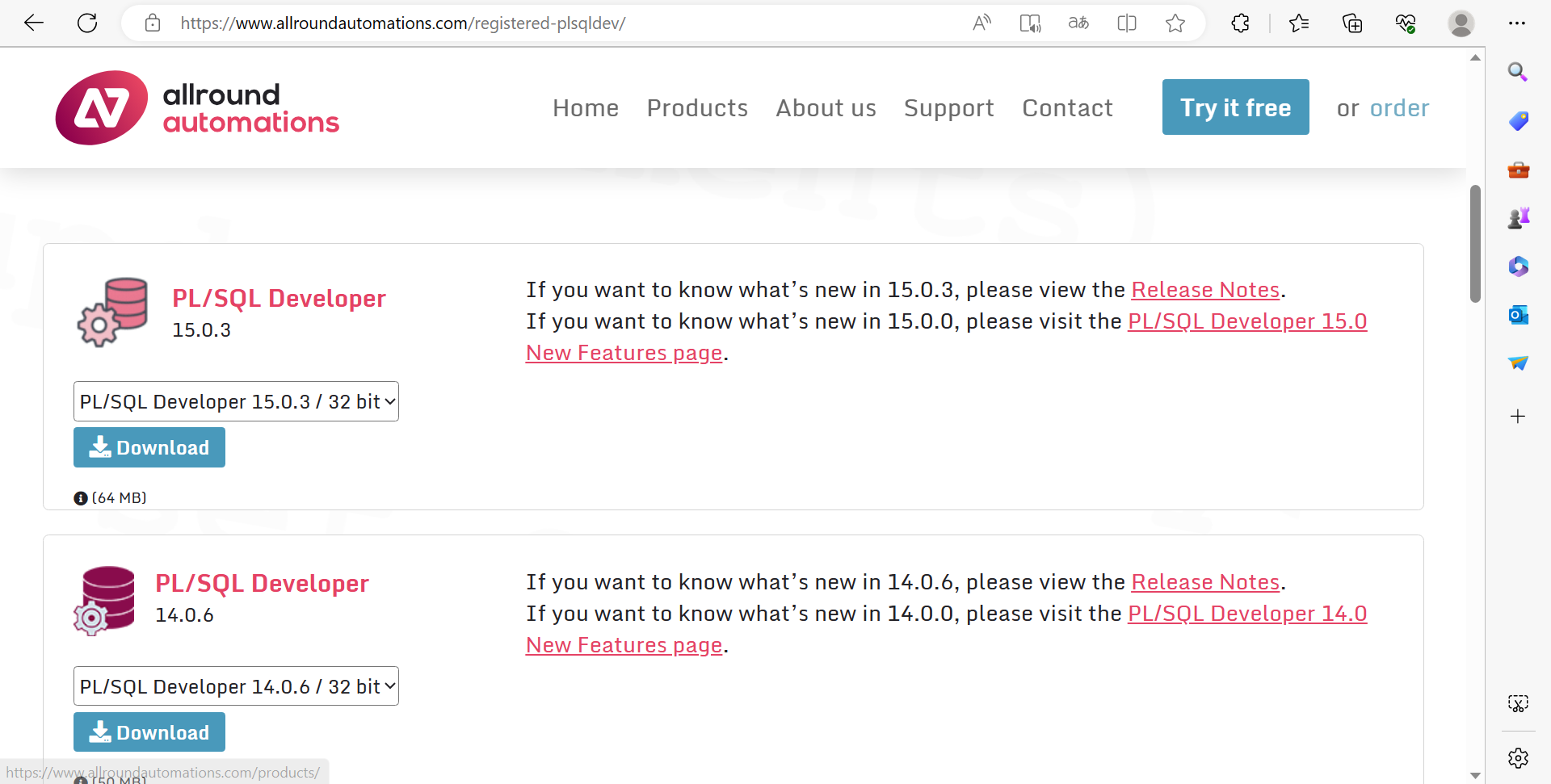
找到下载完的安装包,双击打开。
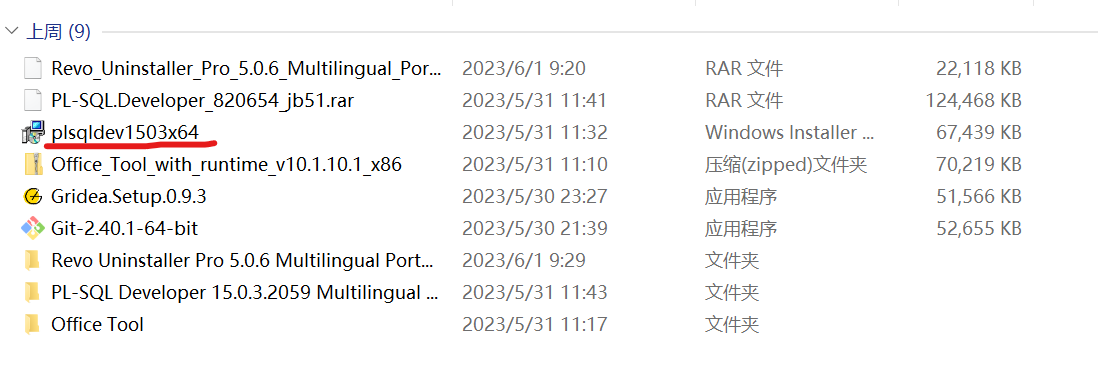
选择enter license information,
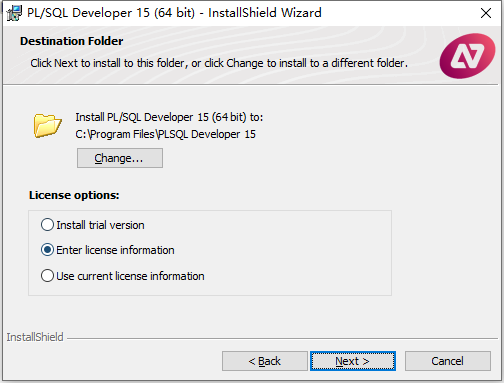
在本站下载并解压,

运行keygen注册机,将注册机中的注册信息对应复制到软件中,点击next,
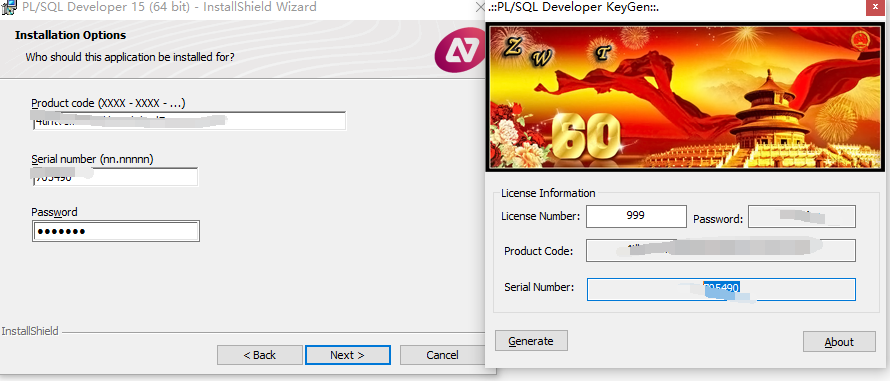
安装中,稍等一会儿,安装完成,点击finish退出向导
运行PL/SQL developer
打开软件后,
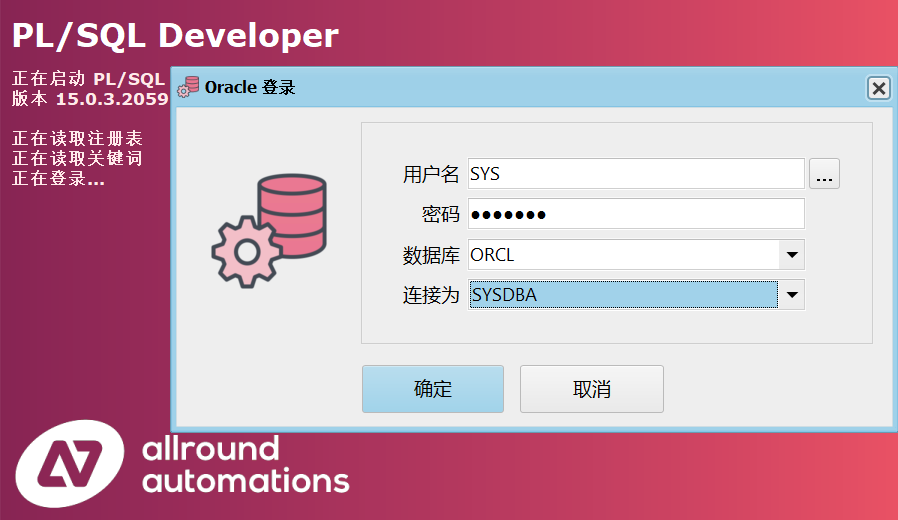
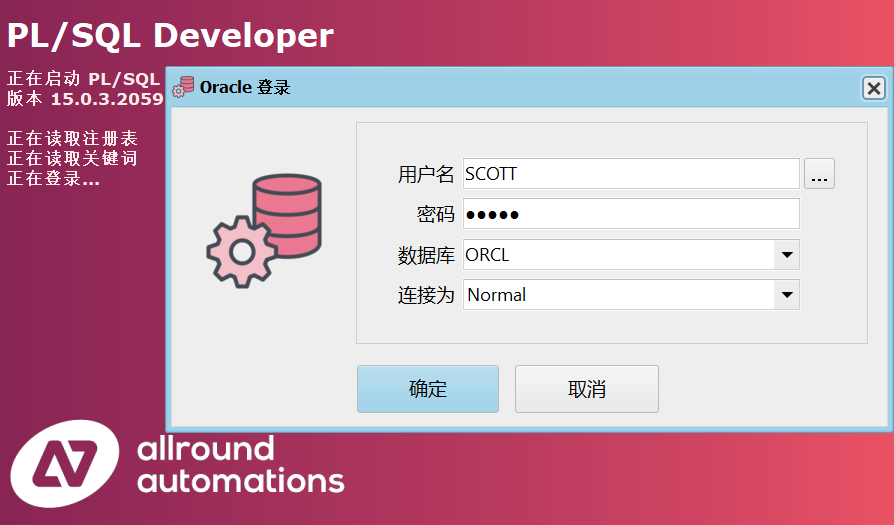
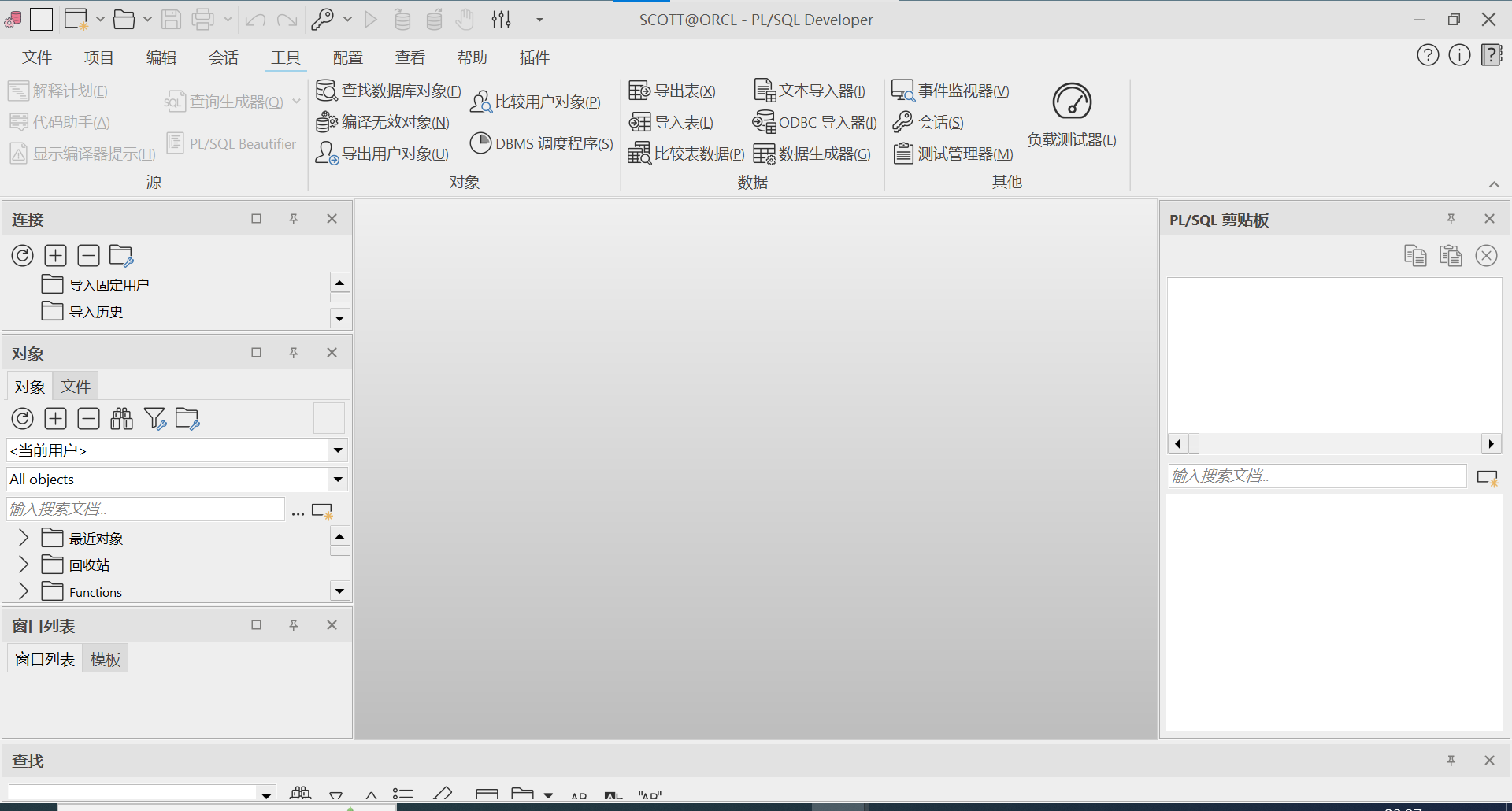
参考
PL/SQL developer的下载、安装、使用、破解,亲自测试。安全使用。
PL/SQL Developer v15.0.3.2059 中文激活版(附补丁+安装教程) 32位/64位
Oracle 11g+PLSQL Developer+SQL Developer+JDK 详细安装教程
Windows下Oracle安装图解—-oracle-win-64-11g 详细安装步骤
oracle-解决httpslocalhost1158em页面无法打开的问题.docx
oracle-安装系统报:Environment variable: “PATH” 预期值 : 1023 实际值 : 1090,解决方案
安装ORACLE服务出现Oracle Net Configuration Assistant 失败问题
Posted at 2023-04-29 Comments Technology
编辑插件
推荐安装Markdown Editing, github主页。
Ctrl+Shift+P,输入install打开 Package Control: Install Package,搜索选中MarkdownEditing,回车安装。
菜单栏打开首选项-配色方案,输入 MarkdownEditing,有MarkdownEditor、MarkdownEditor-Dark、MarkdownEditor-Focus、MarkdownEditor-Yellow、MarkdownEditor-Arcdark四种配色方案。
接下来看一下插件设置,打开首选项-Package-Settings-Markdown Editing,打开了一个Preference.sublime-settings文件,有些朋友打开以后可能跟我一样,默认是这样的——
{
	"ignored_packages":
	[
		"Vintage",
	],
}
我们查一下什么是Vintage?
启用复古
Vintage是一个用于Sublime Text的vi模式编辑包。它允许您将vi的命令模式与Sublime Text的功能(包括多个选择)组合。
复古默认情况下禁用,通过ignored_packages设置。如果您删除“复古”从忽略的软件包列表,你就可以用vi键编辑:
- 选择▸设置首选项菜单项
- 编辑ignored_packages设置,对其进行更改:
"ignored_packages": ["Vintage"]
至:
"ignored_packages": []
现在保存文件。
3. 复制模式现已启用 - 您将在状态栏中看到“INSERT MODE”
默认情况下,复古以插入模式启动。可以通过向用户设置添加以下设置来更改此设置:
"vintage_start_in_command_mode": true
Vintage Mode – Sublime Text 3 Documentation
包含什么
复古包括最基本的动作:d(删除),y(复制),c(更改),gu(小写),gU(大写),g〜(rot13),<(unindent)和>(indent)。
它还包括许多运动,包括l,h,j,k,w,w,e,E,b,B,alt + w(通过子词移动),alt + W(通过子词向后移动) $,^,%,0,G,gg,f,F,t,T,^ f,^ b,H,M和L.
支持文本对象,包括单词,引号,括号和标签。
重复(’。’)在那里,指定命令和动作的计数。支持寄存器,宏和书签。还支持许多其他杂项命令,例如*,/,n,N,s,S等。
什么不是
插入模式是常规的Sublime Text编辑,与通常的Sublime Text键绑定:vi插入模式键绑定不会被模拟。
Ex命令不实现,除了:w和:e,它们通过命令选项板工作。
当你打开首选项-配色方案和主题,不作修改,插件设置会多出这两行。
	"color_scheme": "Mariana.sublime-color-scheme",
	"theme": "auto",
这里介绍几个推荐的配置。
"highlight_line": true, // 高亮正在编辑的行
"line_numbers": true,   // 显示行号
"tab_size": 4,          // tab宽度
"translate_tabs_to_spaces": true,   // tab转换为空格
"trim_trailing_white_space_on_save": true,  // 保存时去掉行尾空格
"word_wrap": true,      // 自动换行
"wrap_width": "auto",    // 换行的宽度,默认80会造成左侧大量留白
"mde.keep_centered": true,  // 可以保持你正在编辑的行始终处于屏幕的中间
预览插件
MarkdownLivePreview
MarkdownLivePreview可以实现实时预览,在首选项->Package Setting里修改MarkdownLivePreview的user配置文件,设置在打开时同步预览。
"markdown_live_preview_on_open": true
如果安装后在 Package Setting 中未找到该插件,Ctrl+Shift+P,输入MarkdownLivePreview: Open Settings。
官网:MarkdownLivePreview 3
要打开预览,只需打开一个markdown文件,并在命令 调色板,您应该找到MarkdownLivePreview: Open Preview。
如果你想使用一个键绑定,只需要将这个添加到你的 keybinding 文件中。
{
    "keys": ["alt+m"],
    "command": "open_markdown_preview"
}
这个插件的预览效果并不理想,很难加载网络图片链接,比如github仓库图片。
而且不能横向滚动,调整编辑区和预览区中间的界限可以预览完整内容,实在不方便。而且装上它后虽然可以实时预览,但不知道因为什么原因输入的时候会有些卡。
实时自动刷新预览:MarkdownPreview + LiveReload
MarkdownPreview
功能
- 支持在浏览器中预览markdown文件
- 将md文件导出为html代码
将md文件用浏览器预览——1.常规方法
- 组合键 Ctrl+Shift+P 调出命令面板
- 输入mdp找到并选中
Markdown Preview: Preview in Browser - 出现两个选项:github和markdown。任选其一即可,github是利用GitHub的在线API来解析.md文件,支持在线资源的预览,如在线图片它的解析速度取决于你的联网速度。该方式据说一天只能打开60次。markdown就是传统的本地打开,不支持在线资源的预览。
- 默认浏览器中显示预览结果
将md文件用浏览器预览——2.用快捷键打开
在Preferences -> Package Settings -> Markdown Editing -> Key Bindings打开的文件的右侧栏的中括号中添加一行代码:
{
"keys": ["alt+m"],
"command": "markdown_preview",
"args": {"target": "browser", "parser":"markdown"}
}
“alt+m” 可设置为自己喜欢的按键。
“parser”: “markdown"也可设置为"parser”:“github”,改为使用Github在线API解析markdown。
配置Markdown Preview
打开配置文件 Preferences -> Package Settings -> Markdown Preview -> Settings,检查左侧enable_autoreload条目是否为true,若是,跳过。若不是,右侧栏加一条下面这个后重启Sublime:
{
    "enable_autoreload": true
}
LiveReload
Ctrl+Shift+p, 输入 Install Package,输入LiveReload,回车安装
安装成功后,再次Ctrl+shift+p,输入LiveReload: Enable/disable plug-ins,回车,选择 Simple Reload with delay (400ms)或者Simple Reload,两者的区别仅仅在于后者没有延迟。
Package Control下载报错
打开控制台查看Ctrl + 反引号
DPI mode: system
DPI scale: 1
startup, version: 4143 windows x64 channel: stable
executable: /C/Program Files/Sublime Text/sublime_text.exe
application: /C/Program Files/Sublime Text
working dir: /C/Program Files/Sublime Text
packages path: /C/Users/Administrator/AppData/Roaming/Sublime Text/Packages
state path: /C/Users/Administrator/AppData/Roaming/Sublime Text/Local
zip path: /C/Program Files/Sublime Text/Packages
zip path: /C/Users/Administrator/AppData/Roaming/Sublime Text/Installed Packages
ignored_packages: ["Vintage"]
pre session restore time: 0.120201
startup time: 0.146201
first paint time: 0.209201
git: using configuration from C:\Program Files\Git\cmd\git.exe
git: tracking working dir E:\xiaxi626.github.io
reloading plugin Default.arithmetic
reloading plugin Default.auto_indent_tag
reloading plugin Default.block
reloading plugin Default.colors
reloading plugin Default.comment
reloading plugin Default.convert_color_scheme
reloading plugin Default.convert_syntax
reloading plugin Default.copy_path
reloading plugin Default.echo
reloading plugin Default.exec
reloading plugin Default.fold
reloading plugin Default.font
reloading plugin Default.goto_line
reloading plugin Default.history_list
reloading plugin Default.html_print
reloading plugin Default.indentation
reloading plugin Default.install_package_control
reloading plugin Default.keymap
reloading plugin Default.kill_ring
reloading plugin Default.mark
reloading plugin Default.new_templates
reloading plugin Default.open_context_url
reloading plugin Default.open_in_browser
reloading plugin Default.pane
reloading plugin Default.paragraph
reloading plugin Default.paste_from_history
reloading plugin Default.profile
reloading plugin Default.quick_panel
reloading plugin Default.rename
reloading plugin Default.run_syntax_tests
reloading plugin Default.save_on_focus_lost
reloading plugin Default.scroll
reloading plugin Default.set_unsaved_view_name
reloading plugin Default.settings
reloading plugin Default.show_scope_name
reloading plugin Default.side_bar
reloading plugin Default.sort
reloading plugin Default.switch_file
reloading python 3.3 plugin 0_package_control_loader.00-package_control
reloading plugin Default.symbol
reloading python 3.3 plugin 0_package_control_loader.01-pygments
reloading plugin Default.transform
reloading plugin Default.transpose
reloading python 3.3 plugin 0_package_control_loader.50-backrefs
reloading python 3.3 plugin 0_package_control_loader.50-markupsafe
reloading plugin Default.ui
reloading python 3.3 plugin 0_package_control_loader.50-pymdownx
reloading python 3.3 plugin 0_package_control_loader.50-python-markdown
reloading python 3.3 plugin 0_package_control_loader.50-pyyaml
reloading python 3.3 plugin 0_package_control_loader.51-python-jinja2
reloading python 3.3 plugin 0_package_control_loader.55-mdpopups
reloading python 3.3 plugin Alignment.Alignment
reloading plugin CSS.css_completions
reloading python 3.3 plugin AutoFileName.autofilename
reloading python 3.3 plugin AutoFileName.getimageinfo
reloading python 3.3 plugin BracketHighlighter.bh_core
reloading plugin Diff.diff
reloading plugin HTML.encode_html_entities
reloading plugin HTML.html_completions
reloading plugin ShellScript.ShellScript
reloading plugin Emmet.main
reloading plugin MarkdownEditing.plugin
reloading python 3.3 plugin BracketHighlighter.bh_logging
reloading python 3.3 plugin BracketHighlighter.bh_plugin
reloading python 3.3 plugin BracketHighlighter.bh_popup
reloading python 3.3 plugin BracketHighlighter.bh_regions
reloading python 3.3 plugin BracketHighlighter.bh_remove
reloading python 3.3 plugin BracketHighlighter.bh_rules
reloading python 3.3 plugin BracketHighlighter.bh_search
reloading python 3.3 plugin BracketHighlighter.bh_swapping
reloading python 3.3 plugin BracketHighlighter.bh_wrapping
reloading python 3.3 plugin BracketHighlighter.support
reloading python 3.3 plugin ChineseLocalizations.Localization
reloading python 3.3 plugin DocBlockr.jsdocs
reloading python 3.3 plugin FileDiffs.file_diffs
reloading python 3.3 plugin Markdown Preview.helper
reloading python 3.3 plugin Markdown Preview.markdown_settings
reloading python 3.3 plugin Markdown Preview.markdown_wrapper
reloading python 3.3 plugin Markdown Preview.MarkdownPreview
reloading python 3.3 plugin Package Control.1_reloader
reloading python 3.3 plugin Package Control.2_bootstrap
reloading python 3.3 plugin Package Control.Package Control
plugins loaded
Package Control: Skipping automatic upgrade, last run at 2023-05-02 20:12:26, next run at 2023-05-02 21:12:26 or after
没找到所谓
由于github采用https协议,sublime使用urllib就会报错
解决方法1:
Preference -> Package Setting -> Package Control -> User Setting
增加如下内容:
"debug": true,
"downloader_precedence":
{
    "linux": [ "curl", "urllib", "wget" ],
    "osx": [ "curl", "urllib" ],
    "windows": [ "wininet" ]
},
最终内容如下:
{
    "bootstrapped": true,
    "debug": true,
    "installed_packages":
    [
        "Package Control"
    ],
    "downloader_precedence":
    {
        "linux": [ "curl", "urllib",    "wget" ],
        "osx": [ "curl", "urllib" ],
        "windows": [ "wininet" ]
    },
}
再次安装插件就没问题了。
解决方法2:
大家安装时会注意到该插件已经是2013年的插件了
直接打开网址发现已经404,搜索同名插件会发现一个sgricci/LiveReload-sublimetext2
仓库让我们
Install with [Sublime Package Control](http://wbond.net/sublime_packages/package_control “Sublime Package Control), search for LiveReload and install.
但这样安装不了它,我们可以从指定github仓库安装插件
- Crtl + Shift + p 调出 package control,输入 add repository,确定
- 输入 github 仓库地址,例如 https://github.com/sgricci/LiveReload-sublimetext2 (Notice:结尾的.git要去掉)
- Crtl + Shift + p 调出 package control,输入 install package,确定,然后再输入 github 仓库的名称,比如 LiveReload,确定安装。
解决方法3:
安装另一款更新的LiveReload,如NickWoodhams/LiveReload,方法同上。
Installation
Open package control and choose Package Control: Add Repository Add this git repository https://github.com/NickWoodhams/LiveReload.git Open package control again and choose Package Control: Install Package Search for LiveReload and you’ll see the Git url under the title. Choose the LiveReload we just added.
To Use
Open package control and search LiveReload and you’ll see several options including Disable/enable plugins.
开始使用
如前面提到的手动或者快捷键打开预览网页,之后便再也不用管它,只要你的sublime保存一次,网页那边就会自动刷新预览。
OmniMarkupPreviewer
OmniMarkupPreviewer是Sublime Text 2和Sublime Text 3的一个插件,用于在Web浏览器中预览markups。OmniMarkupPreviewer将Markup呈现为htmls并将其发送到后台的Web浏览器,从而实现实时预览。此外,OmniMarkupPreviewer还支持将结果导出到html文件。
- 调出命令面板(Windows和Linux上的Ctrl+Shift+P。OS X上的⌘+⇧+P)。
- 键入“Install”并选择“Package Control: Install Package”。
- 从列表中选择“OmniMarkupPreviewer”。
Key Bindings
默认 key bindings:
Windows, Linux:
- Ctrl+Alt+O: 在浏览器中预览Markup。
- Ctrl+Alt+X: 将Markup导出为HTML。
- Ctrl+Alt+C: 将Markup复制为HTML。
OSX:
- ⌘+⌥+O: 在浏览器中预览Markup。
- ⌘+⌥+X: 将Markup导出为HTML。
- Ctrl+Alt+C: 将Markup复制为HTML。
Command Palette
命令选项板中可用的OmniMarkupPreviewer命令:
OmniMarkupPreviewer: Preview Current Markup in BrowserOmniMarkupPreviewer: Export Current Markup as HTMLOmniMarkupPreviewer: Empty Cache
注意 如果当前文件语法(或文件名)与任何OmniMarkupPreviewer渲染器都不匹配,则命令将不可用(灰显)。
Error: 404 Not Found
Sorry, the requested URL 'http://127.0.0.1:50000/view/68' caused an error:

'buffer_id(68) is not valid (closed or unsupported file format)'

**NOTE:** If you run multiple instances of Sublime Text, you may want to adjust
the `server_port` option in order to get this plugin work again.
请修改OmniMarkupPreviewer的Settings-Default,调整“server_port”选项,默认为
"server_port": 51004,
1、127.0.0.1拒绝了我们的连接请求
在控制面板中,打开程序与功能。
重新安装llS,记得展开全部勾选。安装完毕后,进入127.0.0.1出现以下画面就是成功了。
2、‘buffer_id(68) is not valid (closed or unsupported file format)’
修改“server_port”为80得,
于是我上网查了一下,有这么几种方法——
更改服务器或端口
404错误有可能是服务器更改服务器地址或者端口出错,这两样可以在Preferences > Package Settings > OmniMarkupPreviewer > Settings - Default里面更改:
// 原配置
"server_host": "127.0.0.1",
"server_port": 51004,

// 更改后的配置
"server_host": "0.0.0.0",
"server_port": 52000,
并不确定是端口还是服务器地址的问题,所以可以一项项更改后看效果。
删除Strikethrough扩展
进入Preferences > Package Settings > OmniMarkupPreviewer > Settings - User 粘贴以下内容,然后保存。\
{
    "renderer_options-MarkdownRenderer": {
        "extensions": ["tables", "fenced_code", "codehilite"]
    }
}
修复Strikethrough扩展
要修复这个扩展需要先找到扩展的存放位置:
Mac
subl “/Users//Library/Application Support/Sublime Text 3/Packages/OmniMarkupPreviewer/OmniMarkupLib/Renderers/libs/mdx_strikeout.py”
Linux
~/.config/sublime-text-3/Packages/OmniMarkupPreviewer/OmniMarkupLib/Renderers/libs/mdx_strikeout.py
Windows平台就自己找了,文件是OmniMarkupPreviewer目录下的mdx_strikeout.py即可。
然后直接更改配置文件,将最后的
def makeExtension(configs=None):
    return StrikeoutExtension(configs=configs)
更改完后是这样的:
import markdown
from markdown.inlinepatterns import SimpleTagPattern


STRIKEOUT_RE = r'(\~\~)([^\s](?:.*))(\~\~)'


class StrikeoutExtension(markdown.Extension):
    """ Strikeout extension for Python-Markdown. """

    def extendMarkdown(self, md, md_globals):
        """ Modifies inline patterns. """
        md.inlinePatterns.add('del', SimpleTagPattern(STRIKEOUT_RE, 'del'), '<not_strong')


#def makeExtension(configs=None):
#    return StrikeoutExtension(configs=configs)
def makeExtension(*args, **kwargs):
    return StrikeoutExtension(*args, **kwargs)
表格格式化+自动完成
Table Editor 可以帮助你自动完成表格并格式化,快捷键tab
Ctrl+Shift+P,选择 Table Editor: Enable for current syntax or Table Editor: Enable for current view 或 “Table Editor: Set table syntax … for current view”
然后在 Table Editor 启用时键入
| Name | Phone |
|-
然后按Tab键,你会得到漂亮的打印表
| Name | Phone |
|------|-------|
| _    |       |
然后填写数据并按Tab键导航到下一个字段或添加新行(如有必要)
|    Name   |   Phone   |
|-----------|-----------|
| Anna      | 123456789 |
| Alexander | 987654321 |
| _         |           |
要让更快一点键入表格,只需
|Name|Phone
然后点击Ctrl+K,回车。
| Name | Phone |
|------|-------|
| _    |       |
Table Editor 支持带有字符‘=’的双插边线。在下面键入
| Name | Phone |
|=
并单击Tab键
| Name | Phone |
|======|=======|
| _    |       |
然后填充行并点击ctrl+k,每次光标在 Phone 位置时输入
|    Name   |   Phone   |
|===========|===========|
| Anna      | 123456789 |
|-----------|-----------|
| Alexander | 987654321 |
|-----------|-----------|
| _         |           |
除了tab和shift+tab之外,如果需要,还可以使用enter来向下移动光标并插入新行。
详细教程请见项目的github主页
生成目录
推荐使用 MarkdownTOC,MarkdownTOC插件具有丰富的功能和自定义功能,对于在单个 Markdown 文件或如果您有多个 Markdown需要特殊TOC生成的文档。
快速启动
- 安装 MarkdownTOC插件
- 打开 Markdown文件
- 将光标放在要插入目录的位置
- 从菜单中选择:工具>Markdown TOC>插入TOC
- 目录插入到 Markdown文件
- 保存文档,就完成了
现在你可以继续编辑你的文档,或者你可以自定义你的目录,详细介绍原文请查阅github仓库。本人全文翻译如下。
根据Markdown文档中的标题插入TOC
示例markdown文档:
# Heading 0

Headings before MarkdownTOC tags will be ignored.

◀ place the cursor here and generate the TOC

# Heading 1
Lorem ipsum...

## Heading 2
Lorem ipsum...
MarkdownTOC插件将开箱即用生成:
# Heading 0

Headings before MarkdownTOC tags will be ignored.

<!-- MarkdownTOC -->

- Heading 1
  - Heading 2

<!-- /MarkdownTOC -->

# Heading 1
Lorem ipsum...

## Heading 2
Lorem ipsum...
由此可见,在MarkdownTOC标签部分之上的标题被忽略,只有文档的其余部分被考虑在范围内。
保存Markdown文档时自动刷新目录
如果我们再编辑Markdown文档并添加一个额外的标题:
## Heading 3
当我们保存文档时,TOC会自动更新。
<!-- MarkdownTOC -->

- Heading 1
  - Heading 2
  - Heading 3

<!-- /MarkdownTOC -->

# Heading 1
Lorem ipsum...

## Heading 2
Lorem ipsum...

## Heading 3
Lorem ipsum... (the added text)
删除的标题也是如此,这些都被清除了。
通过从菜单中选择,也可以在不保存的情况下完成TOC的更新:工具>Markdown TOC>更新TOC
支持的文件扩展名
确保文件的扩展名在以下列表中。
.md .markdown .mdown .mdwn .mkdn .mkd .mark
使用属性自定义TOC的生成
<!-- MarkdownTOC autolink="true" -->

- [Heading 1](#heading-1)
  - [Heading 2](#heading-2)
  - [Heading 3](#heading-3)

<!-- /MarkdownTOC -->

# Heading 1
Lorem ipsum...

## Heading 2
Lorem ipsum...

## Heading 3
Lorem ipsum... (the added text)
- TOC标记可以覆盖默认值 属性 使用本地设置并影响TOC的呈现。参见: 配置 关于如何为插件设置自己的默认值
- 标题可以自动链接(请参阅:自动链接)
- 标题可以自动链接锚点(请参阅:当标题已定义锚点时自动锚定)
默认行为也可以描述为:
<!-- MarkdownTOC levels="1,2,3,4,5,6" autolink="false" bracket="round" autoanchor="false" style="unordered" indent="\t" -->
请看: Github配置 以获取配置MarkdownTOC的指南 GitHub使用。
当标题已定义锚点时自动锚点
您可以在标题前自动添加HTML锚(<a name="xxx"></a>)。
# Heading with anchor [with-anchor]
TOC生成可以被指定为尊重这一点,并且生成以下格式的TOC元素:
- [Heading with anchor](#with-anchor)
请注意,该属性的默认值为:autoanchor是 false。您可以在标题前自动添加HTML锚点(<a name="xxx"></a>)。
<!-- MarkdownTOC autolink="true" autoanchor="true" -->

- [Changelog](#changelog)
- [Glossary](#glossary)
- [API Specification](#api-specification)

<!-- /MarkdownTOC -->

<a name="changelog"></a>
# Changelog
Lorem ipsum...

<a name="glossary"></a>
# Glossary
Lorem ipsum...

<a name="api-specification"></a>
# API Specification
Lorem ipsum...
请注意,自动链接的默认值是由属性false定义的defaults.autoanchor。另请参阅:如何删除MarkdownTOC添加的锚点。
可点击目录的自动链接
该插件可以被指定为自动链接标题,这样你就可以得到一个带有可点击超链接元素的目录。
以下示例文档:
# Heading 1
Lorem ipsum...

## Heading 2
Lorem ipsum...

## Heading 3
Lorem ipsum...
将autolink设置为true将呈现以下内容:
<!-- MarkdownTOC autolink="true" -->

- [Heading 1](#heading-1)
  - [Heading 2](#heading-2)
  - [Heading 3](#heading-3)
  - [Heading 4](#heading-4)
- [Heading with anchor](#with-anchor)

<!-- /MarkdownTOC -->
自动链接标记样式可以是以下样式之一:
round,默认,支持的样式 GitHubsquare,“Markdown标准参考样式链接”样式。
请注意,自动链接的默认值是由属性false定义的defaults.autolink。
<!-- MarkdownTOC autolink="false" -->

- MarkdownTOC Plugin for Sublime Text
  - Feature
  - Feature
  - Feature

<!-- /MarkdownTOC -->
<!-- MarkdownTOC autolink="true" -->

- [MarkdownTOC Plugin for Sublime Text](#markdowntoc-plugin-for-sublime-text)
  - [Feature](#feature)
  - [Feature](#feature-1)
  - [Feature](#feature-2)

<!-- /MarkdownTOC -->
round: 根据 Github 风格。
<!-- MarkdownTOC bracket="round" -->

- [Heading](#heading)

<!-- /MarkdownTOC -->
square: 根据 “Markdown standard reference-style links”。
<!-- MarkdownTOC bracket="square" -->

- [Heading][heading]

<!-- /MarkdownTOC -->
Lowercasing in ids(在ids中小写)
默认情况下,插件小写ASCII基于字母(a到z)的自动链接。
<!-- MarkdownTOC autolink="true" -->

- [ПРИМЕР EXAMPLE][ПРИМЕР-example]

<!-- /MarkdownTOC -->

# ПРИМЕР EXAMPLE
这与将lowercase属性设置为only_ascii相同。
<!-- MarkdownTOC autolink="true" lowercase="only_ascii" -->

- [ПРИМЕР EXAMPLE][ПРИМЕР-example]

<!-- /MarkdownTOC -->

# ПРИМЕР EXAMPLE
保存案例
您可以通过将lowecase属性设置为false来禁用小写功能。
<!-- MarkdownTOC autolink="true" lowercase="false" -->

- [One Two Three][One-Two-Three]

<!-- /MarkdownTOC -->

# One Two Three
小写所有字符
此外,您还可以通过将lowercase属性设置为all(或除false和only_ascii之外的任何值)来扩展小写功能。
<!-- MarkdownTOC autolink="true" lowercase="all" -->

- [ПРИМЕР EXAMPLE][пример-example]

<!-- /MarkdownTOC -->

# ПРИМЕР EXAMPLE
您也可以在配置中使用密钥 defaults.lowercase 来指定这一点。
自动链接ID的操作
您可以使用密钥 id_replacements 在配置中操作链接ID。
{
"id_replacements": [
{
"pattern": "\\s+",
"replacement": "-"
},
{
"pattern": "!|#|$|&|'|\\(|\\)|\\*|\\+|,|/|:|;|=|_|\\?|@|\\[|\\]|`|\"|\\.|<|>|{|}|™|®|©|<|>|&|'|"|<|>|&|'|"",
"replacement": ""
}
]
}
- 每个集合都允许使用正则表达式
- 它将被简单地扩展为python的re。sub(pattern,replacement,id)
- 替换序列从上到下执行
举个例子:
# Super Product™
此标题的此标题链接更改为以下id
#super-product
- 由于’ ‘包含在第一组中,因此将-(空格)替换为’ ‘(破折号)
- 由于“™”包含在第二个集合中,因此“™”被替换为空
URI编码
默认情况下,链接ID中的非ASCII字符是URL编码的。
<!-- MarkdownTOC autolink="true" -->

- [Ejemplos de español](#ejemplos-de-espa%C3%B1ol)
- [日本語の例](#%E6%97%A5%E6%9C%AC%E8%AA%9E%E3%81%AE%E4%BE%8B)
- [Примеры русского](#%D0%9F%D1%80%D0%B8%D0%BC%D0%B5%D1%80%D1%8B-%D1%80%D1%83%D1%81%D1%81%D0%BA%D0%BE%D0%B3%D0%BE)
- [中国的例子](#%E4%B8%AD%E5%9B%BD%E7%9A%84%E4%BE%8B%E5%AD%90)

<!-- /MarkdownTOC -->

# Ejemplos de español
# 日本語の例
# Примеры русского
# 中国的例子
如前所述,您可以通过将uri_encoding属性设置为false来禁用此选项,如下所示:uri_encoding="false".
<!-- MarkdownTOC autolink="true" uri_encoding="false" -->

- [Ejemplos de español](#ejemplos-de-español)
- [日本語の例](#日本語の例)
- [Примеры русского](#Примеры-русского)
- [中国的例子](#中国的例子)

<!-- /MarkdownTOC -->

# Ejemplos de español
# 日本語の例
# Примеры русского
# 中国的例子
Markdown Preview兼容
如果你想在 Markdown Preview 中使用MarkdownTOC,您应该使用markdown_preview属性。 您可以将此属性设置为markdown或github。
当你将它设置为markdown时,你可以得到MarkdownPreview的markdown解析器呈现的相同链接。
<!-- MarkdownTOC autolink="true" markdown_preview="markdown" -->

- [Hello 世界 World](#hello-world)
- [ESPAÑA](#espana)
- [ПРИМЕР RUSSIAN](#russian)

<!-- /MarkdownTOC -->

# Hello 世界 World
# ESPAÑA
# ПРИМЕР RUSSIAN
当你将它设置为github时,你可以得到MarkdownPreview的github解析器呈现的相同链接。
<!-- MarkdownTOC autolink="true" markdown_preview="github" -->

- [Hello 世界 World](#hello-%25E4%25B8%2596%25E7%2595%258C-world)
- [ESPAÑA](#espa%25C3%25B1a)
- [ПРИМЕР RUSSIAN](#%25D0%25BF%25D1%2580%25D0%25B8%25D0%25BC%25D0%25B5%25D1%2580-russian)

<!-- /MarkdownTOC -->

# Hello 世界 World
# ESPAÑA
# ПРИМЕР RUSSIAN
目前不支持其他解析器。
如果要禁用此功能,请将其设置为false。
链接前缀
也可以设置链接的前缀。
<!-- MarkdownTOC autolink=true link_prefix="user-content-" -->

- [My Heading](#user-content-my-heading)

<!-- /MarkdownTOC -->

# My Heading
您可以在您的配置中使用密钥 defaults.link_prefix 进行操作。
控制TOC中列出的等级
# Heading 1
Lorem ipsum...

## Heading 2
Lorem ipsum...

### Heading 3
Lorem ipsum...

#### Heading 4
Lorem ipsum...
使用默认级别:
<!-- MarkdownTOC -->

- Heading 1
  - Heading 2
    - Heading 3
      - Heading 4

<!-- /MarkdownTOC -->
将级别设置为1,2时:
<!-- MarkdownTOC levels="1,2" -->

- Heading 1
  - Heading 2

<!-- /MarkdownTOC -->
请注意, 属性levels是"1,2,3,4,5,6",这意味着将包括所有标题大小。
您也可以在配置中使用密钥 defaults.levels 来指定这一点。
标题的最大大小为6,根据 Markdown规范
TOC元素的有序或无序样式
该插件支持两种样式的TOC元素列表:
- unordered
- ordered
一个Markdown文档,包含以下内容:
# Heading 1
Lorem ipsum...

## Heading 2
Lorem ipsum...

### Heading 3
Lorem ipsum...

### Heading 4
Lorem ipsum...

## Heading 5
Lorem ipsum...

# Heading 6
Lorem ipsum...
将使用 unordered 样式:
<!-- MarkdownTOC style="unordered" -->

- Heading 1
  - Heading 2
    - Heading 3
    - Heading 4
  - Heading 5
- Heading 6

<!-- /MarkdownTOC -->
用 ordered 样式:
<!-- MarkdownTOC style="ordered" -->

1. Heading 1
  1. Heading 2
    1. Heading 3
    1. Heading 4
  1. Heading 5
1. Heading 6

<!-- /MarkdownTOC -->
请注意,该属性的默认值为:unordered。
您可以在配置中使用密钥 defaults.style 设置默认样式。
TOC中可自定义列表项目符号
您可以定义用于每个级别的TOC的列表项。第一个项目用于第一级,第二个项目用于第二级,依此类推,直到列表的最后一个项目,然后从头开始。
<!-- MarkdownTOC bullets="-,+,*" -->

- foo
  + bar
    * baz
      - foo
        + bar
          * baz

<!-- /MarkdownTOC -->
您可以在配置中使用密钥 defaults.bullets 设置默认列表项目符号。
上面的例子也可以描述为:
{
  "defaults": {
    "bullets": ["-","+","*"]
  }
}
也可以在属性中设置。在这种情况下,值类型是**‘conmma separated string’**。
<!-- MarkdownTOC bullets="-,+,*" -->
指定自定义缩进前缀
缩进前缀是用于缩进TOC元素的字符串的规范。
一个_丑陋_但具有示范性的例子可能是使用表情符号。
<!-- MarkdownTOC autolink="true" indent=":point_right: " -->

- [Heading 1](#heading-1)
:point_right: - [Heading 2](#heading-2)
:point_right: :point_right: - [Heading 3](#heading-3)
:point_right: :point_right: - [Heading 4](#heading-4)
:point_right: - [Heading 5](#heading-5)
- [Heading 6](#heading-6)

<!-- /MarkdownTOC -->
请注意,该属性的默认值为:'\t'。
您可以使用密钥 defaults.indent 在配置中设置默认缩进。
保留标题中的图像
如果要保留标题中的图像,请将remove_image设置为false。
<!-- MarkdownTOC remove_image="false" -->
-  Everything is OK
<!-- /MarkdownTOC -->
#  Everything is OK
请注意,该属性的默认值为:false。
<!-- MarkdownTOC -->
- Everything is OK
<!-- /MarkdownTOC -->
#  Everything is OK
您可以使用密钥 remove_image 默认值更改配置中的默认设置。
排除标题
您可以通过在包含标题的行上方的行添加特殊注释来排除TOC中的某些标题,如下所示。
<!-- MarkdownTOC:excluded -->
## This heading will be excluded
Usage用途
- 打开 Markdown文件
- 将光标设置为要插入TOC的位置
- 从菜单中选择:工具>Markdown TOC>插入TOC
- TOC插入文档中
- 评估TOC并使用 attributes(属性) 或 configuration(配置)
- 更新内容并保存…
- TOC已更新
如果你想每次保存时都更新,不要删除评论标签(comment tags)。
Tips
局限性
Attributes属性
以下属性可用于控制TOC的生成。
| attribute | values | default |
|---|---|---|
| autoanchor | trueorfalse | false |
| autolink | trueorfalse | false |
| bracket | “round"or"square” | “round” |
| indent | string | “\t” |
| levels | string (decimal list separated with ,) | “1,2,3,4,5,6” |
| link_prefix | string | "” |
| bullets | string | “-” |
| lowercase | “all"or"only_ascii"or"false” | “only_ascii” |
| remove_image | trueorfalse | true |
| style | “ordered” or “unordered” | “unordered” |
| uri_encoding | trueorfalse | true |
| markdown_preview | ““or"github"or"markdown” | "” |
你可以通过软件包首选项来定义自己的默认值,这是Sublime Text允许用户自定义软件包设置的方式。有关MarkdownTOC的更多详细信息,请参阅配置部分。
Installation 安装
Configuration 配置
你可以用属性在单个目录中自定义目录 Markdown 文档,但如果您希望跨多个目录保持相同的目录配置 Markdown 文档,您可以配置自己的默认值。
选择:Sublime Text > Preferences > Package Settings > MarkdownTOC > Settings - User
或者,您可以手动创建文件 ~/Library/Application Support/Sublime Text 3/Packages/User/MarkdownTOC.sublime-settings。
示例:MarkdownTOC.sublime-settings
{
"defaults": {
"autolink": true,
"bracket": "square",
"levels": "1,2",
"indent": " ",
"remove_image": false,
"bullets": "*",
"style": "ordered"
},
"id_replacements": [
{
"pattern": "\\s+",
"replacement": "-"
},
{
"pattern": "<|>|&|'|"|<|>|&|'|"|!|#|$|&|'|\\(|\\)|\\*|\\+|,|/|:|;|=|_|\\?|@|\\[|\\]|`|\"|\\.|<|>|{|}|™|®|©",
"replacement": ""
}
]
}
- MarkdownTOC开始标记中指定的属性(请参见:使用属性自定义TOC的生成)
- MarkdownTOC设置-用户(本节)
- MarkdownTOC设置-默认(请参见:属性)
有关属性背后的特定行为的概述,请参阅以下列表。
- defaults.autolink, (see: Auto linking for clickable TOC)
- defaults.autoanchor, (see: Auto anchoring when heading has anchor defined)
- defaults.bracket, (see: Auto linking for clickable TOC)
- defaults.indent, (see: Specify custom indentation prefix)
- defaults.link_prefix, (see: Link Prefix)
- defaults.levels, (see: Control of levels listed in TOC)
- defaults.bullets, (see: Customizable list bullets in TOC)
- defaults.lowercase, (see: Lowercasing in ids)
- defaults.remove_image, (see: Preserve images in headings)
- defaults.style, (see: Ordered or unordered style for TOC elements)
- defaults.uri_encoding, (see: URI encoding)
- defaults.markdown_preview, (see: Markdown Preview compatible)
- id_replacements, (see: Manipulation of auto link ids)
Github配置
一种用于编写Markdown的配置,主要用于 GitHub 可以看起来像下面这样:
{
  "defaults": {
    "autolink": true,
    "bracket": "round",
    "lowercase": "only_ascii"
  }
}
配置和协作
你应该知道,如果你与其他Markdown编写者和MarkdownTOC的用户合作,你可能会因为不同的配置而来回更改。
如果是这种情况,并且您无法就配置达成一致,请选择使用文档中指定的属性进行配置。
文件中上述配置设置的属性配置示例:
<!-- MarkdownTOC autolink="true" bracket="round" autoanchor="true" -->
参考
使用Sublime Text 3写Markdown
sublime-text3打造markdown编辑器
Vintage Mode – Sublime Text 3 Documentation
Sublime Text 解决 Unable to download XXX 问题
Package Control下载报错
Sublime - 从指定github仓库安装插件_sumlime4 add repository