OpenAI Whisper 安装与语音识别效果尝试+WebUI+Buzz+云端识别
Posted at 2023-02-26 Comments Technology
近日为了制作 VITS 语音,需要获取某视频语音的日文字幕。我翻找了国内外多个网站,发现仅青翼字幕组、海月字幕组发过双语字幕,アニメ发过粤日雙語,极影字幕社&天使字幕组发的可能是双语字幕,但都已经死种。本人日语不好,于是打算借助语音识别生成日语字幕。
考虑再三,网易见外只识别中英文,别的大多需要阿里、腾讯的付费服务,部分Windows 7 上无法使用,遂尝试OpenAI Whisper。
安装OpenAI Whisper
Github上的安装说明——
We used Python 3.9.9 and PyTorch 1.10.1 to train and test our models, but the codebase is expected to be compatible with Python 3.8-3.10 and recent PyTorch versions. The codebase also depends on a few Python packages, most notably HuggingFace Transformers for their fast tokenizer implementation and ffmpeg-python for reading audio files. You can download and install (or update to) the latest release of Whisper with the following command:
pip install -U openai-whisper
Alternatively, the following command will pull and install the latest commit from this repository, along with its Python dependencies:
pip install git+https://github.com/openai/whisper.git
To update the package to the latest version of this repository, please run:
pip install --upgrade --no-deps --force-reinstall git+https://github.com/openai/whisper.git
It also requires the command-line tool ffmpeg to be installed on your system, which is available from most package managers:
# on Ubuntu or Debian
sudo apt update && sudo apt install ffmpeg

# on Arch Linux
sudo pacman -S ffmpeg

# on MacOS using Homebrew (https://brew.sh/)
brew install ffmpeg

# on Windows using Chocolatey (https://chocolatey.org/)
choco install ffmpeg

# on Windows using Scoop (https://scoop.sh/)
scoop install ffmpeg
You may need rust installed as well, in case tokenizers does not provide a pre-built wheel for your platform. If you see installation errors during the pip install command above, please follow the Getting started page to install Rust development environment. Additionally, you may need to configure the PATH environment variable, e.g. export PATH="HOME/.cargo/bin:PATH". If the installation fails with No module named ‘setuptools_rust’, you need to install setuptools_rust, e.g. by running:
pip install setuptools-rust
第一步,安装FFmpeg和Git
第二步,安装Python
Windows 7 建议安装Python 3.8,不要捣鼓网上那些Windows 10 安装Python 3.10的招了,试过了,一样的操作现在不管用了,学人家那样费时费力换各个小版本,下载既不方便,大多也无法实现。
安装过程按这篇文章来就行——Python3.8 最新详细安装步骤
第三步,安装 PyTorch
使用pip安装。
打开pytorch.org,下拉页面。
按照下图选择要安装的版本。我选择的是稳定版,windows系统,pip安装方式,python语言、cpu版本的软件。
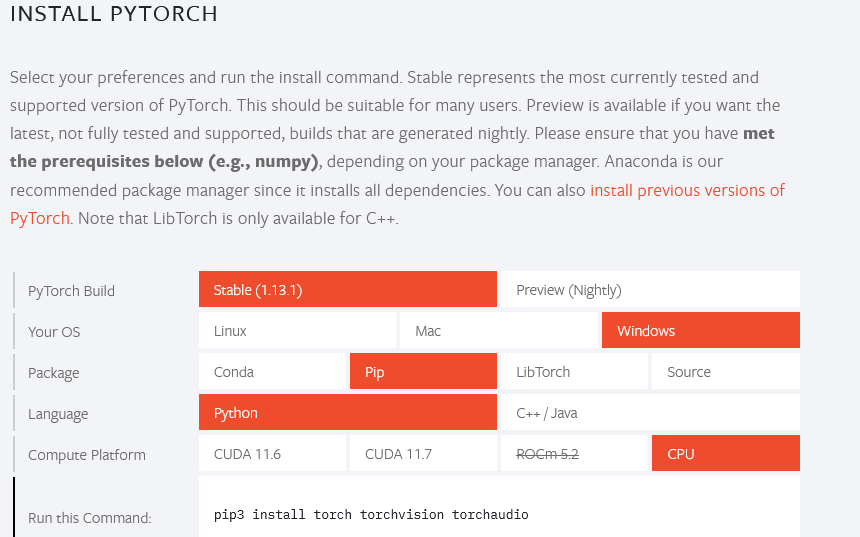
CUDA 11.6和CUDA 11.7都是gpu版本的软件,我一开始下载的也是gpu版本的,但是因为我的电脑显卡的显存比较低,运行whisper模型的时候大模型运行不了。为了能运行更大的模型以保证语音识别较高的准确率,我最终只能选择安装cpu版本。
cmd安装过程——
C:\Users\Administrator>pip3 install torch torchvision torchaudio
Collecting torch
  Using cached torch-1.13.1-cp38-cp38-win_amd64.whl (162.6 MB)
Collecting torchvision
  Using cached torchvision-0.14.1-cp38-cp38-win_amd64.whl (1.1 MB)
Collecting torchaudio
  Using cached torchaudio-0.13.1-cp38-cp38-win_amd64.whl (2.0 MB)
Requirement already satisfied: typing-extensions in c:\program files\python38\li
b\site-packages (from torch) (4.5.0)
Requirement already satisfied: requests in c:\program files\python38\lib\site-pa
ckages (from torchvision) (2.28.2)
Requirement already satisfied: numpy in c:\program files\python38\lib\site-packa
ges (from torchvision) (1.24.2)
Requirement already satisfied: pillow!=8.3.*,>=5.3.0 in c:\program files\python3
8\lib\site-packages (from torchvision) (9.4.0)
Requirement already satisfied: certifi>=2017.4.17 in c:\program files\python38\l
ib\site-packages (from requests->torchvision) (2022.12.7)
Requirement already satisfied: idna<4,>=2.5 in c:\program files\python38\lib\sit
e-packages (from requests->torchvision) (3.4)
Requirement already satisfied: urllib3<1.27,>=1.21.1 in c:\program files\python3
8\lib\site-packages (from requests->torchvision) (1.26.14)
Requirement already satisfied: charset-normalizer<4,>=2 in c:\program files\pyth
on38\lib\site-packages (from requests->torchvision) (3.0.1)
Installing collected packages: torch, torchvision, torchaudio
Successfully installed torch-1.13.1 torchaudio-0.13.1 torchvision-0.14.1
安装PyTorch一般不会出错。
第四步,安装Whisper
在终端命令行中执行
pip install git+https://github.com/openai/whisper.git
cmd报错——
C:\Users\Administrator>pip install git+https://github.com/openai/whisper.git
Collecting git+https://github.com/openai/whisper.git
  Cloning https://github.com/openai/whisper.git to c:\users\administrator\appdat
a\local\temp\pip-req-build-zed49a2d
  Running command git clone --filter=blob:none --quiet https://github.com/openai
/whisper.git 'C:\Users\Administrator\AppData\Local\Temp\pip-req-build-zed49a2d'
  error: RPC failed; curl 92 HTTP/2 stream 3 was not closed cleanly before end o
f the underlying stream
  error: 6240 bytes of body are still expected
  fetch-pack: unexpected disconnect while reading sideband packet
  fatal: early EOF
  fatal: index-pack failed
  fatal: could not fetch 116c859375fdf68107b80ceb7eb3678780eef5b8 from promisor
remote
  warning: Clone succeeded, but checkout failed.
  You can inspect what was checked out with 'git status'
  and retry with 'git restore --source=HEAD :/'

  error: subprocess-exited-with-error

  × git clone --filter=blob:none --quiet https://github.com/openai/whisper.git
'C:\Users\Administrator\AppData\Local\Temp\pip-req-build-zed49a2d' did not run s
uccessfully.
  │ exit code: 128
  ╰─> See above for output.

  note: This error originates from a subprocess, and is likely not a problem wit
h pip.
error: subprocess-exited-with-error

× git clone --filter=blob:none --quiet https://github.com/openai/whisper.git 'C
:\Users\Administrator\AppData\Local\Temp\pip-req-build-zed49a2d' did not run suc
cessfully.
│ exit code: 128
╰─> See above for output.

note: This error originates from a subprocess, and is likely not a problem with
pip.
分析报错提示可知,上述报错主要是由于git 使用 https 协议时报错。
解决方案
git config --global --unset http.proxy
接着,我重新输入pip install git+https://github.com/openai/whisper.git
cmd安装过程——
C:\Users\Administrator>pip install git+https://github.com/openai/whisper.git
Collecting git+https://github.com/openai/whisper.git
  Cloning https://github.com/openai/whisper.git to c:\users\administrator\appdat
a\local\temp\pip-req-build-zfi9jb7o
  Running command git clone --filter=blob:none --quiet https://github.com/openai
/whisper.git 'C:\Users\Administrator\AppData\Local\Temp\pip-req-build-zfi9jb7o'
  Resolved https://github.com/openai/whisper.git to commit 7858aa9c08d98f7557503
5ecd6481f462d66ca27
  Preparing metadata (setup.py) ... done
Requirement already satisfied: numpy in c:\program files\python38\lib\site-packa
ges (from openai-whisper==20230124) (1.24.2)
Requirement already satisfied: torch in c:\program files\python38\lib\site-packa
ges (from openai-whisper==20230124) (1.13.1)
Requirement already satisfied: tqdm in c:\program files\python38\lib\site-packag
es (from openai-whisper==20230124) (4.64.1)
Requirement already satisfied: more-itertools in c:\program files\python38\lib\s
ite-packages (from openai-whisper==20230124) (9.0.0)
Requirement already satisfied: transformers>=4.19.0 in c:\program files\python38
\lib\site-packages (from openai-whisper==20230124) (4.26.1)
Collecting ffmpeg-python==0.2.0
  Using cached ffmpeg_python-0.2.0-py3-none-any.whl (25 kB)
Requirement already satisfied: future in c:\program files\python38\lib\site-pack
ages (from ffmpeg-python==0.2.0->openai-whisper==20230124) (0.18.3)
Requirement already satisfied: regex!=2019.12.17 in c:\program files\python38\li
b\site-packages (from transformers>=4.19.0->openai-whisper==20230124) (2022.10.3
1)
Requirement already satisfied: filelock in c:\program files\python38\lib\site-pa
ckages (from transformers>=4.19.0->openai-whisper==20230124) (3.9.0)
Requirement already satisfied: packaging>=20.0 in c:\program files\python38\lib\
site-packages (from transformers>=4.19.0->openai-whisper==20230124) (23.0)
Requirement already satisfied: pyyaml>=5.1 in c:\program files\python38\lib\site
-packages (from transformers>=4.19.0->openai-whisper==20230124) (6.0)
Requirement already satisfied: tokenizers!=0.11.3,<0.14,>=0.11.1 in c:\program f
iles\python38\lib\site-packages (from transformers>=4.19.0->openai-whisper==2023
0124) (0.13.2)
Requirement already satisfied: huggingface-hub<1.0,>=0.11.0 in c:\program files\
python38\lib\site-packages (from transformers>=4.19.0->openai-whisper==20230124)
 (0.12.1)
Requirement already satisfied: requests in c:\program files\python38\lib\site-pa
ckages (from transformers>=4.19.0->openai-whisper==20230124) (2.28.2)
Requirement already satisfied: colorama in c:\program files\python38\lib\site-pa
ckages (from tqdm->openai-whisper==20230124) (0.4.6)
Requirement already satisfied: typing-extensions in c:\program files\python38\li
b\site-packages (from torch->openai-whisper==20230124) (4.5.0)
Requirement already satisfied: certifi>=2017.4.17 in c:\program files\python38\l
ib\site-packages (from requests->transformers>=4.19.0->openai-whisper==20230124)
 (2022.12.7)
Requirement already satisfied: charset-normalizer<4,>=2 in c:\program files\pyth
on38\lib\site-packages (from requests->transformers>=4.19.0->openai-whisper==202
30124) (3.0.1)
Requirement already satisfied: urllib3<1.27,>=1.21.1 in c:\program files\python3
8\lib\site-packages (from requests->transformers>=4.19.0->openai-whisper==202301
24) (1.26.14)
Requirement already satisfied: idna<4,>=2.5 in c:\program files\python38\lib\sit
e-packages (from requests->transformers>=4.19.0->openai-whisper==20230124) (3.4)

Installing collected packages: ffmpeg-python, openai-whisper
  DEPRECATION: openai-whisper is being installed using the legacy 'setup.py inst
all' method, because it does not have a 'pyproject.toml' and the 'wheel' package
 is not installed. pip 23.1 will enforce this behaviour change. A possible repla
cement is to enable the '--use-pep517' option. Discussion can be found at https:
//github.com/pypa/pip/issues/8559
  Running setup.py install for openai-whisper ... done
Successfully installed ffmpeg-python-0.2.0 openai-whisper-20230124

C:\Users\Administrator>
注意上文这一段
To update the package to the latest version of this repository, please run:
pip install --upgrade --no-deps --force-reinstall git+https://github.com/openai/whisper.git
输入上面的代码将软件包更新到此存储库的最新版本
我跳过这步直接输入whisper audio.mp3,开始语音识别
cmd运行——
Administrator@AUTOBVT-Q90417J MINGW64 ~/Desktop/新建文件夹
$ whisper audio.mp3
c:\program files\python38\lib\site-packages\whisper\__init__.py:48: UserWarning: C:\Users\Administrator\.cache\whisper\small.pt exists, but the SHA256 checksum does not match; re-downloading the file
warnings.warn(f"{download_target} exists, but the SHA256 checksum does not match; re-downloading the file")
0%|▒▒ | 1.55M/461M [00:01<07:29, 1.07MiB/s 0%|▒▒ | 1.66M/461M [00:01<07:38, 1.05MiB/s 0%|▒▒ | 1.77M/461M [00:01<07:34, 1.06MiB/s 0%|▒▒ | 1.89M/461M [00:02<07:17, 1.10MiB/s 0%|▒▒ | 2.02M/461M [00:02<06:59, 1.15MiB/s 0%|▒▒ | 2.13M/461M [00:02<07:04, 1.13MiB/s 0%|▒▒ | 2.25M/461M [00:02<06:54, 1.16MiB/s 1%|▒▒ | 2.38M/461M [00:02<06:41, 1.20MiB/s 1%|▒▒ | 2.49M/461M [00:02<06:43, 1.19MiB/s 1%|▒▒ | 2.61M/461M [00:02<06:39, 1.20MiB/s 1%|▒▒ | 2.73M/461M [00:02<06:38, 1.21MiB/s 1%|▒▒ | 2.84M/461M [00:02<06:38, 1.21MiB/s 1%|▒▒ | 2.96M/461M [00:02<06:52, 1.16MiB/s 1%|▒▒ | 3.11M/461M [00:03<06:56, 1.15MiB/s 1%|▒▒ | 3.25M/461M [00:03<06:29, 1.23MiB/s 1%|▒▒ | 3.38M/461M [00:03<06:36, 1.21MiB/s 1%|▒▒ | 3.50M/461M [00:03<06:29, 1.23MiB/s 1%|▒▒ | 3.66M/461M [00:03<06:11, 1.29MiB/s 1%|▒▒ | 3.80M/461M [00:03<06:31, 1.23MiB/s 1%|▒▒ | 3.95M/461M [00:03<06:02, 1.32MiB/s 1%|▒▒ | 4.09M/461M [00:03<05:55, 1.35MiB/s 1%|▒▒ | 4.23M/461M [00:04<05:56, 1.34MiB/s 1%|▒▒ | 4.36M/461M [00:04<05:53, 1.36MiB/s 1%|▒▒ | 4.52M/461M [00:04<05:56, 1.34MiB/s 1%|▒▒ | 4.65M/461M [00:04<06:21, 1.25MiB/s 1%|▒▒ | 4.77M/461M [00:04<07:00, 1.14MiB/s 1%|▒▒ | 4.89M/461M [00:04<08:00, 996kiB/s 1%|▒▒ | 4.99M/461M [00:04<08:23, 951kiB/s 1%|▒▒ | 5.09M/461M [00:04<08:50, 902kiB/s 1%|▒▒ | 5.18M/461M [00:05<09:48, 812kiB/s 1%|▒▒ | 5.27M/461M [00:05<09:37, 827kiB/s 1%|▒▒ | 5.36M/461M [00:05<09:14, 862kiB/s 1%|▒▒ | 5.45M/461M [00:05<09:10, 868kiB/s 1%|▒▒ | 5.53M/461M [00:05<09:24, 847kiB/s 1%|▒▒ | 5.62M/461M [00:05<10:13, 779kiB/s 1%|▒▒ | 5.70M/461M [00:05<10:09, 784kiB/s 1%|▒▒ | 5.81M/461M [00:05<09:29, 838kiB/s 1%|▒▒ | 5.90M/461M [00:05<09:48, 812kiB/s 1%|▒▒ | 5.98M/461M [00:06<09:35, 829kiB/s 1%|▒▒ | 6.08M/461M [00:06<09:20, 852kiB/s 1%|▒▒ | 6.17M/461M [00:06<09:06, 874kiB/s 1%|▒▒ | 6.30M/461M [00:06<08:05, 982kiB/s 1%|▒▒ | 6.41M/461M [00:06<08:08, 976kiB/s 1%|▒▒ | 6.53M/461M [00:06<07:37, 1.04MiB/s 1%|▒▒ | 6.66M/461M [00:06<07:16, 1.09MiB/s 1%|▒▒ | 6.77M/461M [00:06<07:22, 1.08MiB/s 1%|▒▒ | 6.88M/461M [00:06<07:38, 1.04MiB/s 2%|▒▒ | 7.02M/461M [00:07<07:02, 1.13MiB/s 2%|▒▒ | 7.16M/461M [00:07<06:30, 1.22MiB/s 2%|▒▒ | 7.28M/461M [00:07<07:04, 1.12MiB/s 2%|▒▒ | 7.39M/461M [00:07<07:08, 1.11MiB/s 2%|▒▒ | 7.53M/461M [00:07<06:54, 1.15MiB/s 2%|▒▒ | 7.67M/461M [00:07<06:30, 1.22MiB/s 2%|▒▒ | 7.81M/461M [00:07<07:47, 1.02MiB/s 2%|▒▒ | 7.95M/461M [00:07<07:07, 1.11MiB/s 2%|▒▒ | 8.07M/461M [00:08<07:34, 1.04MiB/s 2%|▒▒ | 8.18M/461M [00:08<07:53, 1.00MiB/s 2%|▒▒ | 8.28M/461M [00:08<14:48, 535kiB/s 2%|▒▒ | 8.36M/461M [00:08<13:48, 573kiB/s 2%|▒▒ | 8.45M/461M [00:08<13:00, 608kiB/s 2%|▒▒ | 8.55M/461M [00:09<12:03, 656kiB/s 2%|▒▒ | 8.64M/461M [00:09<11:18, 700kiB/s 2%|▒▒ | 8.72M/461M [00:09<11:01, 717kiB/s 2%|▒▒ | 8.81M/461M [00:09<10:15, 770kiB/s 2%|▒▒ | 8.90M/461M [00:09<10:08, 780kiB/s 2%|▒▒ | 8.98M/461M [00:09<10:39, 742kiB/s 2%|▒▒ | 9.09M/461M [00:09<09:49, 804kiB/s 2%|▒▒ | 9.18M/461M [00:09<09:43, 812kiB/s 2%|▒▒ | 9.27M/461M [00:09<10:09, 778kiB/s 2%|▒▒ | 9.36M/461M [00:10<09:35, 823kiB/s 2%|▒▒ | 9.45M/461M [00:10<09:56, 795kiB/s 2%|▒▒ | 9.55M/461M [00:10<09:41, 815kiB/s 2%|▒▒ | 9.63M/461M [00:10<09:43, 812kiB/s 2%|▒▒ | 9.71M/461M [00:10<09:43, 812kiB/s 2%|▒▒ | 9.81M/461M [00:10<09:22, 842kiB/s 2%|▒▒ | 9.92M/461M [00:10<08:39, 910kiB/s 2%|▒▒ | 10.0M/461M [00:10<08:29, 928kiB/s 2%|▒▒ | 10.1M/461M [00:11<09:33, 824kiB/s 2%|▒▒ | 10.2M/461M [00:11<08:59, 877kiB/s 2%|▒▒ | 10.3M/461M [00:11<08:04, 976kiB/s 2%|▒▒ | 10.4M/461M [00:11<07:55, 995kiB/s 2%|▒▒ | 10.5M/461M [00:11<08:19, 946kiB/s 2%|▒▒ | 10.7M/461M [00:11<07:52, 1.00MiB/s 2%|▒▒ | 10.8M/461M [00:11<07:40, 1.03MiB/s 2%|▒▒ | 10.9M/461M [00:11<07:19, 1.07MiB/s 2%|▒▒ | 11.0M/461M [00:11<07:29, 1.05MiB/s 2%|▒▒ | 11.1M/461M [00:12<07:36, 1.03MiB/s 2%|▒▒ | 11.2M/461M [00:12<08:13, 957kiB/s 2%|▒▒ | 11.3M/461M [00:12<07:49, 1.01MiB/s 2%|▒▒ | 11.4M/461M [00:12<07:51, 1.00MiB/s 2%|▒▒ | 11.5M/461M [00:12<07:53, 996kiB/s 3%|▒▒ | 11.6M/461M [00:12<07:46, 1.01MiB/s 3%|▒▒ | 11.7M/461M [00:12<07:44, 1.01MiB/s 3%|▒▒ | 11.8M/461M [00:12<07:29, 1.05MiB/s 3%|▒▒ | 12.0M/461M [00:12<07:00, 1.12MiB/s 3%|▒▒ | 12.1M/461M [00:12<06:51, 1.15MiB/s 3%|▒▒ | 12.2M/461M [00:13<06:34, 1.19MiB/s 3%|▒▒ | 12.3M/461M [00:13<06:31, 1.20MiB/s 3%|▒▒ | 12.5M/461M [00:13<06:58, 1.12MiB/s 3%|▒▒ | 12.6M/461M [00:13<07:15, 1.08MiB/s 3%|▒▒ | 12.7M/461M [00:13<07:16, 1.08MiB/s 3%|▒▒ | 12.8M/461M [00:13<07:01, 1.12MiB/s 3%|▒▒ | 12.9M/461M [00:13<07:04, 1.11MiB/s 3%|▒▒ | 13.0M/461M [00:13<07:00, 1.12MiB/s 3%|▒▒ | 13.2M/461M [00:13<06:48, 1.15MiB/s 3%|▒▒ | 13.3M/461M [00:14<06:52, 1.14MiB/s 3%|▒▒ | 13.4M/461M [00:14<07:10, 1.09MiB/s 3%|▒▒ | 13.5M/461M [00:14<06:44, 1.16MiB/s 3%|▒▒▒▒ | 13.7M/461M [00:14<06:38, 1.18MiB/ 3%|▒▒▒▒ | 13.8M/461M [00:14<06:45, 1.16MiB/ 3%|▒▒▒▒ | 13.9M/461M [00:14<06:27, 1.21MiB/ 3%|▒▒▒▒ | 14.1M/461M [00:14<06:05, 1.28MiB/ 3%|▒▒▒▒ | 14.2M/461M [00:14<06:16, 1.24MiB/ 3%|▒▒▒▒ | 14.3M/461M [00:14<05:58, 1.31MiB/ 3%|▒▒▒▒ | 14.5M/461M [00:15<05:59, 1.30MiB/ 3%|▒▒▒▒ | 14.6M/461M [00:15<06:05, 1.28MiB/ 3%|▒▒▒▒ | 14.7M/461M [00:15<06:30, 1.20MiB/ 3%|▒▒▒▒ | 14.8M/461M [00:15<07:14, 1.08MiB/ 3%|▒▒▒▒ | 15.0M/461M [00:15<07:07, 1.09MiB/ 3%|▒▒▒▒ | 15.1M/461M [00:15<06:48, 1.15MiB/ 3%|▒▒▒▒ | 15.2M/461M [00:15<07:41, 1.01MiB/ 3%|▒▒▒▒ | 15.3M/461M [00:15<07:39, 1.02MiB/ 3%|▒▒▒▒ | 15.4M/461M [00:16<07:51, 991kiB/ 3%|▒▒▒▒ | 15.5M/461M [00:16<08:20, 934kiB/ 3%|▒▒▒▒ | 15.6M/461M [00:16<08:30, 916kiB/ 3%|▒▒▒▒ | 15.7M/461M [00:16<08:21, 931kiB/ 3%|▒▒▒▒ | 15.8M/461M [00:16<08:16, 940kiB/ 3%|▒▒▒▒ | 15.9M/461M [00:16<08:04, 963kiB/ 3%|▒▒▒▒ | 16.0M/461M [00:16<07:37, 1.02MiB/ 3%|▒▒▒▒ | 16.1M/461M [00:16<07:38, 1.02MiB/ 4%|▒▒▒▒ | 16.2M/461M [00:16<07:48, 995kiB/ 4%|▒▒▒▒ | 16.3M/461M [00:17<07:56, 979kiB/ 4%|▒▒▒▒ | 16.4M/461M [00:17<08:02, 967kiB/ 4%|▒▒▒▒ | 16.5M/461M [00:17<07:48, 995kiB/ 4%|▒▒▒▒ | 16.6M/461M [00:17<07:44, 1.00MiB/ 4%|▒▒▒▒ | 16.7M/461M [00:17<07:59, 972kiB/ 4%|▒▒▒▒ | 16.8M/461M [00:17<08:09, 951kiB/ 4%|▒▒▒▒ | 16.9M/461M [00:17<08:13, 944kiB/ 4%|▒▒▒▒ | 17.0M/461M [00:17<08:07, 955kiB/ 4%|▒▒▒▒ | 17.1M/461M [00:17<08:18, 934kiB/ 4%|▒▒▒▒ | 17.2M/461M [00:18<07:40, 1.01MiB/ 4%|▒▒▒▒ | 17.4M/461M [00:18<07:13, 1.07MiB/ 4%|▒▒▒▒ | 17.5M/461M [00:18<07:10, 1.08MiB/ 4%|▒▒▒▒ | 17.6M/461M [00:18<08:03, 962kiB/ 4%|▒▒▒▒ | 17.7M/461M [00:18<07:42, 1.01MiB/ 4%|▒▒▒▒ | 17.8M/461M [00:18<07:57, 974kiB/ 4%|▒▒▒▒ | 17.9M/461M [00:18<08:17, 935kiB/ 4%|▒▒▒▒ | 18.0M/461M [00:18<08:02, 963kiB/ 4%|▒▒▒▒ | 18.1M/461M [00:18<08:04, 958kiB/ 4%|▒▒▒▒ | 18.2M/461M [00:19<07:46, 997kiB/ 4%|▒▒▒▒ | 18.3M/461M [00:19<07:50, 988kiB/ 4%|▒▒▒▒ | 18.4M/461M [00:19<07:54, 979kiB/ 4%|▒▒▒▒ | 18.5M/461M [00:19<08:02, 962kiB/ 4%|▒▒▒▒ | 18.6M/461M [00:19<07:13, 1.07MiB/ 4%|▒▒▒▒ | 18.8M/461M [00:19<08:06, 954kiB/ 4%|▒▒▒▒ | 18.9M/461M [00:19<08:05, 954kiB/ 4%|▒▒▒▒ | 18.9M/461M [00:19<08:45, 882kiB/ 4%|▒▒▒▒ | 19.1M/461M [00:20<08:34, 902kiB/ 4%|▒▒▒▒ | 19.1M/461M [00:20<10:16, 751kiB/ 4%|▒▒▒▒ | 19.2M/461M [00:20<09:53, 781kiB/ 4%|▒▒▒▒ | 19.4M/461M [00:20<09:22, 824kiB/ 4%|▒▒▒▒ | 19.5M/461M [00:20<08:39, 891kiB/ 4%|▒▒▒▒ | 19.6M/461M [00:20<08:45, 882kiB/ 4%|▒▒▒▒ | 19.7M/461M [00:20<08:30, 908kiB/ 4%|▒▒▒▒ | 19.8M/461M [00:20<08:45, 882kiB/ 4%|▒▒▒▒ | 19.9M/461M [00:21<08:24, 917kiB/ 4%|▒▒▒▒ | 20.0M/461M [00:21<08:16, 932kiB/ 4%|▒▒▒▒ | 20.1M/461M [00:21<10:33, 731kiB/ 4%|▒▒▒▒ | 20.1M/461M [00:21<17:07, 450kiB/ 4%|▒▒▒▒ | 20.2M/461M [00:21<15:50, 486kiB/ 4%|▒▒▒▒ | 20.3M/461M [00:21<13:29, 571kiB/ 4%|▒▒▒▒ | 20.4M/461M [00:22<12:17, 626kiB/ 4%|▒▒▒▒ | 20.5M/461M [00:22<11:48, 652kiB/ 4%|▒▒▒▒ | 20.6M/461M [00:22<10:18, 747kiB/ 4%|▒▒▒▒ | 20.7M/461M [00:22<09:44, 791kiB/ 5%|▒▒▒▒ | 20.8M/461M [00:22<09:36, 801kiB/ 5%|▒▒▒▒ | 20.9M/461M [00:22<09:00, 854kiB/ 5%|▒▒▒▒ | 21.0M/461M [00:22<08:10, 941kiB/ 5%|▒▒▒▒ | 21.2M/461M [00:22<08:00, 960kiB/ 5%|▒▒▒▒ | 21.3M/461M [00:23<08:07, 946kiB/ 5%|▒▒▒▒ | 21.4M/461M [00:23<07:42, 998kiB/ 5%|▒▒▒▒ | 21.5M/461M [00:23<07:29, 1.03MiB/ 5%|▒▒▒▒ | 21.6M/461M [00:23<07:21, 1.05MiB/ 5%|▒▒▒▒ | 21.7M/461M [00:23<08:11, 938kiB/ 5%|▒▒▒▒ | 21.8M/461M [00:23<08:10, 940kiB/ 5%|▒▒▒▒ | 21.9M/461M [00:23<08:32, 898kiB/ 5%|▒▒▒▒ | 22.0M/461M [00:23<08:24, 913kiB/ 5%|▒▒▒▒ | 22.1M/461M [00:23<08:15, 929kiB/ 5%|▒▒▒▒ | 22.2M/461M [00:24<08:09, 941kiB/ 5%|▒▒▒▒ | 22.3M/461M [00:24<08:11, 937kiB/ 5%|▒▒▒▒ | 22.4M/461M [00:24<07:48, 982kiB/ 5%|▒▒▒▒ | 22.5M/461M [00:24<07:49, 981kiB/ 5%|▒▒▒▒ | 22.6M/461M [00:24<07:34, 1.01MiB/ 5%|▒▒▒▒ | 22.7M/461M [00:24<07:34, 1.01MiB/ 5%|▒▒▒▒ | 22.8M/461M [00:24<07:42, 994kiB/ 5%|▒▒▒▒ | 23.0M/461M [00:24<07:18, 1.05MiB/ 5%|▒▒▒▒ | 23.1M/461M [00:24<07:12, 1.06MiB/ 5%|▒▒▒▒ | 23.2M/461M [00:25<20:38, 371kiB/ 5%|▒▒▒▒ | 23.2M/461M [00:25<18:43, 409kiB/ 5%|▒▒▒▒ | 23.4M/461M [00:25<14:32, 526kiB/ 5%|▒▒▒▒ | 23.5M/461M [00:26<12:06, 632kiB/ 5%|▒▒▒▒ | 23.6M/461M [00:26<10:01, 763kiB/ 5%|▒▒▒▒ | 23.7M/461M [00:26<08:41, 880kiB/ 5%|▒▒▒▒ | 23.9M/461M [00:26<07:52, 971kiB/ 5%|▒▒▒▒ | 24.0M/461M [00:26<07:30, 1.02MiB/ 5%|▒▒▒▒ | 24.1M/461M [00:26<07:15, 1.05MiB/ 5%|▒▒▒▒ | 24.2M/461M [00:26<07:19, 1.04MiB/ 5%|▒▒▒▒ | 24.3M/461M [00:26<07:02, 1.09MiB/ 5%|▒▒▒▒ | 24.5M/461M [00:26<06:34, 1.16MiB/ 5%|▒▒▒▒ | 24.6M/461M [00:27<06:29, 1.18MiB/ 5%|▒▒▒▒ | 24.7M/461M [00:27<06:42, 1.14MiB/ 5%|▒▒▒▒ | 24.8M/461M [00:27<06:46, 1.13MiB/ 5%|▒▒▒▒ | 25.0M/461M [00:27<05:53, 1.29MiB/ 5%|▒▒▒▒ | 25.1M/461M [00:27<06:01, 1.26MiB/ 5%|▒▒▒▒ | 25.3M/461M [00:27<05:51, 1.30MiB/ 6%|▒▒▒▒ | 25.4M/461M [00:27<05:34, 1.36MiB/ 6%|▒▒▒▒ | 25.6M/461M [00:27<05:27, 1.40MiB/ 6%|▒▒▒▒ | 25.7M/461M [00:27<05:43, 1.33MiB/ 6%|▒▒▒▒▒▒ | 25.9M/461M [00:28<05:55, 1.28MiB 6%|▒▒▒▒▒▒ | 26.0M/461M [00:28<05:27, 1.39MiB 6%|▒▒▒▒▒▒ | 26.2M/461M [00:28<05:49, 1.31MiB 6%|▒▒▒▒▒▒ | 26.3M/461M [00:28<07:05, 1.07MiB 6%|▒▒▒▒▒▒ | 26.5M/461M [00:28<06:08, 1.24MiB 6%|▒▒▒▒▒▒ | 26.6M/461M [00:28<07:08, 1.06MiB 6%|▒▒▒▒▒▒ | 26.7M/461M [00:28<06:58, 1.09MiB 6%|▒▒▒▒▒▒ | 26.9M/461M [00:29<07:25, 1.02MiB 6%|▒▒▒▒▒▒ | 27.0M/461M [00:29<07:33, 1.00MiB 6%|▒▒▒▒▒▒ | 27.1M/461M [00:29<07:32, 1.01MiB 6%|▒▒▒▒▒▒ | 27.2M/461M [00:29<07:56, 954kiB 6%|▒▒▒▒▒▒ | 27.3M/461M [00:29<07:27, 1.02MiB 6%|▒▒▒▒▒▒ | 27.4M/461M [00:29<07:25, 1.02MiB 6%|▒▒▒▒▒▒ | 27.5M/461M [00:29<07:29, 1.01MiB 6%|▒▒▒▒▒▒ | 27.6M/461M [00:29<07:16, 1.04MiB 6%|▒▒▒▒▒▒ | 27.7M/461M [00:29<08:56, 847kiB 6%|▒▒▒▒▒▒ | 27.9M/461M [00:30<07:48, 969kiB 6%|▒▒▒▒▒▒ | 28.0M/461M [00:30<08:00, 946kiB 6%|▒▒▒▒▒▒ | 28.1M/461M [00:30<08:19, 909kiB 6%|▒▒▒▒▒▒ | 28.2M/461M [00:30<08:30, 890kiB 6%|▒▒▒▒▒▒ | 28.3M/461M [00:30<08:34, 882kiB 6%|▒▒▒▒▒▒ | 28.4M/461M [00:30<08:25, 897kiB 6%|▒▒▒▒▒▒ | 28.5M/461M [00:30<07:57, 950kiB 6%|▒▒▒▒▒▒ | 28.6M/461M [00:30<07:51, 961kiB 6%|▒▒▒▒▒▒ | 28.7M/461M [00:31<07:50, 965kiB 6%|▒▒▒▒▒▒ | 28.8M/461M [00:31<07:37, 990kiB 6%|▒▒▒▒▒▒ | 28.9M/461M [00:31<07:28, 1.01MiB 6%|▒▒▒▒▒▒ | 29.0M/461M [00:31<07:34, 998kiB 6%|▒▒▒▒▒▒ | 29.1M/461M [00:31<07:24, 1.02MiB 6%|▒▒▒▒▒▒ | 29.2M/461M [00:31<07:08, 1.06MiB 6%|▒▒▒▒▒▒ | 29.3M/461M [00:31<07:09, 1.05MiB 6%|▒▒▒▒▒▒ | 29.4M/461M [00:31<07:08, 1.06MiB 6%|▒▒▒▒▒▒ | 29.5M/461M [00:31<07:04, 1.07MiB 6%|▒▒▒▒▒▒ | 29.6M/461M [00:32<08:41, 868kiB 6%|▒▒▒▒▒▒ | 29.8M/461M [00:32<07:38, 986kiB 6%|▒▒▒▒▒▒ | 29.9M/461M [00:32<07:47, 967kiB 7%|▒▒▒▒▒▒ | 30.0M/461M [00:32<08:04, 934kiB 7%|▒▒▒▒▒▒ | 30.1M/461M [00:32<08:02, 937kiB 7%|▒▒▒▒▒▒ | 30.2M/461M [00:32<08:01, 939kiB 7%|▒▒▒▒▒▒ | 30.3M/461M [00:32<07:50, 959kiB 7%|▒▒▒▒▒▒ | 30.4M/461M [00:32<07:42, 976kiB 7%|▒▒▒▒▒▒ | 30.5M/461M [00:32<07:22, 1.02MiB 7%|▒▒▒▒▒▒ | 30.6M/461M [00:33<07:16, 1.04MiB 7%|▒▒▒▒▒▒ | 30.7M/461M [00:33<07:18, 1.03MiB 7%|▒▒▒▒▒▒ | 30.9M/461M [00:33<06:56, 1.08MiB 7%|▒▒▒▒▒▒ | 31.0M/461M [00:33<08:06, 927kiB 7%|▒▒▒▒▒▒ | 31.1M/461M [00:33<07:26, 1.01MiB 7%|▒▒▒▒▒▒ | 31.2M/461M [00:33<07:30, 1.00MiB 7%|▒▒▒▒▒▒ | 31.3M/461M [00:33<08:08, 922kiB 7%|▒▒▒▒▒▒ | 31.4M/461M [00:33<08:00, 938kiB 7%|▒▒▒▒▒▒ | 31.5M/461M [00:33<08:03, 932kiB 7%|▒▒▒▒▒▒ | 31.6M/461M [00:34<08:00, 938kiB 7%|▒▒▒▒▒▒ | 31.7M/461M [00:34<07:35, 988kiB 7%|▒▒▒▒▒▒ | 31.8M/461M [00:34<07:52, 953kiB 7%|▒▒▒▒▒▒ | 31.9M/461M [00:34<07:54, 948kiB 7%|▒▒▒▒▒▒ | 32.0M/461M [00:34<08:10, 917kiB 7%|▒▒▒▒▒▒ | 32.1M/461M [00:34<07:24, 1.01MiB 7%|▒▒▒▒▒▒ | 32.2M/461M [00:34<07:09, 1.05MiB 7%|▒▒▒▒▒▒ | 32.3M/461M [00:34<07:08, 1.05MiB 7%|▒▒▒▒▒▒ | 32.4M/461M [00:35<08:21, 896kiB 7%|▒▒▒▒▒▒ | 32.6M/461M [00:35<07:16, 1.03MiB 7%|▒▒▒▒▒▒ | 32.7M/461M [00:35<07:52, 952kiB 7%|▒▒▒▒▒▒ | 32.8M/461M [00:35<07:47, 961kiB 7%|▒▒▒▒▒▒ | 32.9M/461M [00:35<08:11, 914kiB 7%|▒▒▒▒▒▒ | 33.0M/461M [00:35<07:45, 964kiB 7%|▒▒▒▒▒▒ | 33.1M/461M [00:35<07:40, 975kiB 7%|▒▒▒▒▒▒ | 33.2M/461M [00:35<07:33, 989kiB 7%|▒▒▒▒▒▒ | 33.3M/461M [00:35<07:18, 1.02MiB 7%|▒▒▒▒▒▒ | 33.4M/461M [00:36<07:16, 1.03MiB 7%|▒▒▒▒▒▒ | 33.5M/461M [00:36<07:28, 1.00MiB 7%|▒▒▒▒▒▒ | 33.6M/461M [00:36<07:20, 1.02MiB 7%|▒▒▒▒▒▒ | 33.7M/461M [00:36<07:07, 1.05MiB 7%|▒▒▒▒▒▒ | 33.8M/461M [00:36<06:57, 1.07MiB 7%|▒▒▒▒▒▒ | 33.9M/461M [00:36<07:53, 947kiB 7%|▒▒▒▒▒▒ | 34.0M/461M [00:36<08:10, 913kiB 7%|▒▒▒▒▒▒ | 34.1M/461M [00:36<08:15, 903kiB 7%|▒▒▒▒▒▒ | 34.2M/461M [00:36<08:22, 891kiB 7%|▒▒▒▒▒▒ | 34.3M/461M [00:37<08:26, 884kiB 7%|▒▒▒▒▒▒ | 34.4M/461M [00:37<08:52, 840kiB 7%|▒▒▒▒▒▒ | 34.5M/461M [00:37<08:52, 841kiB 7%|▒▒▒▒▒▒ | 34.6M/461M [00:37<09:56, 750kiB 8%|▒▒▒▒▒▒ | 34.6M/461M [00:37<09:48, 760kiB 8%|▒▒▒▒▒▒ | 34.7M/461M [00:37<09:47, 761kiB 8%|▒▒▒▒▒▒ | 34.8M/461M [00:37<09:54, 753kiB 8%|▒▒▒▒▒▒ | 34.9M/461M [00:37<09:30, 783kiB 8%|▒▒▒▒▒▒ | 35.0M/461M [00:38<09:37, 774kiB 8%|▒▒▒▒▒▒ | 35.1M/461M [00:38<09:48, 759kiB 8%|▒▒▒▒▒▒ | 35.1M/461M [00:38<09:40, 769kiB 8%|▒▒▒▒▒▒ | 35.2M/461M [00:38<09:38, 773kiB 8%|▒▒▒▒▒▒ | 35.3M/461M [00:38<09:11, 809kiB 8%|▒▒▒▒▒▒ | 35.4M/461M [00:38<08:46, 849kiB 8%|▒▒▒▒▒▒ | 35.5M/461M [00:38<08:37, 862kiB 8%|▒▒▒▒▒▒ | 35.6M/461M [00:38<08:05, 920kiB 8%|▒▒▒▒▒▒ | 35.7M/461M [00:38<07:59, 930kiB 8%|▒▒▒▒▒▒ | 35.8M/461M [00:38<07:32, 986kiB 8%|▒▒▒▒▒▒ | 35.9M/461M [00:39<07:34, 982kiB 8%|▒▒▒▒▒▒ | 36.0M/461M [00:39<06:58, 1.07MiB 8%|▒▒▒▒▒▒ | 36.1M/461M [00:39<06:49, 1.09MiB 8%|▒▒▒▒▒▒ | 36.3M/461M [00:39<06:46, 1.10MiB 8%|▒▒▒▒▒▒ | 36.4M/461M [00:39<06:25, 1.16MiB 8%|▒▒▒▒▒▒ | 36.5M/461M [00:39<06:21, 1.17MiB 8%|▒▒▒▒▒▒ | 36.6M/461M [00:39<06:15, 1.18MiB 8%|▒▒▒▒▒▒ | 36.8M/461M [00:39<06:04, 1.22MiB 8%|▒▒▒▒▒▒ | 36.9M/461M [00:39<06:30, 1.14MiB 8%|▒▒▒▒▒▒ | 37.0M/461M [00:40<06:25, 1.16MiB 8%|▒▒▒▒▒▒ | 37.1M/461M [00:40<06:10, 1.20MiB 8%|▒▒▒▒▒▒ | 37.3M/461M [00:40<05:54, 1.25MiB 8%|▒▒▒▒▒▒ | 37.4M/461M [00:40<05:39, 1.31MiB 8%|▒▒▒▒▒▒ | 37.5M/461M [00:40<06:38, 1.12MiB 8%|▒▒▒▒▒▒ | 37.7M/461M [00:40<06:16, 1.18MiB 8%|▒▒▒▒▒▒ | 37.8M/461M [00:40<07:07, 1.04MiB 8%|▒▒▒▒▒▒▒▒ | 37.9M/461M [00:40<08:22, 883ki 8%|▒▒▒▒▒▒▒▒ | 38.0M/461M [00:41<09:30, 778ki 8%|▒▒▒▒▒▒▒▒ | 38.1M/461M [00:41<10:35, 698ki 8%|▒▒▒▒▒▒▒▒ | 38.2M/461M [00:41<10:53, 679ki 8%|▒▒▒▒▒▒▒▒ | 38.2M/461M [00:41<10:47, 685ki 8%|▒▒▒▒▒▒▒▒ | 38.3M/461M [00:41<10:52, 679ki 8%|▒▒▒▒▒▒▒▒ | 38.4M/461M [00:41<10:03, 735ki 8%|▒▒▒▒▒▒▒▒ | 38.5M/461M [00:41<10:54, 677ki 8%|▒▒▒▒▒▒▒▒ | 38.5M/461M [00:42<10:45, 687ki 8%|▒▒▒▒▒▒▒▒ | 38.6M/461M [00:42<09:47, 755ki 8%|▒▒▒▒▒▒▒▒ | 38.7M/461M [00:42<09:33, 772ki 8%|▒▒▒▒▒▒▒▒ | 38.8M/461M [00:42<09:25, 783ki 8%|▒▒▒▒▒▒▒▒ | 38.9M/461M [00:42<08:51, 833ki 8%|▒▒▒▒▒▒▒▒ | 39.0M/461M [00:42<08:48, 837ki 8%|▒▒▒▒▒▒▒▒ | 39.1M/461M [00:42<08:23, 878ki 8%|▒▒▒▒▒▒▒▒ | 39.2M/461M [00:42<08:09, 903ki 9%|▒▒▒▒▒▒▒▒ | 39.3M/461M [00:42<07:59, 924ki 9%|▒▒▒▒▒▒▒▒ | 39.4M/461M [00:42<07:31, 980ki 9%|▒▒▒▒▒▒▒▒ | 39.5M/461M [00:43<07:22, 999ki 9%|▒▒▒▒▒▒▒▒ | 39.6M/461M [00:43<07:09, 1.03Mi 9%|▒▒▒▒▒▒▒▒ | 39.7M/461M [00:43<06:48, 1.08Mi 9%|▒▒▒▒▒▒▒▒ | 39.8M/461M [00:43<06:42, 1.10Mi 9%|▒▒▒▒▒▒▒▒ | 39.9M/461M [00:43<06:38, 1.11Mi 9%|▒▒▒▒▒▒▒▒ | 40.1M/461M [00:43<06:23, 1.15Mi 9%|▒▒▒▒▒▒▒▒ | 40.2M/461M [00:43<06:20, 1.16Mi 9%|▒▒▒▒▒▒▒▒ | 40.3M/461M [00:43<06:19, 1.16Mi 9%|▒▒▒▒▒▒▒▒ | 40.4M/461M [00:43<06:09, 1.20Mi 9%|▒▒▒▒▒▒▒▒ | 40.6M/461M [00:43<05:51, 1.25Mi 9%|▒▒▒▒▒▒▒▒ | 40.7M/461M [00:44<05:47, 1.27Mi 9%|▒▒▒▒▒▒▒▒ | 40.8M/461M [00:44<05:32, 1.33Mi 9%|▒▒▒▒▒▒▒▒ | 41.0M/461M [00:44<05:23, 1.36Mi 9%|▒▒▒▒▒▒▒▒ | 41.1M/461M [00:44<05:15, 1.39Mi 9%|▒▒▒▒▒▒▒▒ | 41.3M/461M [00:44<05:14, 1.40Mi 9%|▒▒▒▒▒▒▒▒ | 41.4M/461M [00:44<06:15, 1.17Mi 9%|▒▒▒▒▒▒▒▒ | 41.5M/461M [00:44<06:06, 1.20Mi 9%|▒▒▒▒▒▒▒▒ | 41.7M/461M [00:44<06:53, 1.06Mi 9%|▒▒▒▒▒▒▒▒ | 41.8M/461M [00:45<07:34, 968ki 9%|▒▒▒▒▒▒▒▒ | 41.9M/461M [00:45<07:55, 925ki 9%|▒▒▒▒▒▒▒▒ | 42.0M/461M [00:45<07:56, 923ki 9%|▒▒▒▒▒▒▒▒ | 42.1M/461M [00:45<08:09, 897ki 9%|▒▒▒▒▒▒▒▒ | 42.2M/461M [00:45<08:06, 903ki 9%|▒▒▒▒▒▒▒▒ | 42.3M/461M [00:45<08:01, 912ki 9%|▒▒▒▒▒▒▒▒ | 42.4M/461M [00:45<08:01, 912ki 9%|▒▒▒▒▒▒▒▒ | 42.5M/461M [00:45<07:41, 952ki 9%|▒▒▒▒▒▒▒▒ | 42.6M/461M [00:45<07:40, 953ki 9%|▒▒▒▒▒▒▒▒ | 42.7M/461M [00:46<07:24, 988ki 9%|▒▒▒▒▒▒▒▒ | 42.8M/461M [00:46<07:04, 1.03Mi 9%|▒▒▒▒▒▒▒▒ | 42.9M/461M [00:46<06:51, 1.07Mi 9%|▒▒▒▒▒▒▒▒ | 43.0M/461M [00:46<06:47, 1.08Mi 9%|▒▒▒▒▒▒▒▒ | 43.1M/461M [00:46<06:25, 1.14Mi 9%|▒▒▒▒▒▒▒▒ | 43.2M/461M [00:46<07:41, 949ki 9%|▒▒▒▒▒▒▒▒ | 43.4M/461M [00:46<07:02, 1.04Mi 9%|▒▒▒▒▒▒▒▒ | 43.5M/461M [00:46<07:17, 1.00Mi 9%|▒▒▒▒▒▒▒▒ | 43.6M/461M [00:47<07:28, 977ki 9%|▒▒▒▒▒▒▒▒ | 43.7M/461M [00:47<07:20, 995ki 9%|▒▒▒▒▒▒▒▒ | 43.8M/461M [00:47<07:17, 1.00Mi 10%|▒▒▒▒▒▒▒▒ | 43.9M/461M [00:47<08:12, 889ki 10%|▒▒▒▒▒▒▒▒ | 44.0M/461M [00:47<08:01, 908ki 10%|▒▒▒▒▒▒▒▒ | 44.1M/461M [00:47<08:00, 911ki 10%|▒▒▒▒▒▒▒▒ | 44.2M/461M [00:47<08:55, 817ki 10%|▒▒▒▒▒▒▒▒ | 44.3M/461M [00:47<08:44, 834ki 10%|▒▒▒▒▒▒▒▒ | 44.3M/461M [00:47<08:43, 834ki 10%|▒▒▒▒▒▒▒▒ | 44.4M/461M [00:48<08:52, 821ki 10%|▒▒▒▒▒▒▒▒ | 44.5M/461M [00:48<08:38, 843ki 10%|▒▒▒▒▒▒▒▒ | 44.6M/461M [00:48<08:38, 843ki 10%|▒▒▒▒▒▒▒▒ | 44.7M/461M [00:48<08:29, 857ki 10%|▒▒▒▒▒▒▒▒ | 44.8M/461M [00:48<08:30, 855ki 10%|▒▒▒▒▒▒▒▒ | 44.9M/461M [00:48<08:11, 889ki 10%|▒▒▒▒▒▒▒▒ | 45.0M/461M [00:48<08:06, 898ki 10%|▒▒▒▒▒▒▒▒ | 45.1M/461M [00:48<07:46, 935ki 10%|▒▒▒▒▒▒▒▒ | 45.2M/461M [00:48<07:22, 987ki 10%|▒▒▒▒▒▒▒▒ | 45.3M/461M [00:49<07:03, 1.03Mi 10%|▒▒▒▒▒▒▒▒ | 45.4M/461M [00:49<06:52, 1.06Mi 10%|▒▒▒▒▒▒▒▒ | 45.5M/461M [00:49<06:42, 1.08Mi 10%|▒▒▒▒▒▒▒▒ | 45.6M/461M [00:49<06:38, 1.09Mi 10%|▒▒▒▒▒▒▒▒ | 45.7M/461M [00:49<06:19, 1.15Mi 10%|▒▒▒▒▒▒▒▒ | 45.9M/461M [00:49<06:06, 1.19Mi 10%|▒▒▒▒▒▒▒▒ | 46.0M/461M [00:49<07:19, 990ki 10%|▒▒▒▒▒▒▒▒ | 46.1M/461M [00:49<06:37, 1.09Mi 10%|▒▒▒▒▒▒▒▒ | 46.2M/461M [00:49<07:05, 1.02Mi 10%|▒▒▒▒▒▒▒▒ | 46.3M/461M [00:50<06:55, 1.05Mi 10%|▒▒▒▒▒▒▒▒ | 46.5M/461M [00:50<06:55, 1.05Mi 10%|▒▒▒▒▒▒▒▒ | 46.6M/461M [00:50<06:55, 1.05Mi 10%|▒▒▒▒▒▒▒▒ | 46.7M/461M [00:50<06:48, 1.06Mi 10%|▒▒▒▒▒▒▒▒ | 46.8M/461M [00:50<08:21, 866ki 10%|▒▒▒▒▒▒▒▒ | 46.9M/461M [00:50<08:11, 884ki 10%|▒▒▒▒▒▒▒▒ | 47.0M/461M [00:50<08:12, 882ki 10%|▒▒▒▒▒▒▒▒ | 47.1M/461M [00:50<08:55, 811ki 10%|▒▒▒▒▒▒▒▒ | 47.1M/461M [00:51<08:43, 829ki 10%|▒▒▒▒▒▒▒▒ | 47.2M/461M [00:51<08:39, 835ki 10%|▒▒▒▒▒▒▒▒ | 47.3M/461M [00:51<08:46, 824ki 10%|▒▒▒▒▒▒▒▒ | 47.4M/461M [00:51<08:33, 845ki 10%|▒▒▒▒▒▒▒▒ | 47.5M/461M [00:51<08:25, 858ki 10%|▒▒▒▒▒▒▒▒ | 47.6M/461M [00:51<08:06, 891ki 10%|▒▒▒▒▒▒▒▒ | 47.7M/461M [00:51<07:37, 948ki 10%|▒▒▒▒▒▒▒▒ | 47.8M/461M [00:51<07:34, 953ki 10%|▒▒▒▒▒▒▒▒ | 47.9M/461M [00:51<07:30, 962ki 10%|▒▒▒▒▒▒▒▒ | 48.0M/461M [00:52<07:25, 972ki 10%|▒▒▒▒▒▒▒▒ | 48.1M/461M [00:52<07:10, 1.01Mi 10%|▒▒▒▒▒▒▒▒ | 48.3M/461M [00:52<06:44, 1.07Mi 10%|▒▒▒▒▒▒▒▒ | 48.4M/461M [00:52<06:36, 1.09Mi 11%|▒▒▒▒▒▒▒▒ | 48.5M/461M [00:52<06:17, 1.15Mi 11%|▒▒▒▒▒▒▒▒ | 48.6M/461M [00:52<06:04, 1.19Mi 11%|▒▒▒▒▒▒▒▒ | 48.7M/461M [00:52<06:39, 1.08Mi 11%|▒▒▒▒▒▒▒▒▒▒ | 48.8M/461M [00:52<07:22, 978k 11%|▒▒▒▒▒▒▒▒▒▒ | 48.9M/461M [00:52<07:23, 975k 11%|▒▒▒▒▒▒▒▒▒▒ | 49.0M/461M [00:53<07:16, 991k 11%|▒▒▒▒▒▒▒▒▒▒ | 49.1M/461M [00:53<07:13, 998k 11%|▒▒▒▒▒▒▒▒ | 49.2M/461M [00:53<07:10, 1.00Mi 11%|▒▒▒▒▒▒▒▒ | 49.4M/461M [00:53<07:10, 1.00Mi 11%|▒▒▒▒▒▒▒▒▒▒ | 49.5M/461M [00:53<07:58, 903k 11%|▒▒▒▒▒▒▒▒▒▒ | 49.5M/461M [00:53<07:50, 917k 11%|▒▒▒▒▒▒▒▒▒▒ | 49.6M/461M [00:53<07:59, 901k 11%|▒▒▒▒▒▒▒▒▒▒ | 49.7M/461M [00:53<08:48, 816k 11%|▒▒▒▒▒▒▒▒▒▒ | 49.8M/461M [00:53<08:47, 817k 11%|▒▒▒▒▒▒▒▒▒▒ | 49.9M/461M [00:54<08:38, 833k 11%|▒▒▒▒▒▒▒▒▒▒ | 50.0M/461M [00:54<08:32, 842k 11%|▒▒▒▒▒▒▒▒▒▒ | 50.1M/461M [00:54<08:40, 829k 11%|▒▒▒▒▒▒▒▒▒▒ | 50.2M/461M [00:54<08:29, 846k 11%|▒▒▒▒▒▒▒▒▒▒ | 50.3M/461M [00:54<08:08, 882k 11%|▒▒▒▒▒▒▒▒▒▒ | 50.4M/461M [00:54<07:59, 898k 11%|▒▒▒▒▒▒▒▒▒▒ | 50.5M/461M [00:54<07:33, 951k 11%|▒▒▒▒▒▒▒▒▒▒ | 50.6M/461M [00:54<07:17, 984k 11%|▒▒▒▒▒▒▒▒▒▒ | 50.7M/461M [00:54<07:08, 1.00M 11%|▒▒▒▒▒▒▒▒▒▒ | 50.8M/461M [00:55<06:51, 1.05M 11%|▒▒▒▒▒▒▒▒▒▒ | 50.9M/461M [00:55<06:42, 1.07M 11%|▒▒▒▒▒▒▒▒▒▒ | 51.0M/461M [00:55<06:22, 1.13M 11%|▒▒▒▒▒▒▒▒▒▒ | 51.1M/461M [00:55<06:24, 1.12M 11%|▒▒▒▒▒▒▒▒▒▒ | 51.2M/461M [00:55<06:24, 1.12M 11%|▒▒▒▒▒▒▒▒▒▒ | 51.4M/461M [00:55<07:26, 963k 11%|▒▒▒▒▒▒▒▒▒▒ | 51.5M/461M [00:55<07:21, 974k 11%|▒▒▒▒▒▒▒▒▒▒ | 51.6M/461M [00:55<07:19, 978k 11%|▒▒▒▒▒▒▒▒▒▒ | 51.7M/461M [00:55<07:19, 977k 11%|▒▒▒▒▒▒▒▒▒▒ | 51.8M/461M [00:56<08:44, 818k 11%|▒▒▒▒▒▒▒▒▒▒ | 51.9M/461M [00:56<07:46, 920k 11%|▒▒▒▒▒▒▒▒▒▒ | 52.0M/461M [00:56<07:52, 909k 11%|▒▒▒▒▒▒▒▒▒▒ | 52.1M/461M [00:56<08:32, 838k 11%|▒▒▒▒▒▒▒▒▒▒ | 52.2M/461M [00:56<08:22, 854k 11%|▒▒▒▒▒▒▒▒▒▒ | 52.3M/461M [00:56<08:26, 846k 11%|▒▒▒▒▒▒▒▒▒▒ | 52.3M/461M [00:56<08:18, 861k 11%|▒▒▒▒▒▒▒▒▒▒ | 52.4M/461M [00:56<08:15, 865k 11%|▒▒▒▒▒▒▒▒▒▒ | 52.5M/461M [00:56<08:42, 820k 11%|▒▒▒▒▒▒▒▒▒▒ | 52.6M/461M [00:57<08:33, 835k 11%|▒▒▒▒▒▒▒▒▒▒ | 52.7M/461M [00:57<08:11, 871k 11%|▒▒▒▒▒▒▒▒▒▒ | 52.8M/461M [00:57<07:56, 898k 11%|▒▒▒▒▒▒▒▒▒▒ | 52.9M/461M [00:57<07:46, 917k 11%|▒▒▒▒▒▒▒▒▒▒ | 53.0M/461M [00:57<07:27, 956k 12%|▒▒▒▒▒▒▒▒▒▒ | 53.1M/461M [00:57<07:11, 991k 12%|▒▒▒▒▒▒▒▒▒▒ | 53.2M/461M [00:57<07:07, 1.00M 12%|▒▒▒▒▒▒▒▒▒▒ | 53.3M/461M [00:57<07:05, 1.01M 12%|▒▒▒▒▒▒▒▒▒▒ | 53.4M/461M [00:57<06:50, 1.04M 12%|▒▒▒▒▒▒▒▒▒▒ | 53.5M/461M [00:58<06:42, 1.06M 12%|▒▒▒▒▒▒▒▒▒▒ | 53.7M/461M [00:58<06:23, 1.12M 12%|▒▒▒▒▒▒▒▒▒▒ | 53.8M/461M [00:58<06:07, 1.16M 12%|▒▒▒▒▒▒▒▒▒▒ | 53.9M/461M [00:58<06:02, 1.18M 12%|▒▒▒▒▒▒▒▒▒▒ | 54.1M/461M [00:58<05:41, 1.25M 12%|▒▒▒▒▒▒▒▒▒▒ | 54.2M/461M [00:58<05:28, 1.30M 12%|▒▒▒▒▒▒▒▒▒▒ | 54.3M/461M [00:58<06:15, 1.14M 12%|▒▒▒▒▒▒▒▒▒▒ | 54.4M/461M [00:58<06:50, 1.04M 12%|▒▒▒▒▒▒▒▒▒▒ | 54.5M/461M [00:58<06:49, 1.04M 12%|▒▒▒▒▒▒▒▒▒▒ | 54.7M/461M [00:59<06:43, 1.06M 12%|▒▒▒▒▒▒▒▒▒▒ | 54.8M/461M [00:59<06:41, 1.06M 12%|▒▒▒▒▒▒▒▒▒▒ | 54.9M/461M [00:59<08:09, 870k 12%|▒▒▒▒▒▒▒▒▒▒ | 55.0M/461M [00:59<07:28, 949k 12%|▒▒▒▒▒▒▒▒▒▒ | 55.1M/461M [00:59<07:27, 952k 12%|▒▒▒▒▒▒▒▒▒▒ | 55.2M/461M [00:59<08:04, 878k 12%|▒▒▒▒▒▒▒▒▒▒ | 55.3M/461M [00:59<07:57, 891k 12%|▒▒▒▒▒▒▒▒▒▒ | 55.4M/461M [00:59<07:45, 915k 12%|▒▒▒▒▒▒▒▒▒▒ | 55.5M/461M [01:00<07:40, 923k 12%|▒▒▒▒▒▒▒▒▒▒ | 55.6M/461M [01:00<08:11, 866k 12%|▒▒▒▒▒▒▒▒▒▒ | 55.7M/461M [01:00<07:52, 900k 12%|▒▒▒▒▒▒▒▒▒▒ | 55.8M/461M [01:00<07:50, 903k 12%|▒▒▒▒▒▒▒▒▒▒ | 55.9M/461M [01:00<07:43, 917k 12%|▒▒▒▒▒▒▒▒▒▒ | 56.0M/461M [01:00<07:25, 954k 12%|▒▒▒▒▒▒▒▒▒▒ | 56.1M/461M [01:00<07:02, 1.01M 12%|▒▒▒▒▒▒▒▒▒▒ | 56.2M/461M [01:00<06:37, 1.07M 12%|▒▒▒▒▒▒▒▒▒▒ | 56.3M/461M [01:00<06:32, 1.08M 12%|▒▒▒▒▒▒▒▒▒▒ | 56.4M/461M [01:01<06:26, 1.10M 12%|▒▒▒▒▒▒▒▒▒▒ | 56.5M/461M [01:01<06:25, 1.10M 12%|▒▒▒▒▒▒▒▒▒▒ | 56.6M/461M [01:01<07:03, 1.00M 12%|▒▒▒▒▒▒▒▒▒▒ | 56.8M/461M [01:01<06:49, 1.04M 12%|▒▒▒▒▒▒▒▒▒▒ | 56.9M/461M [01:01<06:49, 1.03M 12%|▒▒▒▒▒▒▒▒▒▒ | 57.0M/461M [01:01<07:00, 1.01M 12%|▒▒▒▒▒▒▒▒▒▒ | 57.1M/461M [01:01<06:57, 1.02M 12%|▒▒▒▒▒▒▒▒▒▒ | 57.2M/461M [01:01<06:53, 1.02M 12%|▒▒▒▒▒▒▒▒▒▒ | 57.3M/461M [01:01<06:52, 1.03M 12%|▒▒▒▒▒▒▒▒▒▒ | 57.4M/461M [01:02<07:35, 930k 12%|▒▒▒▒▒▒▒▒▒▒ | 57.5M/461M [01:02<07:35, 929k 12%|▒▒▒▒▒▒▒▒▒▒ | 57.6M/461M [01:02<08:31, 828k 12%|▒▒▒▒▒▒▒▒▒▒ | 57.6M/461M [01:02<08:26, 836k 13%|▒▒▒▒▒▒▒▒▒▒ | 57.7M/461M [01:02<08:18, 849k 13%|▒▒▒▒▒▒▒▒▒▒ | 57.8M/461M [01:02<08:11, 861k 13%|▒▒▒▒▒▒▒▒▒▒ | 57.9M/461M [01:02<08:11, 860k 13%|▒▒▒▒▒▒▒▒▒▒ | 58.0M/461M [01:02<07:52, 895k 13%|▒▒▒▒▒▒▒▒▒▒ | 58.1M/461M [01:02<07:47, 905k 13%|▒▒▒▒▒▒▒▒▒▒ | 58.2M/461M [01:03<07:38, 922k 13%|▒▒▒▒▒▒▒▒▒▒ | 58.3M/461M [01:03<07:30, 937k 13%|▒▒▒▒▒▒▒▒▒▒ | 58.4M/461M [01:03<07:06, 990k 13%|▒▒▒▒▒▒▒▒▒▒ | 58.5M/461M [01:03<06:57, 1.01M 13%|▒▒▒▒▒▒▒▒▒▒ | 58.6M/461M [01:03<06:55, 1.02M 13%|▒▒▒▒▒▒▒▒▒▒ | 58.7M/461M [01:03<06:58, 1.01M 13%|▒▒▒▒▒▒▒▒▒▒ | 58.8M/461M [01:03<06:48, 1.03M 13%|▒▒▒▒▒▒▒▒▒▒ | 58.9M/461M [01:03<06:30, 1.08M 13%|▒▒▒▒▒▒▒▒▒▒ | 59.0M/461M [01:03<06:23, 1.10M 13%|▒▒▒▒▒▒▒▒▒▒ | 59.2M/461M [01:03<06:08, 1.14M 13%|▒▒▒▒▒▒▒▒▒▒ | 59.3M/461M [01:04<06:56, 1.01M 13%|▒▒▒▒▒▒▒▒▒▒ | 59.4M/461M [01:04<06:33, 1.07M 13%|▒▒▒▒▒▒▒▒▒▒ | 59.5M/461M [01:04<06:55, 1.01M 13%|▒▒▒▒▒▒▒▒▒▒ | 59.6M/461M [01:04<06:47, 1.03M 13%|▒▒▒▒▒▒▒▒▒▒ | 59.7M/461M [01:04<06:46, 1.04M 13%|▒▒▒▒▒▒▒▒▒▒ | 59.8M/461M [01:04<06:54, 1.02M 13%|▒▒▒▒▒▒▒▒▒▒ | 59.9M/461M [01:04<06:59, 1.00M 13%|▒▒▒▒▒▒▒▒▒▒ | 60.0M/461M [01:04<06:53, 1.02M 13%|▒▒▒▒▒▒▒▒▒▒ | 60.1M/461M [01:05<07:31, 931k 13%|▒▒▒▒▒▒▒▒▒▒ | 60.2M/461M [01:05<07:25, 945k 13%|▒▒▒▒▒▒▒▒▒▒ | 60.3M/461M [01:05<07:37, 920k 13%|▒▒▒▒▒▒▒▒▒▒ | 60.4M/461M [01:05<08:04, 868k 13%|▒▒▒▒▒▒▒▒▒▒ | 60.5M/461M [01:05<08:05, 865k 13%|▒▒▒▒▒▒▒▒▒▒ | 60.6M/461M [01:05<08:06, 864k 13%|▒▒▒▒▒▒▒▒▒▒▒▒ | 60.7M/461M [01:05<07:57, 880 13%|▒▒▒▒▒▒▒▒▒▒▒▒ | 60.8M/461M [01:05<07:46, 901 13%|▒▒▒▒▒▒▒▒▒▒▒▒ | 60.9M/461M [01:05<07:39, 914 13%|▒▒▒▒▒▒▒▒▒▒▒▒ | 61.0M/461M [01:05<07:17, 958 13%|▒▒▒▒▒▒▒▒▒▒▒▒ | 61.1M/461M [01:06<07:09, 976 13%|▒▒▒▒▒▒▒▒▒▒ | 61.2M/461M [01:06<06:51, 1.02M 13%|▒▒▒▒▒▒▒▒▒▒ | 61.3M/461M [01:06<06:43, 1.04M 13%|▒▒▒▒▒▒▒▒▒▒ | 61.4M/461M [01:06<06:31, 1.07M 13%|▒▒▒▒▒▒▒▒▒▒ | 61.5M/461M [01:06<06:44, 1.04M 13%|▒▒▒▒▒▒▒▒▒▒ | 61.7M/461M [01:06<06:23, 1.09M 13%|▒▒▒▒▒▒▒▒▒▒ | 61.8M/461M [01:06<06:45, 1.03M 13%|▒▒▒▒▒▒▒▒▒▒▒▒ | 61.9M/461M [01:06<07:03, 988 13%|▒▒▒▒▒▒▒▒▒▒▒▒ | 62.0M/461M [01:07<07:36, 918 13%|▒▒▒▒▒▒▒▒▒▒▒▒ | 62.1M/461M [01:07<07:31, 927 13%|▒▒▒▒▒▒▒▒▒▒▒▒ | 62.2M/461M [01:07<07:26, 937 13%|▒▒▒▒▒▒▒▒▒▒▒▒ | 62.3M/461M [01:07<07:24, 942 14%|▒▒▒▒▒▒▒▒▒▒▒▒ | 62.4M/461M [01:07<07:01, 991 14%|▒▒▒▒▒▒▒▒▒▒▒▒ | 62.5M/461M [01:07<06:54, 1.01 14%|▒▒▒▒▒▒▒▒▒▒▒▒ | 62.6M/461M [01:07<06:53, 1.01 14%|▒▒▒▒▒▒▒▒▒▒▒▒ | 62.7M/461M [01:07<06:48, 1.02 14%|▒▒▒▒▒▒▒▒▒▒▒▒ | 62.8M/461M [01:07<06:51, 1.01 14%|▒▒▒▒▒▒▒▒▒▒▒▒ | 62.9M/461M [01:07<06:42, 1.04 14%|▒▒▒▒▒▒▒▒▒▒▒▒ | 63.0M/461M [01:08<06:56, 1.00 14%|▒▒▒▒▒▒▒▒▒▒▒▒ | 63.1M/461M [01:08<07:36, 914 14%|▒▒▒▒▒▒▒▒▒▒▒▒ | 63.2M/461M [01:08<07:37, 913 14%|▒▒▒▒▒▒▒▒▒▒▒▒ | 63.3M/461M [01:08<07:58, 873 14%|▒▒▒▒▒▒▒▒▒▒▒▒ | 63.4M/461M [01:08<08:03, 863 14%|▒▒▒▒▒▒▒▒▒▒▒▒ | 63.5M/461M [01:08<08:00, 868 14%|▒▒▒▒▒▒▒▒▒▒▒▒ | 63.5M/461M [01:08<07:55, 877 14%|▒▒▒▒▒▒▒▒▒▒▒▒ | 63.6M/461M [01:08<07:47, 892 14%|▒▒▒▒▒▒▒▒▒▒▒▒ | 63.7M/461M [01:08<07:35, 915 14%|▒▒▒▒▒▒▒▒▒▒▒▒ | 63.8M/461M [01:09<07:29, 927 14%|▒▒▒▒▒▒▒▒▒▒▒▒ | 63.9M/461M [01:09<07:24, 938 14%|▒▒▒▒▒▒▒▒▒▒▒▒ | 64.0M/461M [01:09<07:09, 970 14%|▒▒▒▒▒▒▒▒▒▒▒▒ | 64.1M/461M [01:09<06:48, 1.02 14%|▒▒▒▒▒▒▒▒▒▒▒▒ | 64.2M/461M [01:09<06:40, 1.04 14%|▒▒▒▒▒▒▒▒▒▒▒▒ | 64.4M/461M [01:09<06:31, 1.06 14%|▒▒▒▒▒▒▒▒▒▒▒▒ | 64.5M/461M [01:09<06:22, 1.09 14%|▒▒▒▒▒▒▒▒▒▒▒▒ | 64.6M/461M [01:09<06:25, 1.08 14%|▒▒▒▒▒▒▒▒▒▒▒▒ | 64.7M/461M [01:09<07:22, 939 14%|▒▒▒▒▒▒▒▒▒▒▒▒ | 64.8M/461M [01:10<06:42, 1.03 14%|▒▒▒▒▒▒▒▒▒▒▒▒ | 64.9M/461M [01:10<07:24, 934 14%|▒▒▒▒▒▒▒▒▒▒▒▒ | 65.0M/461M [01:10<07:24, 935 14%|▒▒▒▒▒▒▒▒▒▒▒▒ | 65.1M/461M [01:10<07:00, 987 14%|▒▒▒▒▒▒▒▒▒▒▒▒ | 65.2M/461M [01:10<06:56, 998 14%|▒▒▒▒▒▒▒▒▒▒▒▒ | 65.3M/461M [01:10<06:56, 997 14%|▒▒▒▒▒▒▒▒▒▒▒▒ | 65.4M/461M [01:10<06:53, 1.00 14%|▒▒▒▒▒▒▒▒▒▒▒▒ | 65.6M/461M [01:10<06:44, 1.03 14%|▒▒▒▒▒▒▒▒▒▒▒▒ | 65.7M/461M [01:10<06:32, 1.06 14%|▒▒▒▒▒▒▒▒▒▒▒▒ | 65.8M/461M [01:11<07:12, 958 14%|▒▒▒▒▒▒▒▒▒▒▒▒ | 65.9M/461M [01:11<07:04, 976 14%|▒▒▒▒▒▒▒▒▒▒▒▒ | 66.0M/461M [01:11<06:55, 997 14%|▒▒▒▒▒▒▒▒▒▒▒▒ | 66.1M/461M [01:11<07:45, 890 14%|▒▒▒▒▒▒▒▒▒▒▒▒ | 66.2M/461M [01:11<07:43, 893 14%|▒▒▒▒▒▒▒▒▒▒▒▒ | 66.3M/461M [01:11<07:38, 903 14%|▒▒▒▒▒▒▒▒▒▒▒▒ | 66.4M/461M [01:11<07:43, 893 14%|▒▒▒▒▒▒▒▒▒▒▒▒ | 66.5M/461M [01:11<07:34, 910 14%|▒▒▒▒▒▒▒▒▒▒▒▒ | 66.6M/461M [01:12<07:07, 968 14%|▒▒▒▒▒▒▒▒▒▒▒▒ | 66.7M/461M [01:12<07:24, 932 14%|▒▒▒▒▒▒▒▒▒▒▒▒ | 66.8M/461M [01:12<07:12, 956 15%|▒▒▒▒▒▒▒▒▒▒▒▒ | 66.9M/461M [01:12<06:51, 1.01 15%|▒▒▒▒▒▒▒▒▒▒▒▒ | 67.0M/461M [01:12<06:35, 1.04 15%|▒▒▒▒▒▒▒▒▒▒▒▒ | 67.1M/461M [01:12<06:28, 1.06 15%|▒▒▒▒▒▒▒▒▒▒▒▒ | 67.2M/461M [01:12<06:22, 1.08 15%|▒▒▒▒▒▒▒▒▒▒▒▒ | 67.3M/461M [01:12<06:46, 1.02 15%|▒▒▒▒▒▒▒▒▒▒▒▒ | 67.4M/461M [01:12<07:09, 961 15%|▒▒▒▒▒▒▒▒▒▒▒▒ | 67.5M/461M [01:13<07:36, 903 15%|▒▒▒▒▒▒▒▒▒▒▒▒ | 67.6M/461M [01:13<07:33, 910 15%|▒▒▒▒▒▒▒▒▒▒▒▒ | 67.7M/461M [01:13<07:15, 947 15%|▒▒▒▒▒▒▒▒▒▒▒▒ | 67.8M/461M [01:13<07:12, 954 15%|▒▒▒▒▒▒▒▒▒▒▒▒ | 67.9M/461M [01:13<06:52, 1.00 15%|▒▒▒▒▒▒▒▒▒▒▒▒ | 68.0M/461M [01:13<06:40, 1.03 15%|▒▒▒▒▒▒▒▒▒▒▒▒ | 68.1M/461M [01:13<06:59, 982 15%|▒▒▒▒▒▒▒▒▒▒▒▒ | 68.3M/461M [01:13<06:56, 989 15%|▒▒▒▒▒▒▒▒▒▒▒▒ | 68.4M/461M [01:13<06:47, 1.01 15%|▒▒▒▒▒▒▒▒▒▒▒▒ | 68.5M/461M [01:14<06:32, 1.05 15%|▒▒▒▒▒▒▒▒▒▒▒▒ | 68.6M/461M [01:14<06:16, 1.09 15%|▒▒▒▒▒▒▒▒▒▒▒▒ | 68.7M/461M [01:14<06:50, 1.00 15%|▒▒▒▒▒▒▒▒▒▒▒▒ | 68.8M/461M [01:14<06:55, 989 15%|▒▒▒▒▒▒▒▒▒▒▒▒ | 68.9M/461M [01:14<07:33, 907 15%|▒▒▒▒▒▒▒▒▒▒▒▒ | 69.0M/461M [01:14<07:39, 894 15%|▒▒▒▒▒▒▒▒▒▒▒▒ | 69.1M/461M [01:14<07:41, 892 15%|▒▒▒▒▒▒▒▒▒▒▒▒ | 69.2M/461M [01:14<07:38, 897 15%|▒▒▒▒▒▒▒▒▒▒▒▒ | 69.3M/461M [01:14<07:43, 887 15%|▒▒▒▒▒▒▒▒▒▒▒▒ | 69.4M/461M [01:15<07:17, 940 15%|▒▒▒▒▒▒▒▒▒▒▒▒ | 69.5M/461M [01:15<07:18, 937 15%|▒▒▒▒▒▒▒▒▒▒▒▒ | 69.6M/461M [01:15<06:57, 983 15%|▒▒▒▒▒▒▒▒▒▒▒▒ | 69.7M/461M [01:15<06:48, 1.01 15%|▒▒▒▒▒▒▒▒▒▒▒▒ | 69.8M/461M [01:15<06:43, 1.02 15%|▒▒▒▒▒▒▒▒▒▒▒▒ | 69.9M/461M [01:15<06:33, 1.04 15%|▒▒▒▒▒▒▒▒▒▒▒▒ | 70.1M/461M [01:15<06:09, 1.11 15%|▒▒▒▒▒▒▒▒▒▒▒▒ | 70.2M/461M [01:15<06:08, 1.11 15%|▒▒▒▒▒▒▒▒▒▒▒▒ | 70.3M/461M [01:15<06:36, 1.03 15%|▒▒▒▒▒▒▒▒▒▒▒▒ | 70.4M/461M [01:16<06:57, 982 15%|▒▒▒▒▒▒▒▒▒▒▒▒ | 70.5M/461M [01:16<07:19, 931 15%|▒▒▒▒▒▒▒▒▒▒▒▒ | 70.6M/461M [01:16<07:16, 938 15%|▒▒▒▒▒▒▒▒▒▒▒▒ | 70.7M/461M [01:16<07:15, 940 15%|▒▒▒▒▒▒▒▒▒▒▒▒ | 70.8M/461M [01:16<07:10, 952 15%|▒▒▒▒▒▒▒▒▒▒▒▒ | 70.9M/461M [01:16<06:55, 985 15%|▒▒▒▒▒▒▒▒▒▒▒▒ | 71.0M/461M [01:16<06:38, 1.03 15%|▒▒▒▒▒▒▒▒▒▒▒▒ | 71.1M/461M [01:16<06:31, 1.04 15%|▒▒▒▒▒▒▒▒▒▒▒▒ | 71.2M/461M [01:16<07:07, 956 15%|▒▒▒▒▒▒▒▒▒▒▒▒ | 71.3M/461M [01:17<07:18, 933 15%|▒▒▒▒▒▒▒▒▒▒▒▒ | 71.4M/461M [01:17<07:42, 884 15%|▒▒▒▒▒▒▒▒▒▒▒▒ | 71.5M/461M [01:17<07:42, 884 16%|▒▒▒▒▒▒▒▒▒▒▒▒ | 71.6M/461M [01:17<07:43, 881 16%|▒▒▒▒▒▒▒▒▒▒▒▒ | 71.6M/461M [01:17<07:43, 882 16%|▒▒▒▒▒▒▒▒▒▒▒▒ | 71.7M/461M [01:17<07:53, 863 16%|▒▒▒▒▒▒▒▒▒▒▒▒ | 71.8M/461M [01:17<07:48, 871 16%|▒▒▒▒▒▒▒▒▒▒▒▒ | 71.9M/461M [01:17<07:47, 872 16%|▒▒▒▒▒▒▒▒▒▒▒▒ | 72.0M/461M [01:17<07:50, 868 16%|▒▒▒▒▒▒▒▒▒▒▒▒ | 72.1M/461M [01:18<07:24, 917 16%|▒▒▒▒▒▒▒▒▒▒▒▒ | 72.2M/461M [01:18<07:18, 931 16%|▒▒▒▒▒▒▒▒▒▒▒▒ | 72.3M/461M [01:18<06:53, 985 16%|▒▒▒▒▒▒▒▒▒▒▒▒ | 72.4M/461M [01:18<06:39, 1.02 16%|▒▒▒▒▒▒▒▒▒▒▒▒ | 72.5M/461M [01:18<06:35, 1.03 16%|▒▒▒▒▒▒▒▒▒▒▒▒ | 72.6M/461M [01:18<06:19, 1.07 16%|▒▒▒▒▒▒▒▒▒▒▒▒ | 72.7M/461M [01:18<06:13, 1.09 16%|▒▒▒▒▒▒▒▒▒▒▒▒ | 72.8M/461M [01:18<06:07, 1.11 16%|▒▒▒▒▒▒▒▒▒▒▒▒ | 73.0M/461M [01:18<05:53, 1.15 16%|▒▒▒▒▒▒▒▒▒▒▒▒ | 73.1M/461M [01:19<06:38, 1.02 16%|▒▒▒▒▒▒▒▒▒▒▒▒ | 73.2M/461M [01:19<06:19, 1.07 16%|▒▒▒▒▒▒▒▒▒▒▒▒▒▒ | 73.3M/461M [01:19<06:55, 98 16%|▒▒▒▒▒▒▒▒▒▒▒▒▒▒ | 73.4M/461M [01:19<06:47, 99 16%|▒▒▒▒▒▒▒▒▒▒▒▒▒▒ | 73.5M/461M [01:19<06:46, 99 16%|▒▒▒▒▒▒▒▒▒▒▒▒ | 73.6M/461M [01:19<06:39, 1.02 16%|▒▒▒▒▒▒▒▒▒▒▒▒ | 73.7M/461M [01:19<06:40, 1.01 16%|▒▒▒▒▒▒▒▒▒▒▒▒ | 73.8M/461M [01:19<06:37, 1.02 16%|▒▒▒▒▒▒▒▒▒▒▒▒ | 73.9M/461M [01:19<06:37, 1.02 16%|▒▒▒▒▒▒▒▒▒▒▒▒▒▒ | 74.0M/461M [01:19<06:56, 97 16%|▒▒▒▒▒▒▒▒▒▒▒▒▒▒ | 74.1M/461M [01:20<08:06, 83 16%|▒▒▒▒▒▒▒▒▒▒▒▒▒▒ | 74.2M/461M [01:20<08:01, 84 16%|▒▒▒▒▒▒▒▒▒▒▒▒▒▒ | 74.3M/461M [01:20<08:16, 81 16%|▒▒▒▒▒▒▒▒▒▒▒▒▒▒ | 74.4M/461M [01:20<08:08, 83 16%|▒▒▒▒▒▒▒▒▒▒▒▒▒▒ | 74.5M/461M [01:20<08:07, 83 16%|▒▒▒▒▒▒▒▒▒▒▒▒▒▒ | 74.5M/461M [01:20<07:59, 84 16%|▒▒▒▒▒▒▒▒▒▒▒▒▒▒ | 74.6M/461M [01:20<07:54, 85 16%|▒▒▒▒▒▒▒▒▒▒▒▒▒▒ | 74.7M/461M [01:20<07:47, 86 16%|▒▒▒▒▒▒▒▒▒▒▒▒▒▒ | 74.8M/461M [01:20<07:44, 87 16%|▒▒▒▒▒▒▒▒▒▒▒▒▒▒ | 74.9M/461M [01:21<07:22, 91 16%|▒▒▒▒▒▒▒▒▒▒▒▒▒▒ | 75.0M/461M [01:21<07:08, 94 16%|▒▒▒▒▒▒▒▒▒▒▒▒▒▒ | 75.1M/461M [01:21<06:49, 98 16%|▒▒▒▒▒▒▒▒▒▒▒▒▒▒ | 75.2M/461M [01:21<06:34, 1.0 16%|▒▒▒▒▒▒▒▒▒▒▒▒▒▒ | 75.4M/461M [01:21<06:49, 98 16%|▒▒▒▒▒▒▒▒▒▒▒▒▒▒ | 75.5M/461M [01:21<06:33, 1.0 16%|▒▒▒▒▒▒▒▒▒▒▒▒▒▒ | 75.6M/461M [01:21<06:11, 1.0 16%|▒▒▒▒▒▒▒▒▒▒▒▒▒▒ | 75.7M/461M [01:21<06:05, 1.1 16%|▒▒▒▒▒▒▒▒▒▒▒▒▒▒ | 75.8M/461M [01:21<05:51, 1.1 16%|▒▒▒▒▒▒▒▒▒▒▒▒▒▒ | 75.9M/461M [01:22<05:39, 1.1 16%|▒▒▒▒▒▒▒▒▒▒▒▒▒▒ | 76.1M/461M [01:22<06:26, 1.0 17%|▒▒▒▒▒▒▒▒▒▒▒▒▒▒ | 76.2M/461M [01:22<06:29, 1.0 17%|▒▒▒▒▒▒▒▒▒▒▒▒▒▒ | 76.3M/461M [01:22<06:43, 1.0 17%|▒▒▒▒▒▒▒▒▒▒▒▒▒▒ | 76.4M/461M [01:22<06:45, 99 17%|▒▒▒▒▒▒▒▒▒▒▒▒▒▒ | 76.5M/461M [01:22<06:47, 98 17%|▒▒▒▒▒▒▒▒▒▒▒▒▒▒ | 76.6M/461M [01:22<06:33, 1.0 17%|▒▒▒▒▒▒▒▒▒▒▒▒▒▒ | 76.7M/461M [01:22<06:39, 1.0 17%|▒▒▒▒▒▒▒▒▒▒▒▒▒▒ | 76.8M/461M [01:22<06:39, 1.0 17%|▒▒▒▒▒▒▒▒▒▒▒▒▒▒ | 76.9M/461M [01:23<06:28, 1.0 17%|▒▒▒▒▒▒▒▒▒▒▒▒▒▒ | 77.0M/461M [01:23<07:20, 91 17%|▒▒▒▒▒▒▒▒▒▒▒▒▒▒ | 77.1M/461M [01:23<07:04, 94 17%|▒▒▒▒▒▒▒▒▒▒▒▒▒▒ | 77.2M/461M [01:23<07:08, 94 17%|▒▒▒▒▒▒▒▒▒▒▒▒▒▒ | 77.3M/461M [01:23<07:11, 93 17%|▒▒▒▒▒▒▒▒▒▒▒▒▒▒ | 77.4M/461M [01:23<07:37, 87 17%|▒▒▒▒▒▒▒▒▒▒▒▒▒▒ | 77.5M/461M [01:23<07:34, 88 17%|▒▒▒▒▒▒▒▒▒▒▒▒▒▒ | 77.6M/461M [01:23<07:29, 89 17%|▒▒▒▒▒▒▒▒▒▒▒▒▒▒ | 77.7M/461M [01:24<07:35, 88 17%|▒▒▒▒▒▒▒▒▒▒▒▒▒▒ | 77.8M/461M [01:24<07:27, 89 17%|▒▒▒▒▒▒▒▒▒▒▒▒▒▒ | 77.9M/461M [01:24<07:09, 93 17%|▒▒▒▒▒▒▒▒▒▒▒▒▒▒ | 78.0M/461M [01:24<06:54, 97 17%|▒▒▒▒▒▒▒▒▒▒▒▒▒▒ | 78.1M/461M [01:24<06:57, 96 17%|▒▒▒▒▒▒▒▒▒▒▒▒▒▒ | 78.2M/461M [01:24<06:42, 99 17%|▒▒▒▒▒▒▒▒▒▒▒▒▒▒ | 78.3M/461M [01:24<06:30, 1.0 17%|▒▒▒▒▒▒▒▒▒▒▒▒▒▒ | 78.4M/461M [01:24<06:27, 1.0 17%|▒▒▒▒▒▒▒▒▒▒▒▒▒▒ | 78.5M/461M [01:24<06:14, 1.0 17%|▒▒▒▒▒▒▒▒▒▒▒▒▒▒ | 78.6M/461M [01:24<06:11, 1.0 17%|▒▒▒▒▒▒▒▒▒▒▒▒▒▒ | 78.8M/461M [01:25<05:54, 1.1 17%|▒▒▒▒▒▒▒▒▒▒▒▒▒▒ | 78.9M/461M [01:25<06:30, 1.0 17%|▒▒▒▒▒▒▒▒▒▒▒▒▒▒ | 79.0M/461M [01:25<06:21, 1.0 17%|▒▒▒▒▒▒▒▒▒▒▒▒▒▒ | 79.1M/461M [01:25<06:36, 1.0 17%|▒▒▒▒▒▒▒▒▒▒▒▒▒▒ | 79.2M/461M [01:25<06:51, 97 17%|▒▒▒▒▒▒▒▒▒▒▒▒▒▒ | 79.3M/461M [01:25<06:48, 98 17%|▒▒▒▒▒▒▒▒▒▒▒▒▒▒ | 79.4M/461M [01:25<06:50, 97 17%|▒▒▒▒▒▒▒▒▒▒▒▒▒▒ | 79.5M/461M [01:25<06:54, 96 17%|▒▒▒▒▒▒▒▒▒▒▒▒▒▒ | 79.6M/461M [01:26<07:02, 94 17%|▒▒▒▒▒▒▒▒▒▒▒▒▒▒ | 79.7M/461M [01:26<07:04, 94 17%|▒▒▒▒▒▒▒▒▒▒▒▒▒▒ | 79.8M/461M [01:26<06:43, 99 17%|▒▒▒▒▒▒▒▒▒▒▒▒▒▒ | 79.9M/461M [01:26<06:41, 99 17%|▒▒▒▒▒▒▒▒▒▒▒▒▒▒ | 80.0M/461M [01:26<06:35, 1.0 17%|▒▒▒▒▒▒▒▒▒▒▒▒▒▒ | 80.1M/461M [01:26<07:28, 89 17%|▒▒▒▒▒▒▒▒▒▒▒▒▒▒ | 80.2M/461M [01:26<06:50, 97 17%|▒▒▒▒▒▒▒▒▒▒▒▒▒▒ | 80.3M/461M [01:26<06:49, 97 17%|▒▒▒▒▒▒▒▒▒▒▒▒▒▒ | 80.4M/461M [01:26<07:36, 87 17%|▒▒▒▒▒▒▒▒▒▒▒▒▒▒ | 80.5M/461M [01:27<07:24, 89 17%|▒▒▒▒▒▒▒▒▒▒▒▒▒▒ | 80.6M/461M [01:27<07:17, 91 18%|▒▒▒▒▒▒▒▒▒▒▒▒▒▒ | 80.7M/461M [01:27<07:10, 92 18%|▒▒▒▒▒▒▒▒▒▒▒▒▒▒ | 80.8M/461M [01:27<07:05, 93 18%|▒▒▒▒▒▒▒▒▒▒▒▒▒▒ | 80.9M/461M [01:27<06:49, 97 18%|▒▒▒▒▒▒▒▒▒▒▒▒▒▒ | 81.0M/461M [01:27<06:55, 96 18%|▒▒▒▒▒▒▒▒▒▒▒▒▒▒ | 81.1M/461M [01:27<06:33, 1.0 18%|▒▒▒▒▒▒▒▒▒▒▒▒▒▒ | 81.2M/461M [01:27<06:24, 1.0 18%|▒▒▒▒▒▒▒▒▒▒▒▒▒▒ | 81.3M/461M [01:27<06:42, 99 18%|▒▒▒▒▒▒▒▒▒▒▒▒▒▒ | 81.4M/461M [01:28<06:59, 95 18%|▒▒▒▒▒▒▒▒▒▒▒▒▒▒ | 81.6M/461M [01:28<06:47, 97 18%|▒▒▒▒▒▒▒▒▒▒▒▒▒▒ | 81.7M/461M [01:28<06:23, 1.0100%|▒▒▒▒▒▒▒▒▒▒▒▒▒▒▒▒▒▒▒▒▒▒▒▒▒▒▒▒▒▒▒▒▒▒▒▒▒▒▒▒▒▒▒▒▒▒▒▒▒▒▒▒▒▒▒▒▒▒▒▒▒▒▒▒▒▒▒▒▒▒▒▒▒▒▒▒▒▒▒▒| 461M/461M [08:36<00:00, 937kiB/s]
c:\program files\python38\lib\site-packages\whisper\transcribe.py:79: UserWarning: FP16 is not supported on CPU; using FP32 instead
warnings.warn("FP16 is not supported on CPU; using FP32 instead")
Detecting language using up to the first 30 seconds. Use `--language` to specify the language
Detected language: Chinese
[00:00.000 --> 00:03.000] ▒▒λ▒^▒▒ ▒▒▒Ϻ▒
[00:03.000 --> 00:07.000] ▒▒▒▒▒▒12▒▒29̖ ▒▒▒▒▒▒ ▒r▒▒12▒³▒▒▒
[00:07.000 --> 00:09.000] ▒gӭ▒տ▒▒▒ī朲▒▒▒Ŀ
[00:09.000 --> 00:29.000] ▒▒▒Ȟ▒▒▒▒▒B▒▒▒칝Ŀ▒▒▒▒Ҫ▒▒▒▒
Administrator@AUTOBVT-Q90417J MINGW64 ~/Desktop/新建文件夹
$
因为没指定语言,所以出现了一堆▒▒,生成了以下文件
"C:\Users\Administrator\Desktop\新建文件夹\audio.mp3.vtt"
"C:\Users\Administrator\Desktop\新建文件夹\audio.mp3.json"
"C:\Users\Administrator\Desktop\新建文件夹\audio.mp3.srt"
"C:\Users\Administrator\Desktop\新建文件夹\audio.mp3.tsv"
"C:\Users\Administrator\Desktop\新建文件夹\audio.mp3.txt"
语音识别成功
1
00:00:00,000 --> 00:00:03,000
各位觀眾 晚上好

2
00:00:03,000 --> 00:00:07,000
今天是12月29號 星期四 農曆12月初期

3
00:00:07,000 --> 00:00:09,000
歡迎收看新墨鏈播節目

4
00:00:09,000 --> 00:00:29,000
我先為您介紹今天節目的主要內容
我们回过头来运行pip install --upgrade --no-deps --force-reinstall git+https://github.com/openai/whisper.git
cmd运行——
Administrator@AUTOBVT-Q90417J MINGW64 ~/Desktop/新建文件夹
$ pip install --upgrade --no-deps --force-reinstall git+https://github.com/openai/whisper.git
Collecting git+https://github.com/openai/whisper.git
  Cloning https://github.com/openai/whisper.git to c:\users\administrator\appdata\local\temp\pip-req-build-9lcjywga
  Running command git clone --filter=blob:none --quiet https://github.com/openai/whisper.git 'C:\Users\Administrator\AppData\Local\Temp\pip-req-build-9lcjywga'
  error: RPC failed; curl 28 Recv failure: Connection was reset
  fatal: expected flush after ref listing
  error: subprocess-exited-with-error

  git clone --filter=blob:none --quiet https://github.com/openai/whisper.git 'C:\Users\Administrator\AppData\Local\Temp\pip-req-build-9lcjywga' did not run successfully.
  exit code: 128

  See above for output.

  note: This error originates from a subprocess, and is likely not a problem with pip.
error: subprocess-exited-with-error

git clone --filter=blob:none --quiet https://github.com/openai/whisper.git 'C:\Users\Administrator\AppData\Local\Temp\pip-req-build-9lcjywga' did not run successfully.
exit code: 128

See above for output.

note: This error originates from a subprocess, and is likely not a problem with pip.
与上文相同的报错,如法炮制
Administrator@AUTOBVT-Q90417J MINGW64 ~/Desktop/新建文件夹
$ git config --global --unset http.proxy
这一次仍然报错
Administrator@AUTOBVT-Q90417J MINGW64 ~/Desktop/新建文件夹
$ pip install --upgrade --no-deps --force-reinstall git+https://github.com/openai/whisper.git
Collecting git+https://github.com/openai/whisper.git
  Cloning https://github.com/openai/whisper.git to c:\users\administrator\appdata\local\temp\pip-req-build-01i8kn9k
  Running command git clone --filter=blob:none --quiet https://github.com/openai/whisper.git 'C:\Users\Administrator\AppData\Local\Temp\pip-req-build-01i8kn9k'
  error: RPC failed; curl 28 Recv failure: Connection was reset
  fatal: expected 'packfile'
  error: subprocess-exited-with-error

  git clone --filter=blob:none --quiet https://github.com/openai/whisper.git 'C:\Users\Administrator\AppData\Local\Temp\pip-req-build-01i8kn9k' did not run successfully.
  exit code: 128

  See above for output.

  note: This error originates from a subprocess, and is likely not a problem with pip.
error: subprocess-exited-with-error

git clone --filter=blob:none --quiet https://github.com/openai/whisper.git 'C:\Users\Administrator\AppData\Local\Temp\pip-req-build-01i8kn9k' did not run successfully.
exit code: 128

See above for output.

note: This error originates from a subprocess, and is likely not a problem with pip.

Administrator@AUTOBVT-Q90417J MINGW64 ~/Desktop/新建文件夹
$
pip install --upgrade --no-deps --force-reinstall git+https://github.com/openai/whisper.git是将软件包更新到此存储库的最新版本,既然 Whisper 能用,就不必纠结报错了。
使用Whisper
直接在命令行中执行whisper /Users/bmob/Downloads/8.m4a --model base --language Chinese
其中,/Users/bmob/Downloads/8.m4a 是你的语音文件路径,base是模型名称。
[--model {tiny.en,tiny,base.en,base,small.en,small,medium.en,medium,large-v1,large-v2,large}]
越往后的模型,对硬件的要求越高,识别精度越高,当然了,速度也越慢。
问题不大,一个medium模型也就1.42GB,哪个模型不想用了去默认路径C:\Users\Administrator\.cache\whisper删掉 .pt 文件就行。
命令行运行whisper --help查看帮助。
Whisper 默认识别是英文,无法准确识别语言会自动Detecting language: English。
如果第一次命令设定了--language Chinese,自动下载的模型将能识别中文,往后命令加不加--language Chinese都能识别中文。这时命令如果设定--language Japanese会出现「第一次命令未设定--language时识别中文的情况」,即「cmd识别内容中有『▒』,识别结果正常」,同时cmd不会自动下载新的模型文件。
Administrator@AUTOBVT-Q90417J MINGW64 ~/Desktop/新建文件夹
$ whisper out.wav --language Japanese
c:\program files\python38\lib\site-packages\whisper\transcribe.py:79: UserWarning: FP16 is not supported on CPU; using FP32 instead
  warnings.warn("FP16 is not supported on CPU; using FP32 instead")
[00:00.000 --> 00:04.000] һ▒ˤ▒▒▒▒꤬▒⤦▒▒▒▒▒▒▒̤▒▒▒
[00:04.000 --> 00:07.500] ▒▒▒▒▒▒▒▒ȫ▒Ƥ▒ʼ▒ޤ▒
[00:07.500 --> 00:10.000] ▒▒▒▒▒ʯ▒Ȥʤ▒
[00:10.000 --> 00:12.000] ܞ▒▒▒▒ʼ▒▒▒
[00:13.000 --> 00:14.500] ▒ҡ▒▒Ϥɤ▒▒▒▒▒▒
[00:14.500 --> 00:34.500] ▒̤▒▒Ƥ▒▒▒▒▒▒▒!▒▒å▒▒▒▒`▒Θ▒!
因此我们还需研究设定--language基础上添加--model会不会下载一个新的模型,或是覆盖现有模型,还是需要我们删掉原模型文件重新下载新模型?
记录
原模型small.pf 修改日期2023.2.26 18:15 创建日期2023.2.26 17:50
输入命令whisper out.wav --model small --language Japanese
C:\Users\Administrator\Desktop\新建文件夹>whisper out.wav --model small --language Japanese
c:\program files\python38\lib\site-packages\whisper\transcribe.py:79: UserWarning: FP16 is not supported on CPU; using FP32 instead
  warnings.warn("FP16 is not supported on CPU; using FP32 instead")
[00:00.000 --> 00:04.000] 一人の青年がもうすぐ死ぬだろう
[00:04.000 --> 00:07.500] その死が全ての始まり
[00:07.500 --> 00:10.000] 世界は石となり
[00:10.000 --> 00:12.000] 転がり始める
[00:13.000 --> 00:14.500] 我々はどうすれば
[00:14.500 --> 00:34.500] 教えてください!ロックサーノ様!
模型small.pf 修改日期2023.2.26 18:15 创建日期2023.2.26 17:50
没有自动下载新模型,没有被覆盖,cmd识别内容显示正常。
现在我们需要研究删掉--model∪--language Japanese是否继续出现「▒」。
1、whisper out.wav
cmd运行——
C:\Users\Administrator\Desktop\新建文件夹>whisper out.wav
c:\program files\python38\lib\site-packages\whisper\transcribe.py:79: UserWarnin
g: FP16 is not supported on CPU; using FP32 instead
  warnings.warn("FP16 is not supported on CPU; using FP32 instead")
Detecting language using up to the first 30 seconds. Use `--language` to specify
 the language
Detected language: Japanese
[00:00.000 --> 00:04.000] 一人の青年がもうすぐ死ぬだろう
[00:04.000 --> 00:07.500] その死が全ての始まり
[00:07.500 --> 00:10.000] 世界は石となり
[00:10.000 --> 00:12.000] 転がり始める
[00:13.000 --> 00:14.500] 我々はどうすれば
[00:14.500 --> 00:34.500] 教えてください!ロックサーノ様!
2、whisper out.wav --model small
cmd运行——
C:\Users\Administrator\Desktop\新建文件夹>whisper out.wav --model small
c:\program files\python38\lib\site-packages\whisper\transcribe.py:79: UserWarnin
g: FP16 is not supported on CPU; using FP32 instead
  warnings.warn("FP16 is not supported on CPU; using FP32 instead")
Detecting language using up to the first 30 seconds. Use `--language` to specify
 the language
Detected language: Japanese
[00:00.000 --> 00:04.000] 一人の青年がもうすぐ死ぬだろう
[00:04.000 --> 00:07.500] その死が全ての始まり
[00:07.500 --> 00:10.000] 世界は石となり
[00:10.000 --> 00:12.000] 転がり始める
[00:13.000 --> 00:14.500] 我々はどうすれば
[00:14.500 --> 00:34.500] 教えてください!ロックサーノ様!
3、whisper out.wav --language Japanese
回过头来看是否继续乱码
cmd运行——
C:\Users\Administrator\Desktop\新建文件夹>whisper out.wav --language Japanese
c:\program files\python38\lib\site-packages\whisper\transcribe.py:79: UserWarnin
g: FP16 is not supported on CPU; using FP32 instead
  warnings.warn("FP16 is not supported on CPU; using FP32 instead")
[00:00.000 --> 00:04.000] 一人の青年がもうすぐ死ぬだろう
[00:04.000 --> 00:07.500] その死が全ての始まり
[00:07.500 --> 00:10.000] 世界は石となり
[00:10.000 --> 00:12.000] 転がり始める
[00:13.000 --> 00:14.500] 我々はどうすれば
[00:14.500 --> 00:34.500] 教えてください!ロックサーノ様!
速度:--model --language Japanese>--language Japanese>--model>
(大概是这样)
现在whisper audio.mp3 --language Chinese切回去识别中文语音
cmd运行——
C:\Users\Administrator\Desktop\新建文件夹>whisper audio.mp3 --language Chinese
c:\program files\python38\lib\site-packages\whisper\transcribe.py:79: UserWarnin
g: FP16 is not supported on CPU; using FP32 instead
  warnings.warn("FP16 is not supported on CPU; using FP32 instead")
[00:00.000 --> 00:03.000] 各位觀眾 晚上好
[00:03.000 --> 00:07.000] 今天是12月29號 星期四 農曆12月初期
[00:07.000 --> 00:09.000] 歡迎收看新墨鏈播節目
[00:09.000 --> 00:29.000] 我先為您介紹今天節目的主要內容
正常
总结一下:
第一次输入whisper audio.mp3(自动下载模型)默认识别English,可以识别其他语言但cmd界面识别内容会有乱码,设定--language Chinese后可识别中英文,识别其他语言cmd仍有乱码。需要完整输入--model [xxx] --language [xxx],cmd方可正常显示,往后识别该语言删掉model∪language,cmd均能正常显示。
还是不要偷懒为好。
建议将长音频拆分,批量识别。
目前还没读过 whisper-vits-japanese的代码,不知道作者是如何做到「将Whisper只能读取少数音频文件的限制,放宽到可以遍历文件夹下的所有音频文件。」的?
不过我目前缺少whisper-vits的条件,想办法把第一步路铺好是我当下能做到的,另外显然我需要校对文本。
演示
用CPU跑 Whisper ,第一次CPU使用率会高达100%,往后偶尔100%,正常使用一般保持在50%-70%;物理内存使用记录一个波形对应一次识别输出(四五段字幕),我的机型比较落后,识别1分钟语音需要等10~15分钟。
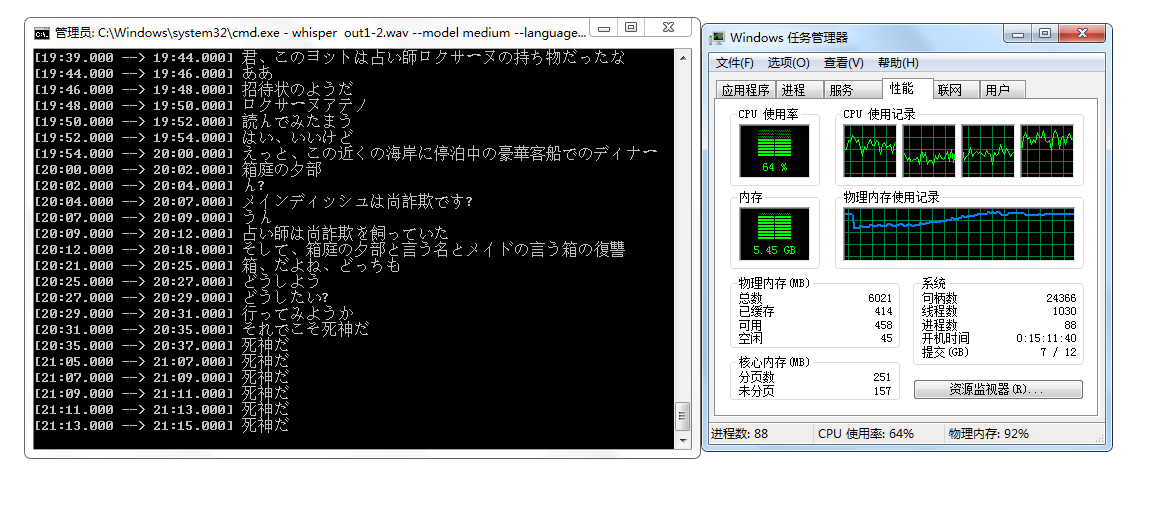
烧CPU跟Torch版本关系不大,如果电脑嗡嗡作响且CPU使用率保持100%,请关掉程序,命令中删除–language选项用短音频测试几次,确认正常后重启电脑。
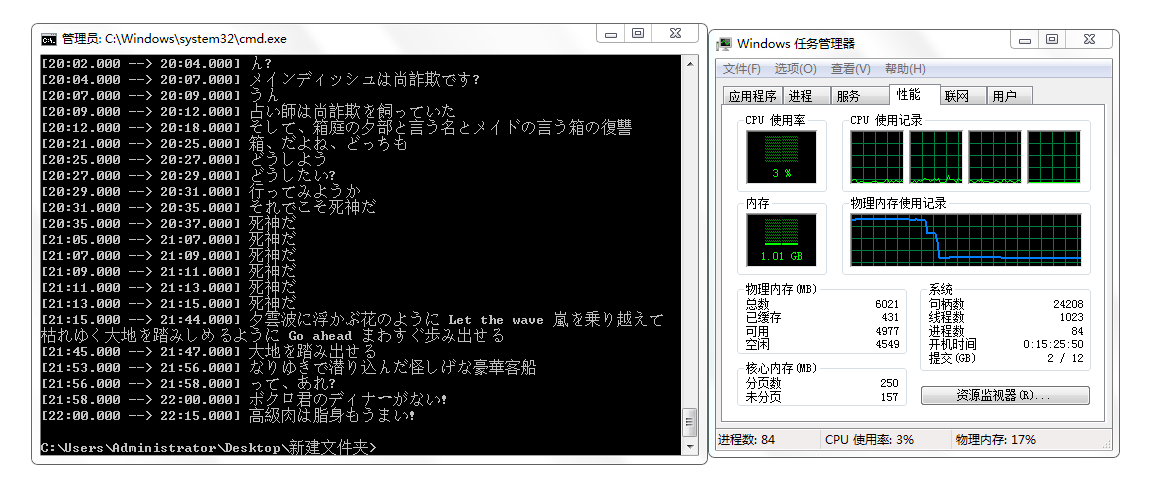
一份24:22的音频,我使用 medium 模型,耗时8小时。选用 large 模型也能跑,跳出下面内容开始识别花的时间较长,加内存条速度会快些。
c:\program files\python38\lib\site-packages\whisper\transcribe.py:79: UserWarnin
g: FP16 is not supported on CPU; using FP32 instead
  warnings.warn("FP16 is not supported on CPU; using FP32 instead")
这句话的意思是FP16不支持CPU,现在用FP32代替。无论你的电脑没有显卡或者显卡不支持CUDA/CUDA版本低,还是在用CPU跑,都会蹦出这个提示。如果是前一种,安装支持CUDA新版本的Torch。如果是第二种,请无视。
另外,提示RuntimeError: CUDA out of memory意味着你的显卡适用不了当前模型,请换小点的模型;提示No module named 'setuptools_rust'意味着你要安装Rust——pip install setuptools_rust。
配置VITS环境后会严重拖慢Whisper,Unidecode库导致Whisper找不到正确编码,文件生成失败(未截图运行过程)。用较短音频再试一次即可恢复识别,cmd会出现『▒』乱码,进程加载变慢。
安装 whisper-webui
在你想要存放whisper-webui的地方打开git bash,克隆仓库。
git clone https://huggingface.co/spaces/aadnk/whisper-webui
进入本地仓库,安装requirements.txt中的包:
git+https://github.com/openai/whisper.git
transformers
ffmpeg-python==0.2.0
gradio==3.13.0
yt-dlp
torchaudio
altair
将 whisper-webui 中requirements.txt的第一行删去
pip install -r requirements.txt
cmd安装过程——
Administrator@AUTOBVT-Q90417J MINGW64 /e/whisper-webui (main)
$ pip install -r requirements.txt  -i http://mirrors.aliyun.com/pypi/simple/ --trusted-host mirrors.aliyun.com
Looking in indexes: http://mirrors.aliyun.com/pypi/simple/
Requirement already satisfied: transformers in c:\program files\python38\lib\site-packages (from -r requirements.txt (line 1)) (4.26.1)
Requirement already satisfied: ffmpeg-python==0.2.0 in c:\program files\python38\lib\site-packages (from -r requirements.txt (line 2)) (0.2.0)
Collecting gradio==3.13.0
  Downloading http://mirrors.aliyun.com/pypi/packages/61/e2/cb14526cf49689b5cc3cb942e20747257d98a2879bf53e7ee096eae4630a/gradio-3.13.0-py3-none-any.whl (13.8 MB)
     -------------------------------------- 13.8/13.8 MB 590.5 kB/s eta 0:00:00
Collecting yt-dlp
  Downloading http://mirrors.aliyun.com/pypi/packages/a7/df/498c57f641e9993376cf52489047158e6d660e8bab06b72c470ad5cce2bd/yt_dlp-2023.3.4-py2.py3-none-any.whl (2.9 MB)
     ---------------------------------------- 2.9/2.9 MB 612.0 kB/s eta 0:00:00
Requirement already satisfied: torchaudio in c:\program files\python38\lib\site-packages (from -r requirements.txt (line 5)) (0.13.1)
Collecting altair
  Downloading http://mirrors.aliyun.com/pypi/packages/18/62/47452306e84d4d2e67f9c559380aeb230f5e6ca84fafb428dd36b96a99ba/altair-4.2.2-py3-none-any.whl (813 kB)
     ------------------------------------ 813.6/813.6 kB 620.4 kB/s eta 0:00:00
Requirement already satisfied: future in c:\program files\python38\lib\site-packages (from ffmpeg-python==0.2.0->-r requirements.txt (line 2)) (0.18.3)
Collecting paramiko
  Downloading http://mirrors.aliyun.com/pypi/packages/56/7c/9dd558ec0869fcecb661765d0a2504978dbfe85de24cbcccc847aa9b58e4/paramiko-3.1.0-py3-none-any.whl (211 kB)
     ------------------------------------ 211.2/211.2 kB 537.4 kB/s eta 0:00:00
Collecting h11<0.13,>=0.11
  Downloading http://mirrors.aliyun.com/pypi/packages/60/0f/7a0eeea938eaf61074f29fed9717f2010e8d0e0905d36b38d3275a1e4622/h11-0.12.0-py3-none-any.whl (54 kB)
     -------------------------------------- 54.9/54.9 kB 318.7 kB/s eta 0:00:00
Collecting pydub
  Downloading http://mirrors.aliyun.com/pypi/packages/a6/53/d78dc063216e62fc55f6b2eebb447f6a4b0a59f55c8406376f76bf959b08/pydub-0.25.1-py2.py3-none-any.whl (32 kB)
Collecting fsspec
  Downloading http://mirrors.aliyun.com/pypi/packages/4f/65/887925f1549fcb6ac3abb23a747c10f5ab083e8471fe568768b18bdb15b2/fsspec-2023.3.0-py3-none-any.whl (145 kB)
     ------------------------------------ 145.4/145.4 kB 665.8 kB/s eta 0:00:00
Collecting pycryptodome
  Downloading http://mirrors.aliyun.com/pypi/packages/14/7a/f764564dceaf131e7a740c618d6bdfc30e2ca264e9de410ca757f6c4c3e3/pycryptodome-3.17-cp35-abi3-win_amd64.whl (1.7 MB)
     ---------------------------------------- 1.7/1.7 MB 526.0 kB/s eta 0:00:00
Collecting matplotlib
  Downloading http://mirrors.aliyun.com/pypi/packages/92/01/2c04d328db6955d77f8f60c17068dde8aa66f153b2c599ca03c2cb0d5567/matplotlib-3.7.1-cp38-cp38-win_amd64.whl (7.6 MB)
     ---------------------------------------- 7.6/7.6 MB 439.9 kB/s eta 0:00:00
Collecting pandas
  Downloading http://mirrors.aliyun.com/pypi/packages/ca/4e/d18db7d5ff9d28264cd2a7e2499b8701108f0e6c698e382cfd5d20685c21/pandas-1.5.3-cp38-cp38-win_amd64.whl (11.0 MB)
     -------------------------------------- 11.0/11.0 MB 423.8 kB/s eta 0:00:00
Requirement already satisfied: pillow in c:\program files\python38\lib\site-packages (from gradio==3.13.0->-r requirements.txt (line 3)) (9.4.0)
Collecting aiohttp
  Downloading http://mirrors.aliyun.com/pypi/packages/48/5b/dabb02a8fe7da607c0b65d9086af36a2c77c509f3ee7efb7a80b008d7c7a/aiohttp-3.8.4-cp38-cp38-win_amd64.whl (324 kB)
     ------------------------------------ 324.5/324.5 kB 479.7 kB/s eta 0:00:00
Collecting jinja2
  Downloading http://mirrors.aliyun.com/pypi/packages/bc/c3/f068337a370801f372f2f8f6bad74a5c140f6fda3d9de154052708dd3c65/Jinja2-3.1.2-py3-none-any.whl (133 kB)
     ------------------------------------ 133.1/133.1 kB 358.2 kB/s eta 0:00:00
Requirement already satisfied: numpy in c:\program files\python38\lib\site-packages (from gradio==3.13.0->-r requirements.txt (line 3)) (1.23.5)
Collecting ffmpy
  Downloading http://mirrors.aliyun.com/pypi/packages/bf/e2/947df4b3d666bfdd2b0c6355d215c45d2d40f929451cb29a8a2995b29788/ffmpy-0.3.0.tar.gz (4.8 kB)
  Preparing metadata (setup.py): started
  Preparing metadata (setup.py): finished with status 'done'
Requirement already satisfied: requests in c:\program files\python38\lib\site-packages (from gradio==3.13.0->-r requirements.txt (line 3)) (2.28.2)
Collecting fastapi
  Downloading http://mirrors.aliyun.com/pypi/packages/f5/07/8e950c4bcb953a0bcbb41e0d7b1d5496f9792edfd0dc2cd518cd7a42f948/fastapi-0.94.0-py3-none-any.whl (56 kB)
     -------------------------------------- 56.3/56.3 kB 368.5 kB/s eta 0:00:00
Collecting python-multipart
  Downloading http://mirrors.aliyun.com/pypi/packages/b4/ff/b1e11d8bffb5e0e1b6d27f402eeedbeb9be6df2cdbc09356a1ae49806dbf/python_multipart-0.0.6-py3-none-any.whl (45 kB)
     -------------------------------------- 45.7/45.7 kB 286.1 kB/s eta 0:00:00
Collecting uvicorn
  Downloading http://mirrors.aliyun.com/pypi/packages/24/ec/9e3e7c74c342e22dabcf0c6875a40269283f4c8aec2d2f5802b988c570f7/uvicorn-0.21.0-py3-none-any.whl (57 kB)
     -------------------------------------- 57.8/57.8 kB 217.2 kB/s eta 0:00:00
Collecting httpx
  Downloading http://mirrors.aliyun.com/pypi/packages/ac/a2/0260c0f5d73bdf06e8d3fc1013a82b9f0633dc21750c9e3f3cb1dba7bb8c/httpx-0.23.3-py3-none-any.whl (71 kB)
     -------------------------------------- 71.5/71.5 kB 327.4 kB/s eta 0:00:00
Collecting orjson
  Downloading http://mirrors.aliyun.com/pypi/packages/1e/52/ff9aa30cf25cb9c0e7fdf197883af79e45ed108e7f498ffd44ddcb86d8c1/orjson-3.8.7-cp38-none-win_amd64.whl (202 kB)
     ------------------------------------ 202.6/202.6 kB 457.0 kB/s eta 0:00:00
Collecting pydantic
  Downloading http://mirrors.aliyun.com/pypi/packages/0e/86/8a40e374bc2e93bb285e2589953781b909ad2260ff64c17012327c740282/pydantic-1.10.6-cp38-cp38-win_amd64.whl (2.2 MB)
     ---------------------------------------- 2.2/2.2 MB 511.0 kB/s eta 0:00:00
Collecting markdown-it-py[linkify,plugins]
  Downloading http://mirrors.aliyun.com/pypi/packages/bf/25/2d88e8feee8e055d015343f9b86e370a1ccbec546f2865c98397aaef24af/markdown_it_py-2.2.0-py3-none-any.whl (84 kB)
     -------------------------------------- 84.5/84.5 kB 365.6 kB/s eta 0:00:00
Collecting websockets>=10.0
  Downloading http://mirrors.aliyun.com/pypi/packages/63/f2/ec4c59b4f91936eb2a5ddcf2f7e57184acbce5122d5d83911c5a47f25144/websockets-10.4-cp38-cp38-win_amd64.whl (101 kB)
     ------------------------------------ 101.4/101.4 kB 451.5 kB/s eta 0:00:00
Requirement already satisfied: pyyaml in c:\program files\python38\lib\site-packages (from gradio==3.13.0->-r requirements.txt (line 3)) (6.0)
Requirement already satisfied: tqdm>=4.27 in c:\program files\python38\lib\site-packages (from transformers->-r requirements.txt (line 1)) (4.65.0)
Requirement already satisfied: regex!=2019.12.17 in c:\program files\python38\lib\site-packages (from transformers->-r requirements.txt (line 1)) (2022.10.31)
Requirement already satisfied: tokenizers!=0.11.3,<0.14,>=0.11.1 in c:\program files\python38\lib\site-packages (from transformers->-r requirements.txt (line 1)) (0.13.2)
Requirement already satisfied: huggingface-hub<1.0,>=0.11.0 in c:\program files\python38\lib\site-packages (from transformers->-r requirements.txt (line 1)) (0.13.1)
Requirement already satisfied: filelock in c:\program files\python38\lib\site-packages (from transformers->-r requirements.txt (line 1)) (3.9.0)
Requirement already satisfied: packaging>=20.0 in c:\program files\python38\lib\site-packages (from transformers->-r requirements.txt (line 1)) (23.0)
Collecting brotli
  Downloading http://mirrors.aliyun.com/pypi/packages/63/29/1b104b5915e61d9f7443889657d93937b7e0b33b331609b82693547934a0/Brotli-1.0.9-cp38-cp38-win_amd64.whl (365 kB)
     ------------------------------------ 365.3/365.3 kB 494.6 kB/s eta 0:00:00
Collecting mutagen
  Downloading http://mirrors.aliyun.com/pypi/packages/03/ee/114d7016d2e34f341e212fefb5e7bd87785077ebcfff0ad23a497c70eea1/mutagen-1.46.0-py3-none-any.whl (193 kB)
     ------------------------------------ 193.6/193.6 kB 470.3 kB/s eta 0:00:00
Collecting pycryptodomex
  Downloading http://mirrors.aliyun.com/pypi/packages/ac/a4/b2758579debd57abf5482a1f2f3a2a36c815fba9d6252fcd7fb5a7946aa7/pycryptodomex-3.17-cp35-abi3-win_amd64.whl (1.7 MB)
     ---------------------------------------- 1.7/1.7 MB 534.5 kB/s eta 0:00:00
Requirement already satisfied: certifi in c:\program files\python38\lib\site-packages (from yt-dlp->-r requirements.txt (line 4)) (2022.12.7)
Requirement already satisfied: torch==1.13.1 in c:\program files\python38\lib\site-packages (from torchaudio->-r requirements.txt (line 5)) (1.13.1)
Requirement already satisfied: typing-extensions in c:\program files\python38\lib\site-packages (from torch==1.13.1->torchaudio->-r requirements.txt (line 5)) (4.5.0)
Collecting jsonschema>=3.0
  Downloading http://mirrors.aliyun.com/pypi/packages/c1/97/c698bd9350f307daad79dd740806e1a59becd693bd11443a0f531e3229b3/jsonschema-4.17.3-py3-none-any.whl (90 kB)
     -------------------------------------- 90.4/90.4 kB 394.8 kB/s eta 0:00:00
Collecting entrypoints
  Downloading http://mirrors.aliyun.com/pypi/packages/35/a8/365059bbcd4572cbc41de17fd5b682be5868b218c3c5479071865cab9078/entrypoints-0.4-py3-none-any.whl (5.3 kB)
Collecting toolz
  Downloading http://mirrors.aliyun.com/pypi/packages/7f/5c/922a3508f5bda2892be3df86c74f9cf1e01217c2b1f8a0ac4841d903e3e9/toolz-0.12.0-py3-none-any.whl (55 kB)
     -------------------------------------- 55.8/55.8 kB 364.8 kB/s eta 0:00:00
Collecting attrs>=17.4.0
  Downloading http://mirrors.aliyun.com/pypi/packages/fb/6e/6f83bf616d2becdf333a1640f1d463fef3150e2e926b7010cb0f81c95e88/attrs-22.2.0-py3-none-any.whl (60 kB)
     -------------------------------------- 60.0/60.0 kB 398.2 kB/s eta 0:00:00
Collecting importlib-resources>=1.4.0
  Downloading http://mirrors.aliyun.com/pypi/packages/38/71/c13ea695a4393639830bf96baea956538ba7a9d06fcce7cef10bfff20f72/importlib_resources-5.12.0-py3-none-any.whl (36 kB)
Collecting pkgutil-resolve-name>=1.3.10
  Downloading http://mirrors.aliyun.com/pypi/packages/c9/5c/3d4882ba113fd55bdba9326c1e4c62a15e674a2501de4869e6bd6301f87e/pkgutil_resolve_name-1.3.10-py3-none-any.whl (4.7 kB)
Collecting pyrsistent!=0.17.0,!=0.17.1,!=0.17.2,>=0.14.0
  Downloading http://mirrors.aliyun.com/pypi/packages/b1/8d/bbce2d857ecdefb7170a8a37ade1de0f060052236c07693856ac23f3b1ee/pyrsistent-0.19.3-cp38-cp38-win_amd64.whl (62 kB)
     -------------------------------------- 62.7/62.7 kB 306.7 kB/s eta 0:00:00
Collecting python-dateutil>=2.8.1
  Downloading http://mirrors.aliyun.com/pypi/packages/36/7a/87837f39d0296e723bb9b62bbb257d0355c7f6128853c78955f57342a56d/python_dateutil-2.8.2-py2.py3-none-any.whl (247 kB)
     ------------------------------------ 247.7/247.7 kB 474.9 kB/s eta 0:00:00
Collecting pytz>=2020.1
  Downloading http://mirrors.aliyun.com/pypi/packages/2e/09/fbd3c46dce130958ee8e0090f910f1fe39e502cc5ba0aadca1e8a2b932e5/pytz-2022.7.1-py2.py3-none-any.whl (499 kB)
     ------------------------------------ 499.4/499.4 kB 454.6 kB/s eta 0:00:00
Requirement already satisfied: colorama in c:\program files\python38\lib\site-packages (from tqdm>=4.27->transformers->-r requirements.txt (line 1)) (0.4.6)
Collecting async-timeout<5.0,>=4.0.0a3
  Downloading http://mirrors.aliyun.com/pypi/packages/d6/c1/8991e7c5385b897b8c020cdaad718c5b087a6626d1d11a23e1ea87e325a7/async_timeout-4.0.2-py3-none-any.whl (5.8 kB)
Collecting multidict<7.0,>=4.5
  Downloading http://mirrors.aliyun.com/pypi/packages/d2/cf/d00992d281fb953a01685d9b2e68f66901c7dee7bcb75dad1a5ef9a879d3/multidict-6.0.4-cp38-cp38-win_amd64.whl (28 kB)
Collecting aiosignal>=1.1.2
  Downloading http://mirrors.aliyun.com/pypi/packages/76/ac/a7305707cb852b7e16ff80eaf5692309bde30e2b1100a1fcacdc8f731d97/aiosignal-1.3.1-py3-none-any.whl (7.6 kB)
Requirement already satisfied: charset-normalizer<4.0,>=2.0 in c:\program files\python38\lib\site-packages (from aiohttp->gradio==3.13.0->-r requirements.txt (line 3)) (3.1.0)
Collecting frozenlist>=1.1.1
  Downloading http://mirrors.aliyun.com/pypi/packages/03/00/febbfd2ec244a0f91707bd879afe6aa278e337dc41cd9d0d25260e6da38e/frozenlist-1.3.3-cp38-cp38-win_amd64.whl (34 kB)
Collecting yarl<2.0,>=1.0
  Downloading http://mirrors.aliyun.com/pypi/packages/f9/fa/9c746d29462714663d04cf9e34cc44a86efa17705a811c77556643b80f1b/yarl-1.8.2-cp38-cp38-win_amd64.whl (56 kB)
     -------------------------------------- 56.9/56.9 kB 229.6 kB/s eta 0:00:00
Collecting starlette<0.27.0,>=0.26.0
  Downloading http://mirrors.aliyun.com/pypi/packages/5b/54/169fef8cf7676c8bd9dbd6af0684eb448cf68ca59ea2979d6a3180ea5ece/starlette-0.26.0.post1-py3-none-any.whl (66 kB)
     -------------------------------------- 66.9/66.9 kB 363.3 kB/s eta 0:00:00
Collecting sniffio
  Downloading http://mirrors.aliyun.com/pypi/packages/c3/a0/5dba8ed157b0136607c7f2151db695885606968d1fae123dc3391e0cfdbf/sniffio-1.3.0-py3-none-any.whl (10 kB)
Collecting httpcore<0.17.0,>=0.15.0
  Downloading http://mirrors.aliyun.com/pypi/packages/04/7e/ef97af4623024e8159993b3114ce208de4f677098ae058ec5882a1bf7605/httpcore-0.16.3-py3-none-any.whl (69 kB)
     -------------------------------------- 69.6/69.6 kB 420.7 kB/s eta 0:00:00
Collecting rfc3986[idna2008]<2,>=1.3
  Downloading http://mirrors.aliyun.com/pypi/packages/c4/e5/63ca2c4edf4e00657584608bee1001302bbf8c5f569340b78304f2f446cb/rfc3986-1.5.0-py2.py3-none-any.whl (31 kB)
Collecting MarkupSafe>=2.0
  Downloading http://mirrors.aliyun.com/pypi/packages/93/fa/d72f68f84f8537ee8aa3e0764d1eb11e5e025a5ca90c16e94a40f894c2fc/MarkupSafe-2.1.2-cp38-cp38-win_amd64.whl (16 kB)
Collecting mdurl~=0.1
  Downloading http://mirrors.aliyun.com/pypi/packages/b3/38/89ba8ad64ae25be8de66a6d463314cf1eb366222074cfda9ee839c56a4b4/mdurl-0.1.2-py3-none-any.whl (10.0 kB)
Collecting linkify-it-py<3,>=1
  Downloading http://mirrors.aliyun.com/pypi/packages/fa/1a/2280e2eb892162ef5c0480a131d1d176b61f5f24abdce8dd9862454f7d14/linkify_it_py-2.0.0-py3-none-any.whl (19 kB)
Collecting mdit-py-plugins
  Downloading http://mirrors.aliyun.com/pypi/packages/fe/4c/a9b222f045f98775034d243198212cbea36d3524c3ee1e8ab8c0346d6953/mdit_py_plugins-0.3.5-py3-none-any.whl (52 kB)
     -------------------------------------- 52.1/52.1 kB 337.5 kB/s eta 0:00:00
Collecting cycler>=0.10
  Downloading http://mirrors.aliyun.com/pypi/packages/5c/f9/695d6bedebd747e5eb0fe8fad57b72fdf25411273a39791cde838d5a8f51/cycler-0.11.0-py3-none-any.whl (6.4 kB)
Collecting contourpy>=1.0.1
  Downloading http://mirrors.aliyun.com/pypi/packages/08/ce/9bfe9f028cb5a8ee97898da52f4905e0e2d9ca8203ffdcdbe80e1769b549/contourpy-1.0.7-cp38-cp38-win_amd64.whl (162 kB)
     ------------------------------------ 163.0/163.0 kB 326.3 kB/s eta 0:00:00
Collecting pyparsing>=2.3.1
  Downloading http://mirrors.aliyun.com/pypi/packages/6c/10/a7d0fa5baea8fe7b50f448ab742f26f52b80bfca85ac2be9d35cdd9a3246/pyparsing-3.0.9-py3-none-any.whl (98 kB)
     -------------------------------------- 98.3/98.3 kB 434.0 kB/s eta 0:00:00
Collecting fonttools>=4.22.0
  Downloading http://mirrors.aliyun.com/pypi/packages/43/6e/810648a366d6488e1e0543f72dcb2016e54ec02933e302cd41d72599e90d/fonttools-4.39.0-py3-none-any.whl (1.0 MB)
     ---------------------------------------- 1.0/1.0 MB 490.2 kB/s eta 0:00:00
Collecting kiwisolver>=1.0.1
  Downloading http://mirrors.aliyun.com/pypi/packages/4f/05/59b34e788bf2b45c7157c3d898d567d28bc42986c1b6772fb1af329eea0d/kiwisolver-1.4.4-cp38-cp38-win_amd64.whl (55 kB)
     -------------------------------------- 55.4/55.4 kB 410.4 kB/s eta 0:00:00
Collecting bcrypt>=3.2
  Downloading http://mirrors.aliyun.com/pypi/packages/46/81/d8c22cd7e5e1c6a7d48e41a1d1d46c92f17dae70a54d9814f746e6027dec/bcrypt-4.0.1-cp36-abi3-win_amd64.whl (152 kB)
     ------------------------------------ 152.9/152.9 kB 416.0 kB/s eta 0:00:00
Collecting pynacl>=1.5
  Downloading http://mirrors.aliyun.com/pypi/packages/5e/22/d3db169895faaf3e2eda892f005f433a62db2decbcfbc2f61e6517adfa87/PyNaCl-1.5.0-cp36-abi3-win_amd64.whl (212 kB)
     ------------------------------------ 212.1/212.1 kB 380.2 kB/s eta 0:00:00
Collecting cryptography>=3.3
  Downloading http://mirrors.aliyun.com/pypi/packages/4f/0e/55b8cff87b572da828e9c6b7e7c5ecb9dc955b551ab863c28464a15f6451/cryptography-39.0.2-cp36-abi3-win_amd64.whl (2.5 MB)
     ---------------------------------------- 2.5/2.5 MB 529.2 kB/s eta 0:00:00
Requirement already satisfied: idna<4,>=2.5 in c:\program files\python38\lib\site-packages (from requests->gradio==3.13.0->-r requirements.txt (line 3)) (3.4)
Requirement already satisfied: urllib3<1.27,>=1.21.1 in c:\program files\python38\lib\site-packages (from requests->gradio==3.13.0->-r requirements.txt (line 3)) (1.26.15)
Collecting click>=7.0
  Downloading http://mirrors.aliyun.com/pypi/packages/c2/f1/df59e28c642d583f7dacffb1e0965d0e00b218e0186d7858ac5233dce840/click-8.1.3-py3-none-any.whl (96 kB)
     -------------------------------------- 96.6/96.6 kB 502.0 kB/s eta 0:00:00
Collecting cffi>=1.12
  Downloading http://mirrors.aliyun.com/pypi/packages/c9/e3/0a52838832408cfbbf3a59cb19bcd17e64eb33795c9710ca7d29ae10b5b7/cffi-1.15.1-cp38-cp38-win_amd64.whl (178 kB)
     ------------------------------------ 178.8/178.8 kB 432.3 kB/s eta 0:00:00
Collecting httpcore<0.17.0,>=0.15.0
  Downloading http://mirrors.aliyun.com/pypi/packages/91/52/93f22e5441539256c0d113faf17e45284aee16eebdd95089e3ca6f480b18/httpcore-0.16.2-py3-none-any.whl (68 kB)
     -------------------------------------- 69.0/69.0 kB 314.2 kB/s eta 0:00:00
  Downloading http://mirrors.aliyun.com/pypi/packages/b1/fa/6e6ebe637cef87401ee82e7d76313d9eb014524fc6de45eb3b13cedd4c14/httpcore-0.16.1-py3-none-any.whl (68 kB)
     -------------------------------------- 68.7/68.7 kB 312.7 kB/s eta 0:00:00
  Downloading http://mirrors.aliyun.com/pypi/packages/6f/d1/7d1cddbc4bc1e4e9f9233b79a5acf1a5e5665801157ca68a5fb4150584a1/httpcore-0.16.0-py3-none-any.whl (68 kB)
     -------------------------------------- 68.7/68.7 kB 341.7 kB/s eta 0:00:00
  Downloading http://mirrors.aliyun.com/pypi/packages/ad/b9/260603ca0913072a10a4367c2dca9998706812a8c1f4558eca510f85ae16/httpcore-0.15.0-py3-none-any.whl (68 kB)
     -------------------------------------- 68.4/68.4 kB 465.7 kB/s eta 0:00:00
Collecting anyio==3.*
  Downloading http://mirrors.aliyun.com/pypi/packages/77/2b/b4c0b7a3f3d61adb1a1e0b78f90a94e2b6162a043880704b7437ef297cad/anyio-3.6.2-py3-none-any.whl (80 kB)
     -------------------------------------- 80.6/80.6 kB 346.7 kB/s eta 0:00:00
Requirement already satisfied: zipp>=3.1.0 in c:\program files\python38\lib\site-packages (from importlib-resources>=1.4.0->jsonschema>=3.0->altair->-r requirements.txt (line 6)) (3.15.0)
Collecting uc-micro-py
  Downloading http://mirrors.aliyun.com/pypi/packages/14/0e/738dbd15b1afe372d0d788e1e2112cfa67c9cf9e1c777360eaf9cd429caf/uc_micro_py-1.0.1-py3-none-any.whl (6.2 kB)
Collecting six>=1.5
  Downloading http://mirrors.aliyun.com/pypi/packages/d9/5a/e7c31adbe875f2abbb91bd84cf2dc52d792b5a01506781dbcf25c91daf11/six-1.16.0-py2.py3-none-any.whl (11 kB)
Collecting pycparser
  Downloading http://mirrors.aliyun.com/pypi/packages/62/d5/5f610ebe421e85889f2e55e33b7f9a6795bd982198517d912eb1c76e1a53/pycparser-2.21-py2.py3-none-any.whl (118 kB)
     ------------------------------------ 118.7/118.7 kB 497.5 kB/s eta 0:00:00
Building wheels for collected packages: ffmpy
  Building wheel for ffmpy (setup.py): started
  Building wheel for ffmpy (setup.py): finished with status 'done'
  Created wheel for ffmpy: filename=ffmpy-0.3.0-py3-none-any.whl size=4732 sha256=01a0f3eb0f3c0f4d68b999ba97a30dc5b046b194c47d200a92d42a02c970b2fb
  Stored in directory: c:\users\administrator\appdata\local\pip\cache\wheels\b1\49\0c\25183293e165aae632d926519352e2a1984ac4db8a03d036a9
Successfully built ffmpy
Installing collected packages: rfc3986, pytz, pydub, ffmpy, brotli, websockets, uc-micro-py, toolz, sniffio, six, python-multipart, pyrsistent, pyparsing, pydantic, pycryptodomex, pycryptodome, pycparser, pkgutil-resolve-name, orjson, mutagen, multidict, mdurl, MarkupSafe, kiwisolver, importlib-resources, h11, fsspec, frozenlist, fonttools, entrypoints, cycler, contourpy, click, bcrypt, attrs, async-timeout, yt-dlp, yarl, uvicorn, python-dateutil, markdown-it-py, linkify-it-py, jsonschema, jinja2, cffi, anyio, aiosignal, starlette, pynacl, pandas, mdit-py-plugins, matplotlib, httpcore, cryptography, aiohttp, paramiko, httpx, fastapi, altair, gradio
Successfully installed MarkupSafe-2.1.2 aiohttp-3.8.4 aiosignal-1.3.1 altair-4.2.2 anyio-3.6.2 async-timeout-4.0.2 attrs-22.2.0 bcrypt-4.0.1 brotli-1.0.9 cffi-1.15.1 click-8.1.3 contourpy-1.0.7 cryptography-39.0.2 cycler-0.11.0 entrypoints-0.4 fastapi-0.94.0 ffmpy-0.3.0 fonttools-4.39.0 frozenlist-1.3.3 fsspec-2023.3.0 gradio-3.13.0 h11-0.12.0 httpcore-0.15.0 httpx-0.23.3 importlib-resources-5.12.0 jinja2-3.1.2 jsonschema-4.17.3 kiwisolver-1.4.4 linkify-it-py-2.0.0 markdown-it-py-2.2.0 matplotlib-3.7.1 mdit-py-plugins-0.3.5 mdurl-0.1.2 multidict-6.0.4 mutagen-1.46.0 orjson-3.8.7 pandas-1.5.3 paramiko-3.1.0 pkgutil-resolve-name-1.3.10 pycparser-2.21 pycryptodome-3.17 pycryptodomex-3.17 pydantic-1.10.6 pydub-0.25.1 pynacl-1.5.0 pyparsing-3.0.9 pyrsistent-0.19.3 python-dateutil-2.8.2 python-multipart-0.0.6 pytz-2022.7.1 rfc3986-1.5.0 six-1.16.0 sniffio-1.3.0 starlette-0.26.0.post1 toolz-0.12.0 uc-micro-py-1.0.1 uvicorn-0.21.0 websockets-10.4 yarl-1.8.2 yt-dlp-2023.3.4
使用 whisper-webui
在whisper-webui的目录下,确保whisper环境激活:
python app.py --input_audio_max_duration -1
知乎Windows本地配置OpenAI Whisper+WebUI给出的提示是这样的——

我一直卡在 warnings.warn((如下图)。
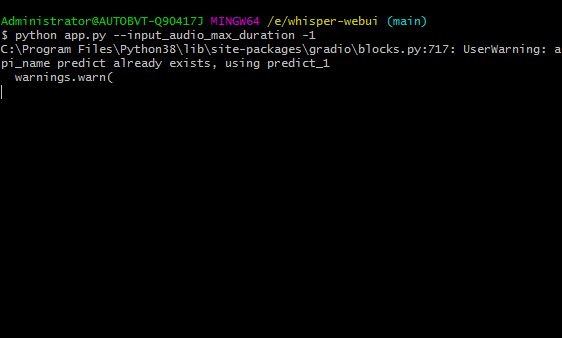
不过浏览器打开http://127.0.0.1:7860也能用。
对于较长的非英语音频文件(〉10分钟),建议您在VAD选项中选择Silero VAD(语音活动检测器)。
在完整界面中更改某些选项时要小心-这可能会导致模型崩溃。
建议使用Full界面,以调整更多参数。
Vad 选项:
- none:在整个音频输入上运行Whisper
- silero-vad:使用 Silero VAD 检测包含语音的部分,并在每个部分上独立运行Whisper。Whisper 也在运行关于每个语音部分之间的间隙。
- silero-vad-skip-gaps:同上,但不包含根据 Silero 的语音的部分将被跳过。这会稍微快一些,但是可能会导致对话被跳过。
- periodic-vad:“VAD - 最大合并大小”创建语音部分。这是非常快速和简单的,但可能会中断一个句子或单词一分为二。
VAD - Merge Window 选项:如果设置,任何相隔最多此秒数的相邻语音部分将被自动合并。
VAD - Max Merge Size (s) 选项:如果相邻语音部分的长度达到此秒数,则禁用它们的合并。
VAD - Padding (s) 选项:
添加到每个语音部分的开头和结尾的秒数(浮点数)。将此设置为一个数字,大于零确保 Whisper 更有可能正确转录句子开头的句子演讲部分。但是,这也增加了 Whisper 分配错误时间戳的概率到每个转录的行。默认值为 1 秒。
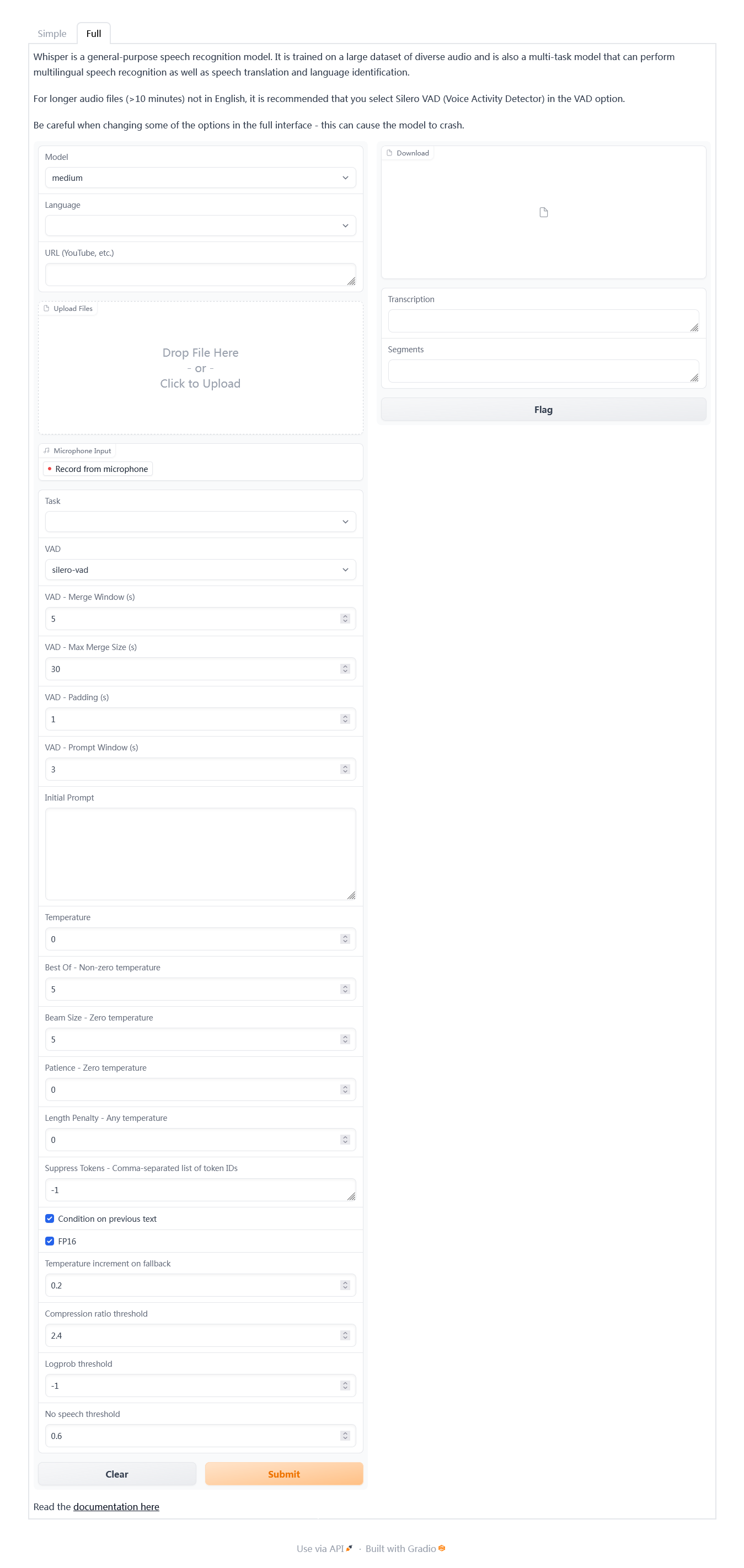
使用 Buzz
Buzz是whisper的GUI版。Buzz可在Mac、Windows和Linux上使用。
去Buzz开源地址下载安装包,下载并安装
打开Buzz的界面非常简单,话筒图标是直接调用录音软件录音转换字幕。+按钮则是选择语音或视频文件进行转换。
软件选项也很简单选择对应的语言和选择的模型进行转换即可,初次使用需要从网上下载模型到本地。
Buzz适合用于“实时录制”和“录制计算机播放的音频”场景。
使用 colab Google云端识别
Google相关服务需要科学上网。
上传音频文件
- 上传音频文件到Google Drive,建议一个项目一个文件夹。
- 点击左上角云端硬盘下方的
+新建->更多->关联更多应用->搜索Google Colaboratory添加以使用 Colab。
安装 Whisper
点击代码执行程序->更改运行时类型->硬件加速器选择 GPU
编辑区域+代码
!pip install git+https://github.com/openai/whisper.git
装载云端硬盘
编辑区域+代码
from google.colab import drive
drive.mount('/content/drive')
运行whisper
编辑区域+文本
audio.mp3是你准备识别的语音文件,–model选择语音识别模型,large是模型名称,有 tiny.en,tiny,base.en,base,small.en,small,medium.en,medium,large-v1,large-v2,large 多个模型可供选择,–language选择识别语言。示例:
编辑区域+代码
!whisper audio.mp3 --model large --language Chinese
右键文件区域要识别的文件->复制路径
!whisper /content/drive/MyDrive/GOSICK-audio/output01.wav --model large --language Japanese
保存工程
点击左上角修改.ipynb名称,点击文件->保存。下一个运行时系统会自动删除sample_date同级目录下上传和生成的文件。
Posted at 2023-02-16 Comments Discussion
怎么用github绑定自己购买的的域名(亲测版)一文中
「ping你的http://xxxxx.github.io域名,得到一个IP;
windows操作系统下,快捷键win+R,然后输入cmd,弹出小黑框,然后输入
ping https://andyofjuly.github.io/
当然这里是你自己的域名,然后底下会出现四行ip地址,记住。例如」
而我无论pinggithub.com还是xiaxi626.github.com均超时,于是上网查了一下——
1、ping不通github,如何解决?
注意这段话「然后更改后在cmd中运行更新dns命令,ipconfig/flushdns多执行几次,最好在把网络重置一下,在ping的时候注意你所ping的ip是不是你更改后的,如果不是证明没有更新过来;」
我使用SwitchHosts+Github520,现在是140.82.114.3 github.com,ping一下github.com,仍是20.205.243.166。多次执行ipconfig/flushdns,IP地址仍不变。
2、解决:ping github.com遇到“请求超时”
接着看这篇文章。
问题:「有时候会因为某些原因,访问不了github,ping这个网站,请求超时」
解决方法:「这时候就需要修改一下hosts文件了,因为hosts文件负责解析域名并优先于DNS服务。」
此方法同上,然而我可以裸连github.com,ping github.com遇到“请求超时”。
3、为什么github网站ping不通但是可以访问
原来是「国内的github被解析到了某个CDN上,而该CDN禁用ping」。于是我找了两个镜像站ping一下
- https://hub.nuaa.cf/ 能ping通
- https://kgithub.com/ 不能
摘抄一段——
为什么要防ping
这么做的目的,主要是为了安全考虑。如果黑客想要攻击某个网站,最简单的做法就是,他们只要模拟一大批设备狂ping该网站,导致该网站处理ping包而耗费大量资源,那么正常用户想要访问该网站时,因为资源分配不均,就会变得极其慢。网站甚至有可能会宕机。
如何实现防ping
防ping的手段多种多样,Windows系统下主要有三种方法:
- 使用IPSec安全策略
- 使用第三方防火墙工具
- 使用路由与远程访问组件
防ping原理
防ping的本质是过滤icmp协议的响应报文。ping命令是基于icmp协议中的echo request报文进行工作的。本机发送一个icmp协议中的echo request到目标主机,等待目标主机的响应。如果此时把响应的结果过滤掉,那么ping也就无法继续工作,直接收到一个超时信息。
如何解释github网站ping不通
可能不是github的问题,而是国内的github被解析到了某个CDN上,而该CDN禁用ping了而已。我用国外的VPS尝试ping一下github正常,果然应该就是这个原因了。
4、网站能打开,但是ping不通,这是什么原因
某个网站是http://xxx.xxxx.cn:27110,可以用浏览器打开,我想知道这个网站的ip地址,然后运行ping命令:
ping http://xxx.xxxx.cn:27110
提示是:Ping 请求找不到主机 http://xxx.xxxx.cn:27110。请检查该名称,然后重试。
请问这是什么原因。
lich2005:「估计有防火墙吧,禁止别人 ping 自己。」
我的大神666:「ping没有端口这一说法,任何ping带端口都报错。
ping是检查主机的连通性,不是检查服务器的连通性。
一台物理主机可以有n台虚拟主机,每台虚拟主机可以有n个服务器。
你可以直接ping http://xxx.xxxx.cn」
clever101:「ping http://xxx.xxxx.cn也提示Ping 请求找不到主机 http://git.piesat.cn。请检查该名称,然后重试。」
wangdengwk:「前面不要带http:// 直接ping域名,比如 ping www.baidu.com」
Kianteck:「可以尝试使用nslookup CMD-> nslookup xxx.xxxx.cn」
既然如此,不妨试试nslookup github.com
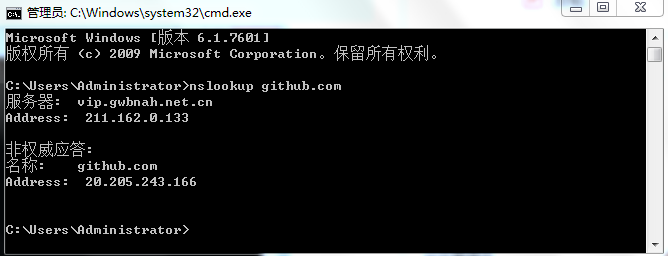
可以看到,nslookup没报错,ping 域名与nslookup 域名 得到的IP地址相同。那如果不同怎么办?
服务器上「ping 域名与nslookup 域名 得到的IP地址」相同,客户端电脑上不同——
ping 域名与nslookup 域名 得到的IP地址不同
xman_78tom:「检查客户端的 HOSTS 文件。如果还不是,则尝试以下检查:
首先清除客户端 dns 缓存,然后 ping www.abc.com 时在客户端抓包,判断客户端是否从 192.168.1.100 获取 dns 解析。
如果 211.10.21.5 是从 192.168.1.100 处获取,则检查 dns 服务器的配置。按 dns 解析的顺序,检查主要区域和辅助区域(权威答复),(清理)服务器上的 dns 缓存,存根区域、转发、根提示。」
yjvjom:「 问题解决:
因为我在客户端指定了多个DNS服务器
DNS1:192.168.1.100
DNS2:202.96.134.133
结果在ping www.abc.com时有时得到的IP是10.1.1.100,有时是211.10.21.5,在只指定一个DNS:192.168.1.100时正常了,但是不明白为什么为出现这样的问题。
」
zhaozy1982:「有可能是内网DNS有时候无法解析
看看内网DNS是不是存在丢包,或者超连接数的限制」
顺便查了一下——「为什么网上查到的ip和自己ipconfig出来的不一样?」
5、解决ping得通IP 但是ping 不通域名的问题
摘抄一段——
能ping通ip 则代表链路是通的,但是ping不通域名只能说明是域名解析出现了问题。
可使用nslookup + 域名 看下是哪个域名服务器,我们很多时候都是使用自动获取DNS服务器,但是有些时候,使用默认的DNS服务器是ping 不通域名的,比如使用移动的 移动终端默认使用dns02.hb.chinamobile.com DNS服务器去解析域名,可能会导致解析不到域名。
此时可以将DNS 配置成固定的,可以是google的DNS 8.8.8.8 或者电信的 101.226.4.6或者114.114.114.114大部分是可以的 如果还是Ping不通 则可联系给域名服务的服务商,他们会给出dns服务器。
windows系统
更改前可以先清除dns缓存:命令窗口ipconfig/flushdns
然后设置电脑的DNS为8.8.8.8
自己遇到的情况(烦)
- ping 不通域名,ping 该IP不通
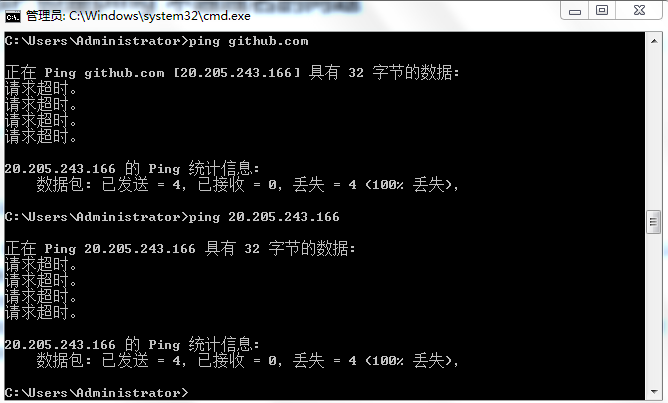
- 换改hosts用的IP通了
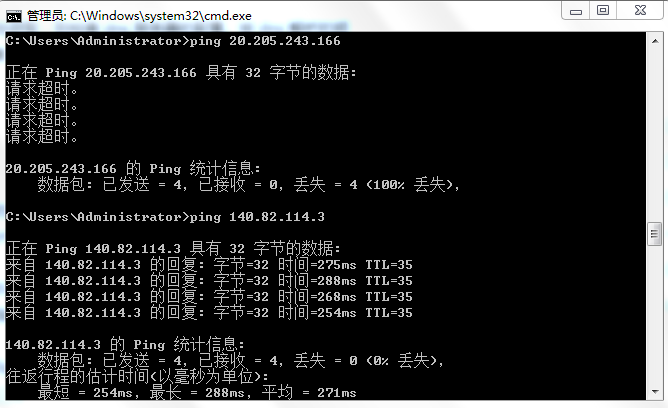

Posted at 2023-02-13 Comments Technology
详细问题
移动硬盘插入后,任务栏「安全删除硬件并弹出媒体」不可安全弹出,强行拔掉USB提示「是否要将其格式化」;
「控制面板-设备和打印机-设备属性」硬件显示正常,
常规——制造商、型号编码、描述『不可用』;
「计算机管理-磁盘管理」虚拟磁盘服务长时间加载,
cmd输入chkdsk检查磁盘
不久后显示磁盘管理界面,「我的电脑」未显示的移动硬盘不显示『文件系统』
右击磁盘管理界面「未显示磁盘」- 属性发现「常规」0字节,无法执行磁盘检查
解决方法:
我们把移动硬盘插入后提示“格式化”,该怎么办?和移动硬盘插入无显示,不用格式化-修复方法两者结合一下。
cmd输入chkdsk检查磁盘,得到以上现象,先不动磁盘管理,等磁盘检查完(容量大磁盘检查时间太长)
此方法在诸多教程中往往伴随着备份-格式化磁盘-恢复。
不等了,关掉cmd,尝试指定盘符,更新驱动器符号和路径,回头再检查磁盘。(注:运行输入「diskmgmt.msc」可打开磁盘管理界面)
我也不知道能不能成,试试看。
很好,问题不大,「某些依赖启动器号的程序可能无法正确运行。您想继续吗?」。以前系统自动把盘符 H 变成 I 的时候也没见磁盘中的程序出乱子,且磁盘中的程序及路径设置不存储在控制面板和系统环境变量,这个错误应该可以无视。
加载完
大功告成
Posted at 2023-02-13 Comments Technology

故障现象:
电脑一向使用正常,但不知什么时候网络图标变成未连接的状态,而实际上网正常。
工具原料;电脑
解决方案:
1、同时按住Win+R,调开“运行”窗口,输入services.msc;
2、找到名为“Routing and remote access”服务项,选择“停止”;
3.同时按住alt+cltr+delete调出任务管理器找到进程在进程里面Explorer然后结束
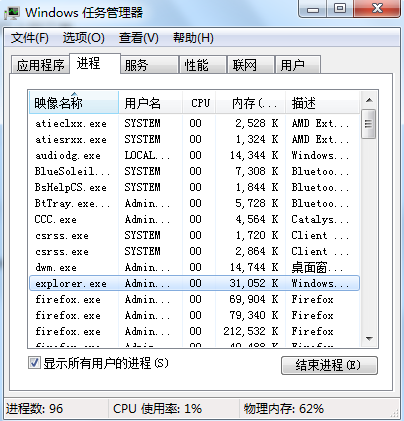
4.再点击任务管理器上面的文件然后新建任务输入Explorer。
5.这时候网络图标已经恢复正常
6.如果重启电脑后依然出现故障,禁用“Routing and remote access”服务项即可。
Routing and Remote Access服务简称 RRA服务,Routing and Remote Access 是全功能的软件路由器,也是用于路由和互连网络工作的开放平台。它为局域网 (LAN) 和广域网 (WAN) 环境中的商务活动,或使用安全虚拟专用网 (VPN) 连接的 Internet 上的商务活动提供路由选择服务。
由上面我们可以看到,这个服务主要是为了VPN而服务的。VPN是专用虚拟拨号,在办公环境、游戏加速领域有所使用。
默认情况下Routing and Remote Access是禁用的。
Posted at 2023-02-07 Comments Discussion

2017-2018学年第1学期
中国近现代史纲要
形势与政策(一)
大学英语(一)
大学生心理健康教育
计算机文化基础
思想道德修养与法律基础
羽毛球
现代工程制图
2017-2018学年第2学期
C语言程序设计
大学物理实验Ⅰ(上)
大学物理Ⅰ(上)
形势与政策(二)
高等数学Ⅰ(下)
中国文化导论
职业发展(生涯规划)指导
排球
大学英语(二)
军事理论
马克思主义基本原理
2018-2019学年第1学期
复变函数与积分变换
线性代数
大学物理Ⅰ(下)
大学物理实验Ⅰ(下)
毛泽东思想与中国特色社会主义理论体系概论(上)
电路理论实验
概率论与数理统计
电路理论(上)
大学英语(三)
电路理论(下)
个人理财规划(尔雅)
形势与政策(三)
中国现代文学名家名作(尔雅)
2018-2019学年第2学期
模拟电子技术
数字电子技术
大学英语(四)
模拟电子技术实验
采煤概论
机械设计基础
毛泽东思想与中国特色社会主义理论体系概论(下)
形势与政策(四)
创新创业(尔雅)
信号与系统
数字电子技术实验
恋爱心理学(尔雅)
古典诗词鉴赏(尔雅)
2019-2020学年第1学期
电子电路创新实践
信息理论与编码
西方文化名著导读(尔雅)
隋唐史(尔雅)
通信原理
高频电路
电磁场与电磁波
乒乓球
电子电路实训
数字信号处理
形势与政策(五)
微机原理及应用
认识实习
2019-2020学年第2学期
EDA技术
通信软件仿真实训
交换技术
光纤通信
《单片机及接口技术》课程设计
嵌入式系统技术与设计
现代通信网
移动通信
网球
单片机及接口技术
就业指导
形势与政策(六)
美的历程:美学导论(尔雅)
逻辑学导论(尔雅)
2020-2021学年第1学期
DSP应用技术
《DSP技术》课程设计
计算机网络
生产实习
物联网技术
物联网实训
专业英语
通信专业前沿技术讲座
光纤通信系统实训
2020-2021学年第2学期
毕业论文(设计)
毕业实习
Posted at 2023-02-03 Comments Technology

一、Pandoc 简介
Pandoc是用于从一种标记格式转换为另一种标记格式的Haskell库,也是使用该库的命令行工具。它涵盖格式广泛且转换效果好,常用的 docx、md、tex、html 等格式都可以利用其进行相互转换。
二、Pandoc 安装
Pandoc 官网下载安装 :https://pandoc.org/
Github release 下载安装:jgm/pandoc
Pandoc 为 Windows 系统提供了编译后的 msi 安装包,可以直接运行安装;或者直接下载免安装的 zip 文件解压。
首先进入安装目录,cmd输入pandoc --version/pandoc.exe --version验证安装:
(Windows 7)下载msi安装包安装使用,验证可能发生如下错误
C:\Users\Administrator\Downloads\Compressed\pandoc-3.0.1>pandoc.exe --version
pandoc: osReserveHeapMemory: VirtualAlloc MEM_RESERV at address 0000000000000000 bytes failed:
(Windows 7)下载zip安装使用,验证也可能发生上面的错误,一般再试一次就正常了(如下)
C:\Users\Administrator\Downloads\Compressed\pandoc-3.0.1>pandoc.exe --version
pandoc.exe 3.0.1
Features: +server +lua
Scripting engine: Lua 5.4
User data directory: C:\Users\Administrator\AppData\Roaming\pandoc
Copyright (C) 2006-2023 John MacFarlane. Web: https://pandoc.org
This is free software; see the source for copying conditions. There is no
warranty, not even for merchantability or fitness for a particular purpose.
以上命令返回了 Pandoc 的版本信息。
为了更好地运行进程,建议添加环境变量。计算机→属性→高级系统设置→环境变量,选中变量Path→编辑,添加到 pandoc.exe 所在目录,两个Path之间要加英文分号『;』。
三、Pandoc 使用
转换主体命令
pandoc -i test.xx -o test.yy
-i 为 input (输入), -o 为 output (输出)
markdown转换docx
直接转换
pandoc test.md -o test.docx
自定义样式转换
pandoc test.md -o test.docx --reference-docx=reference.docx
转换后的docx将与参考文档 “reference.docx” 文档样式相同。
docx转换markdown
pandoc test.docx --extract-media=. -o test.md
直接输入pandoc test.docx -o test.md会丢失word文档中的图片。输入pandoc test.docx --extract-media=. -o test.md则不会丢失图片。这里用到Pandoc一个 选项 extract-media=DIR,用于处理文件转换过程中的图片等媒体文件。
输出结果包括一个 Markdown 文件 test.md 以及一个文件夹 media,其中包括 Word 文件 test.docx 中的所有图片,--extract-media=.的作用是把图片保存在 media 中,而不是其子文件夹中。
--extract-media=DIR这个选项来将 Markdown 中的图床链接替换为本地图片链接
执行下面的命令:
pandoc --wrap=preserve -f markdown input.md --extract-media=media -t markdown -o output.md
这行命令中,由于开启了 –extract-media=DIR 选项,Pandoc 会新建一个文件夹 media,将图床中的远程图片下载到本地并保存在该文件夹中,然后再输出为一个新的 Markdown 文件 output.md,并自动把原本的图床链接替换为本地图片链接,而不再需要手动编写复杂的正则表达式来查找替换。
markdown转换pdf
Pandoc使用Latex生成pdf,所以需要安装Latex引擎
直接使用命令 pandoc test.md -o test.pdf 会报错,应当输入这样的命令(如下):
pandoc test.md -o test.pdf --pdf-engine=xelatex -V CJKmainfont="字体"
xelatex为排版引擎,字体应该填写相应英文标识,如:KaiTi(楷体)、SimSun(宋体)、FangSong(仿宋)、SimHei(黑体)等。
markdown转换HTML
pandoc xxx.md -f markdown -t html -s -o xxx.html
s选项表示创建一个"独立的"文件,有 header 和 footer ,而不仅仅是一个片段。
o xxx.html命令将输出放入xxx.html文件中。
注意,我们可以省略-f markdown和-t html,因为默认情况下是将markdown转换为HTML,但是包含它们也无妨。
markdown转换LaTeX
pandoc xxx.md -f markdown -t latex -s -o xxx.tex 或pandoc xxx.md -s -o xxx.tex
Wandmalfarbe/pandoc-latex-template ,一个pandoc LaTeX模板,用于将markdown文件转换为PDF或LaTeX,使用前请仔细阅读说明文件。
LaTeX转换包含数学公式的网站
pandoc math.tex -s --mathml -o mathMathML.html
-mathml 参数强制 Pandoc 将 LaTeX 中的数学公式转换成 MathML,从而可以由现代浏览器进行渲染。
四、参考
Pandoc入門:MarkdownからHTML・PDF・Writer/Word文書・スライドを生成する
Pandoc官方使用手册(本地安装目录下有)
Pandoc 从入门到精通,你也可以学会这一个文本转换利器
在命令行使用 Pandoc 进行文件转换
在命令行使用 Pandoc 进行文件转换
Windows下Pandoc使用指南
Posted at 2023-02-02 Comments Technology

LaTeX介绍
LaTeX(LATEX,音译“拉泰赫”)是一种基于ΤΕΧ的排版系统,由美国计算机学家莱斯利·兰伯特(Leslie Lamport)在20世纪80年代初期开发,利用这种格式,即使使用者没有排版和程序设计的知识也可以充分发挥由TeX所提供的强大功能,能在几天、甚至几小时内生成很多具有书籍质量的印刷品。对于生成复杂表格和数学公式,这一点表现得尤为突出。因此它非常适用于生成高印刷质量的科技和数学类文档。这个系统同样适用于生成从简单的信件到完整书籍的所有其他种类的文档。
LaTeX是一种“非所见即所得”的排版系统,用户需要输入特定的代码,保存在后缀为.tex的文件中,通过编译得到所需的pdf文件,例如以下代码:
\documentclass{article}
\begin{document}
Hello, world!
\end{document}
最后输出的结果是一个pdf文件,内容是”Hello, world!“。
安装LaTeX与配置环境
LaTeX的使用主要需要安装两个东西: 1. 根据平台选择一个TeX发行版进行安装,建议选择最全功能最多的版本。TeX发行版的概念相当于Linux及其发行版,Linux内核虽然只有一个,但是有很多基于内核的不同特色的Linux发行版,比如Ubuntu,Fedora等等不胜枚举。这里我们选择TeXlive。 2. 选择一个合适的LaTex编辑器。在安装好LaTeX环境以后,通常都会有一个自带的编辑器,比如CTex的WinEdt,MacTeX的TeXShop,不过功能并不强大,好比 Windows 记事本,只有一些基本的文本编辑功能。这里我们选择比较强大的TeXstudio。
一、安装TeX Live
1. 下载
每个平台的简明操作指南:
在Unix/GNU/Linux上安装
在Windows上安装
在MacOS上安装:MacTeX发行版
您可以阅读完整手册了解所有可能性,包括自动安装和使用自定义存储库。
推荐下载离线安装包,然后安装的方式。可以使用官方的镜像下载,也可以利用国内的镜像下载。
官网下载比较慢,我们可以利用国内的镜像网站来下载。
清华大学:https://mirrors.tuna.tsinghua.edu.cn/CTAN/systems/texlive/Images/texlive2022.iso;
北京交通大学:https://mirror.bjtu.edu.cn/ctan/systems/texlive/Images/
选择 texlive2022.iso(以此类推);
上海交通大学:https://mirrors.sjtug.sjtu.edu.cn/ctan/systems/texlive/Images/
选择 texlive2022.iso(以此类推);
中国科技大学:https://mirrors.ustc.edu.cn/CTAN/systems/texlive/Images/
选择 texlive2022.iso(以此类推);
重庆大学:https://mirrors.cqu.edu.cn/CTAN/systems/texlive/Images/
选择 texlive2022.iso(以此类推);
腾讯云:https://mirrors.cloud.tencent.com/CTAN/systems/texlive/Images/
选择 texlive2022.iso(以此类推)。
下载Torrent文件使用BT下载也是个不错的选择,试了一下下载速度还行,有公网的可以用BT下载。
2. 安装
将texlive2022.iso 文件解压,然后右键“以管理员身份运行”打开其中的install-tl-advanced.bat文件。
点击Advanced。
修改Directories TEXDIR: Installation root 为C://texlive/2022,安装。
安装完成,用时56分钟。
验证是否安装成功,打开cmd,输入tex -version,如果出现版本号即说明安装成功。
Microsoft Windows [版本 6.1.7601]
版权所有 (c) 2009 Microsoft Corporation。保留所有权利。

C:\Users\Administrator>tex -version
TeX 3.141592653 (TeX Live 2022)
kpathsea version 6.3.4
Copyright 2022 D.E. Knuth.
There is NO warranty.  Redistribution of this software is
covered by the terms of both the TeX copyright and
the Lesser GNU General Public License.
For more information about these matters, see the file
named COPYING and the TeX source.
Primary author of TeX: D.E. Knuth.
latex2021安装失败
1、运行install-tl-windows.bat批处理程序之后出现了No such file or directory….
是操作系统用户名是中文的原因,使用win + R打开命令行即可看见自己的操作系统的用户名,这个时候可以使用下面的方法解决:
右键桌面我的电脑(或者是计算机)图标,找到属性–>高级系统设置–>环境变量,在最上面一栏可以看到用户变量这个时候找到TEMP,TMP的属性值修改为:%SystemRoot%\TEMP,对于下面一栏中的系统变量也是一样修改为%SystemRoot%\TEMP,修改完成之后运行之后就可以正常安装latex了,可以修改latex安装到任意一个盘
————————————————
版权声明:本文为CSDN博主「yuzhang_zy」的原创文章,遵循CC 4.0 BY-SA版权协议,转载请附上原文出处链接及本声明。
原文链接:https://blog.csdn.net/qq_39445165/article/details/116561117
2、texlive2021安装不成功(windows10),关于报错“Cannot open c"\Users...”
系统先前安装了ctex在C盘,根据官网(https://ctan.org/pkg/install-latex-guide-zh-cn ) 的安装介绍,已排查环境变量中【存在mingw,jdk的相关内容】或【缺失C:WIndowssystem32】的问题,但安装texlive2021时会出现如下报错
(...省略正常安装代码)
Installing [0092/4151, time/total: 03:01/02:18:44]: alkalami [125k]
Installing [0093/4151, time/total: 03:03/02:20:03]: allrunes [8078k]
tar: Cannot open C:UsersSONGSH~1LOCALS~1TempaSp7tkKDBEqgXEYiSL2c/allrunes.r42221.tar: Permission denied
TLUtils::untar: F:tlpkginstallertar.exe xmf C:UsersSONGSH~1LOCALS~1TempaSp7tkKDBEqgXEYiSL2c/allrunes.r42221.tar failed (in D:/texlive/2021/texmf-dist)
TLPDB::_install_data: untar failed for F:/archive/allrunes.r42221.tar.xz
TLUtils::install_packages: Failed to install allrunes
Installation failed.
Rerunning the installer will try to restart the installation.
Or you can restart by running the installer with:
install-tl-windows.bat --profile installation.profile [YOUR-EXTRA-ARGS]
or
install-tl-advanced.bat --profile installation.profile [YOUR-EXTRA-ARGS]
F:install-tl: Writing log in current directory: C:/WINDOWS/system32/install-tl.log
Wide character in print at F:install-tl line 2486, <STDIN> line 6.
Wide character in print at F:install-tl line 2486, <STDIN> line 6.
Wide character in print at F:install-tl line 2486, <STDIN> line 6.
Wide character in print at F:install-tl line 2486, <STDIN> line 6.
install-latex 最新版写了『如何在中文用户名下安装』
————————————————
原文链接:https://ask.latexstudio.net/ask/question/3809.html
3. 卸载
Windows下Tex Live的安装目录,如C:\texlive\2022\tlpkg\installer,然后运行里边的uninst.bat文件。
二、安装TeXstudio
1. 下载及安装
直接去官网下载,有时会上不去,可以到Github搜索texstudio-org/texstudio下载,也可以去这里下载。下载后直接点击安装,一样选择安装路径,然后进行一些简单的设置。这里我选择“texstudio-4.4.1-win-qt6.exe”。
2. 配置
依次找到Options→Configure TeXstudio→Commands,指定Commands命令的执行程序,将BibTeX、BibTeX 8-Bit、Biber的路径设置为TeXlive安装路径下对应EXE文件。
设置中文界面:安装结束后,一开始的打开界面是英文的,这里我们可以切换成中文。 依次点击:Options→Configure Texstudio→General→Language→zh_CN
添加行号:添加段落行号,这样可以很方便查看段落的某句话所在的位置,尤其是在运行报错时,有行号就非常方便查看错误的位置了。 依次点击:选项→设置Texstudio→显示高级选项→编辑器→显示行号→所有行号
设置编译器与编码:为了正常的输出中文,我们需要把默认编译器改成xelatex,utf-8编码。如果是为了编写英文论文,要用“pdflatex”。
3.测试
输入下述代码,运行,得到下述结果即代表安装配置成功。
\documentclass[11pt]{ctexart}
\usepackage[top=2cm, bottom=2cm, left=2cm, right=2cm]{geometry}
\usepackage{algorithm}
\usepackage{algorithmicx}
\usepackage{algpseudocode}
\usepackage{amsmath}

\floatname{algorithm}{算法}
\renewcommand{\algorithmicrequire}{\textbf{输入:}}
\renewcommand{\algorithmicensure}{\textbf{输出:}}

\begin{document}
    \begin{algorithm}
        \caption{用归并排序求逆序数}
        \begin{algorithmic}[1] %每行显示行号
            \Require $Array$数组,$n$数组大小
            \Ensure 逆序数
            \Function {MergerSort}{$Array, left, right$}
            \State $result \gets 0$
            \If {$left < right$}
            \State $middle \gets (left + right) / 2$
            \State $result \gets result +$ \Call{MergerSort}{$Array, left, middle$}
            \State $result \gets result +$ \Call{MergerSort}{$Array, middle, right$}
            \State $result \gets result +$ \Call{Merger}{$Array,left,middle,right$}
            \EndIf
            \State \Return{$result$}
            \EndFunction
            \State
            \Function{Merger}{$Array, left, middle, right$}
            \State $i\gets left$
            \State $j\gets middle$
            \State $k\gets 0$
            \State $result \gets 0$
            \While{$i<middle$ \textbf{and} $j<right$}
            \If{$Array[i]<Array[j]$}
            \State $B[k++]\gets Array[i++]$
            \Else
            \State $B[k++] \gets Array[j++]$
            \State $result \gets result + (middle - i)$
            \EndIf
            \EndWhile
            \While{$i<middle$}
            \State $B[k++] \gets Array[i++]$
            \EndWhile
            \While{$j<right$}
            \State $B[k++] \gets Array[j++]$
            \EndWhile
            \For{$i = 0 \to k-1$}
            \State $Array[left + i] \gets B[i]$
            \EndFor
            \State \Return{$result$}
            \EndFunction
        \end{algorithmic}
    \end{algorithm}
\end{document}
————————————————
版权声明:本文为知乎博主「一个努力吃胖的小瘦子」「Dylaaan」的原创文章,遵循CC 4.0 BY-SA版权协议,转载请附上原文出处链接及本声明。
原文链接:
https://zhuanlan.zhihu.com/p/138586028
https://zhuanlan.zhihu.com/p/456055339
Texstudio无法运行
双击启动提示
“无法定位程序输入点CreateEventW于动态链接库api-ms-win-core-synch-l1-2-0.dll”
windows 7 不支持Qt6,使用Qt5的平台能解决问题。也就是说,Windows 7 用户要么选择Qt5平台旧版本,要么弃用选择其他编辑器。
Posted at 2023-01-29 Comments Technology
为什么检测远程链接失败?
远程连接失败说明你填错了,仔细检查各个配置内容
提示同步成功,但是网站内容没有变化
域名配置要输入正确,githhub博客格式为(用户名).gitub.io
CNAME是什么?
博客绑定的域名,没有就不填,填(用户名).gitub.io没用
每次同步不了是真难受
挂个梯子设置一下代理就可以了,HTTP代理选择Proxy
主题无法渲染
表现为css样式无法加载
这并不是Gridea同步的问题,实际上即便选择本地output(C:\Users\Administrator.gridea\output) + Github Desktop(Git工具)作为工作流依然无法渲染
实测Gridea本地打开状态下网页加载正常,但实际上读取的是本地 localhost:4000/ 链接,点开任意一篇博文地址栏都会跳到 localhost:4000/…… 链接,而关闭软件主题就会渲染失败。
推测为跳转链接的问题,打开html文件,搜索 localhost:4000/ ,果然文件夹读取多为 localhost:4000/ 开头,而不是 (用户名).github.io/ ,这应该是为了预览本地修改而设置的,我们只要把这些 localhost:4000/ 替换成 (用户名).github.io/ 就能加载云端资源了。
关于Gitalk找不到Issue Error: Network Error
Gitalk 加载中 ...
Error: Network Error
F12 网络
状态 已拦截
方法 POST
域名 https://cors-anywhere.azm.workers.dev/https://github.com/login/oauth/access_token
文件 access_token
发起者 gitalk.min.js:1(xhr)
传输 NS_ERROR_DOM_BAD_URL
Gitalk Network Error问题处理 - 腾讯云开发者社区-腾讯云
https://cloud.tencent.com/developer/article/2093779
记录一次 Gitalk 问题排查过程 - 知乎
https://zhuanlan.zhihu.com/p/350735142
(Hexo博客的解决方法)
Valine评论系统
调不好咱还可以换Valine评论系统,教程如下——
Valine官网
为你的Gridea博客加上Valine评论系统 | kveln’s blog
搭建Gridea+gitee+Valine评论+Valine-Admin评论后台的个人博客
Valine: 独立博客评论系统
自动初始化 Gitalk 和 Gitment 评论
简单粗暴的评论清空(测试的时候可以这么干):
1、打开 LeanCloud ,重新创建应用,生成新的应用凭证
2、数据存储-结构化数据-删除Comment所有数据
Posted at 2023-01-27 Comments Discussion

Git使用问题
比较好的入门教程
使用中发现Could not read from remote repository
解决方法:Git解决fatal: Could not read from remote repository.的问题
第二种方法pass,尝试重新生成ssh密钥
测试连接:$ ssh -T git@github.com 出现Connection reset by xxx.xx.xxx.x port 22
解决方法:【Note】git上手-解决连接github时connection reset的问题
尝试新建22端口的入站规则
出现Hi xiaxi626! You’ve successfully authenticated, but GitHub does not provide shell access.
这玩意在第一篇文章配置图片中也有,不放心,顺便查一下
解决方法:解决git连接问题: You‘ve successfully authenticated, but GitHub does not provide shell access.
日常使用
配置 Git 的用户名和邮箱
git config --global user.name "你的用户名"
git config --global user.email "你的邮箱"
查看配置好的 Git 的用户名和邮箱
git config --list
基于 SSH 协议配置 Git 连接 GitHub
为本机生成 SSH 密钥对
ssh-keygen -t rsa -C "本机标识"
复制 id_rsa.pub 公钥里的内容到剪贴板
clip < ~/.ssh/id_rsa.pub
将公钥拷贝到 GitHub 上
SSH 测试
ssh -T git@github.com
将本地仓库和远程仓库关联起来
第一种方法:
首先在 GitHub 上创建一个远程仓库
接着执行如下命令初始化一个本地仓库
git init
将想要上传的文件放到这个本地仓库文件夹下
git add .
接着将文件提交到本地仓库
git commit -m "注释"
使用GPG签名提交
git commit -S -m "注释"
然后复制远程仓库的 SSH 地址,执行如下命令将本地仓库与远程仓库关联起来
git remote add origin 远程仓库的SSH地址
将文件上传到 GitHub 的远程仓库
git push -u origin main
第二种方法:
首先在 GitHub 上创建一个远程仓库
复制远程仓库的 SSH 地址,克隆仓库
git clone 远程仓库的SSH地址
依次执行如下命令将文件添加并提交到本地仓库
git add .
git commit -m "注释"
最后执行如下命令,将文件上传到 GitHub 的远程仓库
git push -u origin main
往后push时如果失败可以输入 git push 将文件上传。
如果代码之前已经push到远程仓库里,想要撤消线上的push
回退到指定版本 放弃工作区的所有修改,还原到指定版本的代码。
git reset --hard <指定版本提交的Hash值>
git push 目标分支 本地分支 -f
此时如果用“git push”会报错,因为我们本地库HEAD指向的版本比远程库的要旧,要加-f参数强制推送
拓展阅读
Learn Git Branching
Git:如何撤销已经提交的代码 - HaimaBlog - 博客园
配置 Git 连接 GitHub_早睡身体好hh的博客-CSDN博客
git—-文件修改的上传_前端小黑的博客-CSDN博客_git push会把所有修改的上传吗
Git使用教程(超全,看一篇就够了) - 三叔测试笔记 - 博客园
Github 部署个人网页 | 自定义域名 - 知乎
解决git@gitee.com: Permission denied (publickey). Could not read from remote repository._小艾的未解之谜的博客-CSDN博客
(61条消息) Git同时配置Gitee和GitHub_MsLeesSun的博客-CSDN博客
Github上如何给别人贡献代码、fork别人打代码后如何保持和原作者同步的更新_本地向其他人的github贡献_微笑の天使的博客-CSDN博客
如何使用git config删除全局配置中的条目?
坑:ssh: connect to host github.com port 22: Connection refused - 知乎
Github——git本地仓库建立与远程连接(最详细清晰版本!附简化步骤与常见错误)_github仓库_你脸上有BUG的博客-CSDN博客
git clone出现 fatal: unable to access ‘https://github.com/…‘的解决办法(亲测有效) - 麦哲伦没有企鹅 - 博客园
git仓库迁移后,更新本地代码关联的git地址_git 更换仓库地址后 本地代码怎么关联_teng316的博客-CSDN博客
查看,添加和删除GIT配置的正确姿势 - StoneFeng - 博客园
修改/重置 git 的全局配置 | 血衫非弧の一存
码云gitee 配置公钥 解决出现git@gitee.com: Permission denied (publickey). - 雨过了天晴 - 博客园
【Git】创建远程仓库并首次提交本地的代码_git远程创建 本地首次提交_DanteIoVeYou的博客-CSDN博客
【github】Connection reset by 20.205.243.160 port 443_等风来不如迎风去的博客-CSDN博客
Git解决fatal: Could not read from remote repository.的问题_BreenCL的博客-CSDN博客
git清除本地项目缓存 - 掘金
Git:443超时的解决办法_git 443_一条小金毛的博客-CSDN博客
手把手教你将github项目部署到vercel上 - 掘金
Github 使用经典问题:如何同步 fork 项目原仓库的更新 - 知乎
GIt学习及命令的使用(七 )—— Git tag 和 GitHub releases_git releases_陌上寒山的博客-CSDN博客
[543]GitHub怎样fork别人代码到自己仓库并进行贡献_github fork_周小董的博客-CSDN博客